
This is how to set up your commission fee.
Setting up the default commission for new owners.
You can set a default commission on the program level that will automatically show up when creating a new owner.
- Select Control Panel.
- Click Settings.
- Select Owners from the panel on the left side.
- Input the Default commission of your choice.
- Save.
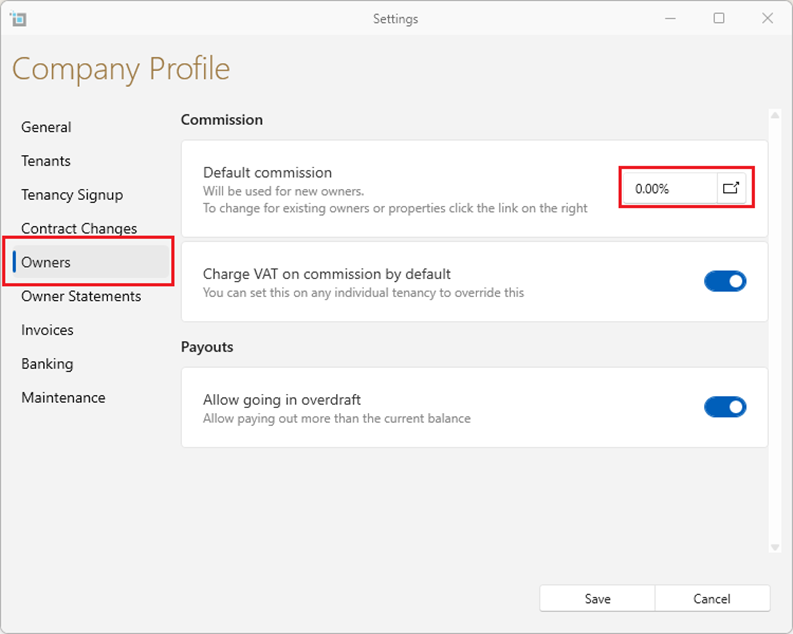
Setting up commission for a new owner.
If the commission for a particular owner is different it should be set up at the owner level when creating a new owner under the title commission.
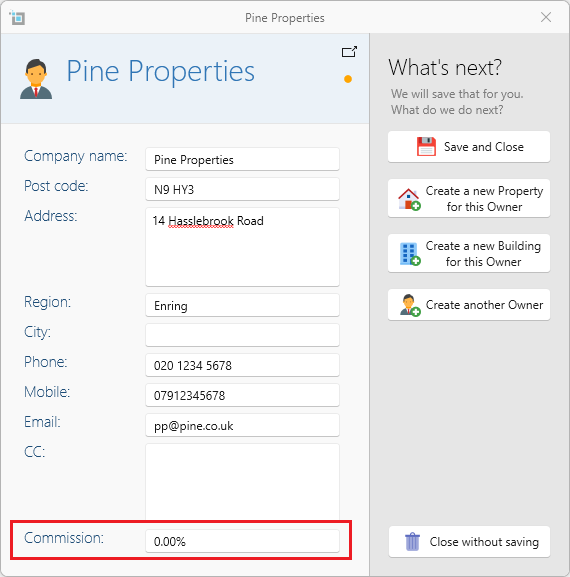
Once set up it will automatically be applied to any properties and leases you create for this owner.
When to set the commission on the property page:
It sometimes occurs that an individual property will require a different commission percentage to the general owners portfolio.
In this case you should set the commission on the property page under the property Detail tab by Default Commission.
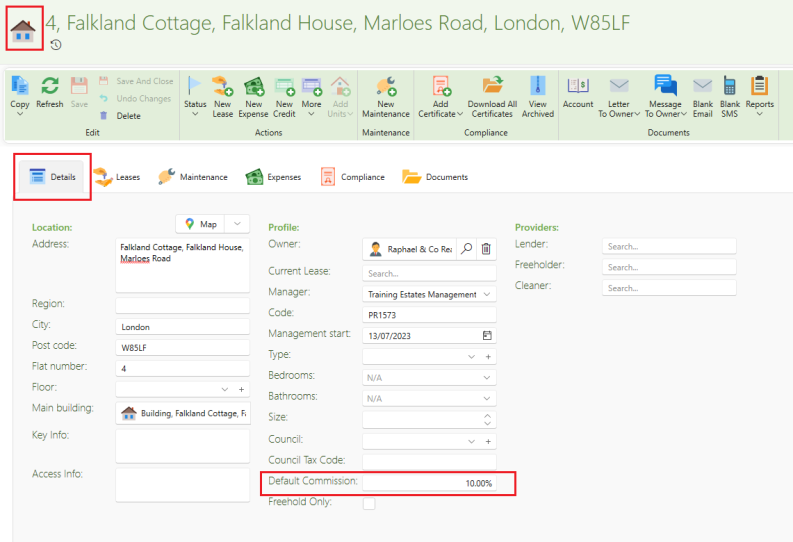
Once set up it will automatically be applied to any New rental payments created after this date. The commission will not change on existing rental payments.
If you would like the commission to be applied to previously created payments, follow the instructions in the article below to adjust the commission directly on the lease page.
Update tenant payment commission
Fixed Commissions:
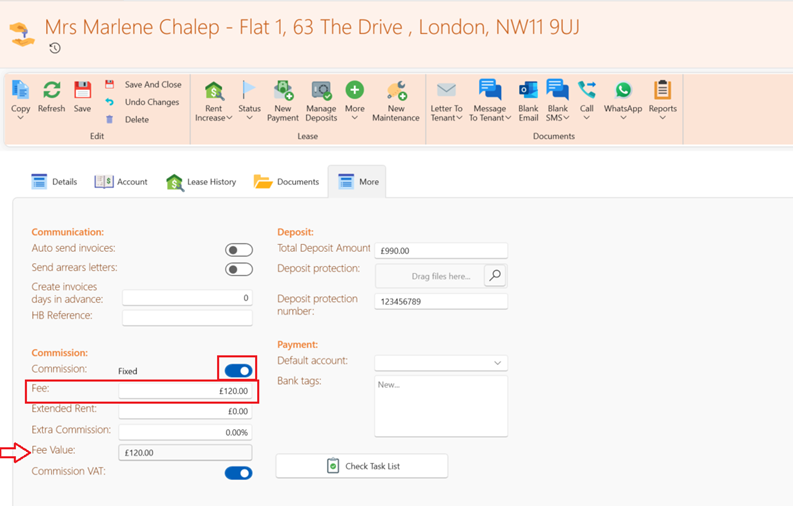
When the commission is a fixed amount and is not based on the rental amount adjust the commission on the Lease level as follows:
- Open the Lease and select the More tab.
- Under commissions slide the toggle from percent to fixed.
- Type the commission amount in the Fee box
- The fee will now show up under fee value.
If you would like the commission to be applied to previously created payments follow the instructions in the article below.
Update tenant payment commission
Further articles on commission:
How to change the commission fee for multiple owners.
How to change the commission fee for an owner.