
This is how to change the commission fee for multiple landlords.
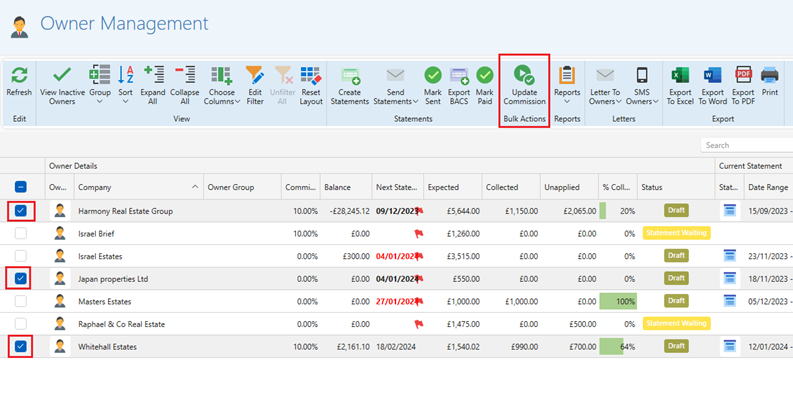
- Open the Owner Management window.
- Select the owners you would like to change the commission for.
- Click Update Commission.
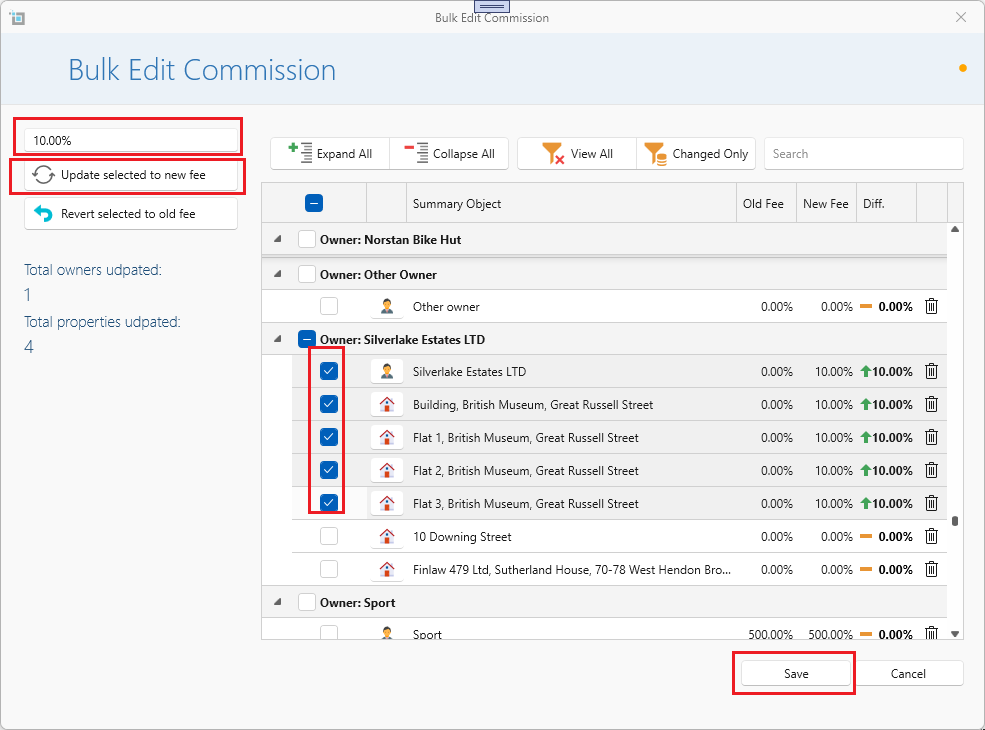
 The Bulk Edit Commissions window will now open.
- Select the properties you would like the new commission to be applied to.
- Type the new commission in the percentage box on the left panel.
- Then select Update selected to new Fee.
- Press Save.
- You can repeat this action to change other properties to your required commission amount.
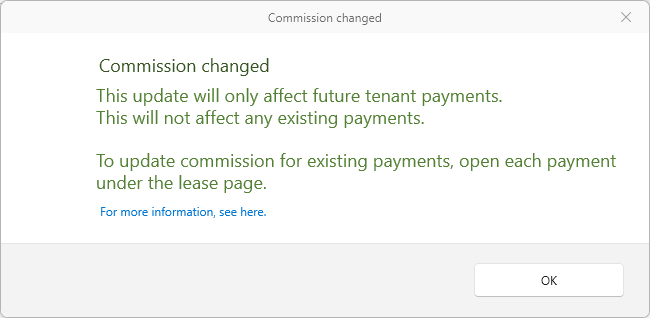
Once saved a warning will appear letting you know that the changes will only apply to payments created in the future.
The commission for existing payments will not change automatically, these will have to be updated individually. Please see the following article:
Update commission for existing tenant payment
Please note:
Leases with commission set to a Fixed Fee will never be changed by updating commissions on owners or properties. Always set or unset fixed fee from the lease page under the More tab.
Further articles on commission:
How to change the commission fee for a single owner.
How to set up the commission fee.