
This is how to add or remove a new certificate from the property compliance list:
- Open the property page.
- Go to the compliance tab.
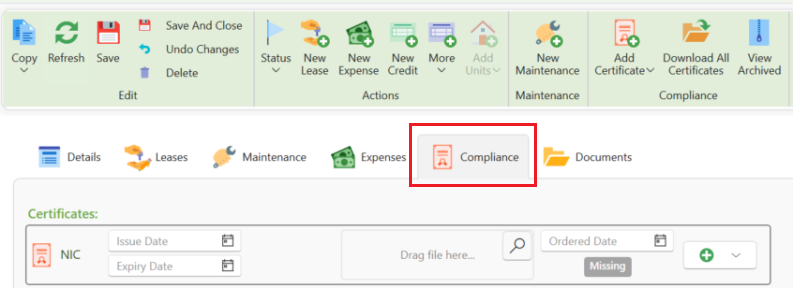
- You will see a list of all existing certificates for this property.
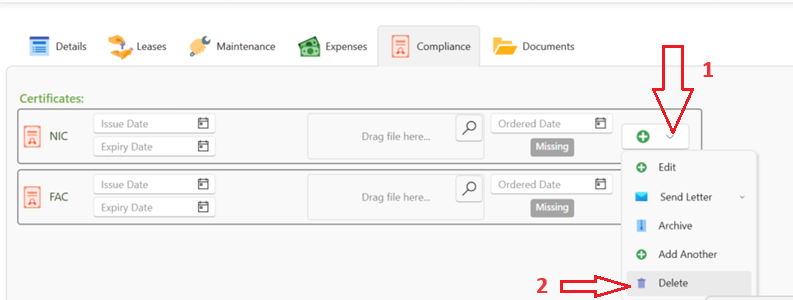
- If you see a certificate that's not needed for this property, just click on the Plus button on the far right of the certificate then select Delete.
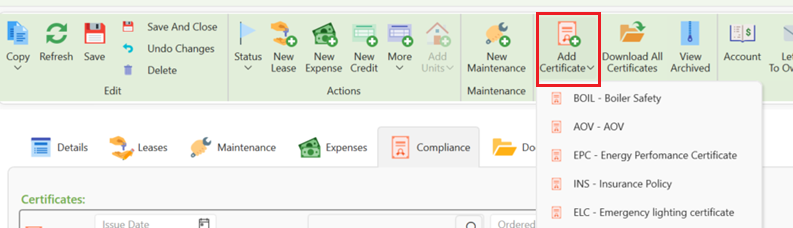
To add a new certificate required for this property:
Click Add Certificate and select a certificate from the dropdown.
- Don't forget to press save .
For instructions on how to renew a certificate please click on the link below: