
The following article will explain how to set up a charge schedule for a lessee or commercial tenant so that the correct percentage of a service charges or liable expenses is forwarded when splitting up expenses.
When creating the tenancy only tenancies with the correct lease type e.g. lessee or commercial tenant will be able to be recharged.
Creating a service charge schedule
You can create a service charge schedule in order to allocate charges in the correct percentage so that the system can calculate how much of an invoice should be forwarded on to the tenants.
A service charge schedule is created as follows:
- Open the building page.
- Click on the service charge icon.
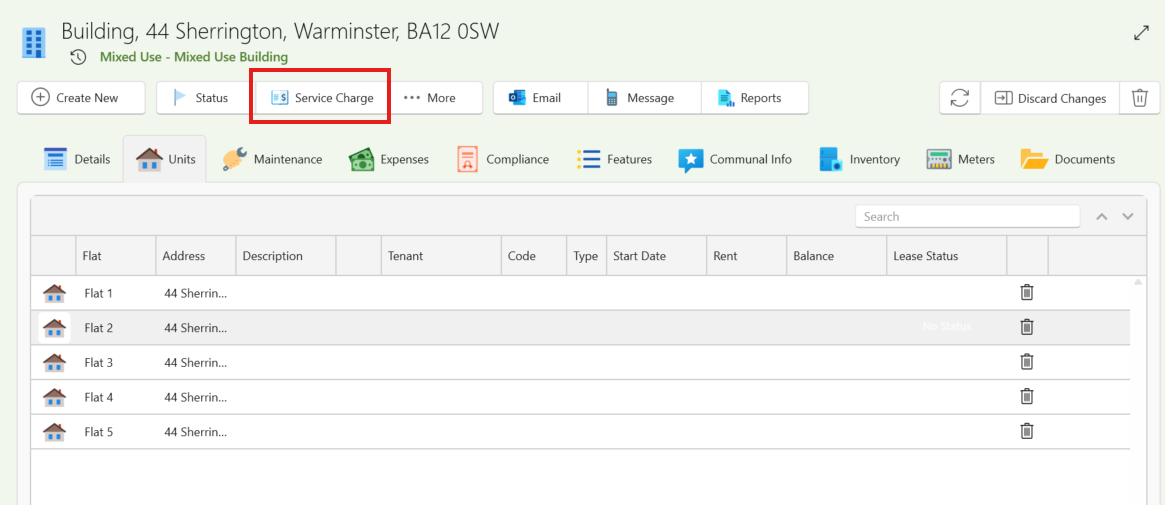
A service charge schedule window will now show.
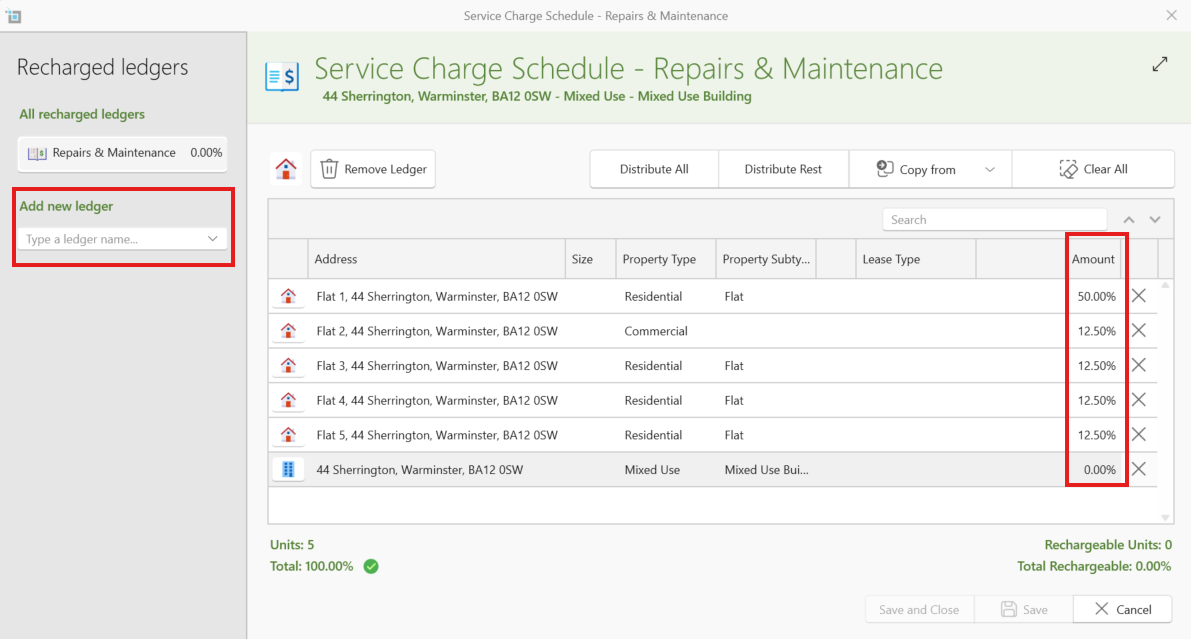
Each ledger is unique and will need to be actively selecting and then set with percentages to distribute the invoice charge amongst the relevant units
For Example: If you select the Repairs & Maintenance ledger and set flat 1 to 50% and distribute the rest amongst the other flats.
Each time you create an invoice for this building and choose the ledger Repairs and Maintenance then select Forward to tenants an invoice for flat 1 will be created with a 50 % share and then invoices for the other flats will be created divided accordingly.
How to set the percentage
- Select your chosen ledger from the dropdown.
- Use the buttons to distribute, this can be to distribute all or you can type the selected percentage in a units line and choose to distribute rest.
- You can copy from an existing ledger by selecting Copy From.
- Once Set ensure the Total is 100%
Note: Only filled in ledgers will be used by the system.
How to forward the charge onto the tenant
- Create an expense for the building.
- Save and close the invoice
- Reopen the invoice -You will now see a forward to tenant/s button.
By clicking forward to tenants the system will auto create a new invoice for any commercial tenants or lease holders listed in this building. The amount of the invoice will be based on the percentage of the service charge schedule as above.
For example: if you created an invoice for £150 and you have set two commercial tenants to pay 50% each. A new invoice will be created for £75 for each commercial tenant
The system will then show a clear message detailing the breakdown of the invoices that will be created for the tenants.
All invoices can be sent to the tenants by following the instructions in the article below:
How to send multiple invoices to tenants.
Want to know more
Charging a tenant from a Supplier Invoice