This is how to release a tenant's deposit when it is held with the owner, manager or tenancy deposit scheme.
To release a deposit that is being sent straight back from the owner or tenancy deposit scheme to the tenant, without touching your account, follow the instructions at the bottom of the page.
- Open the tenancy page.
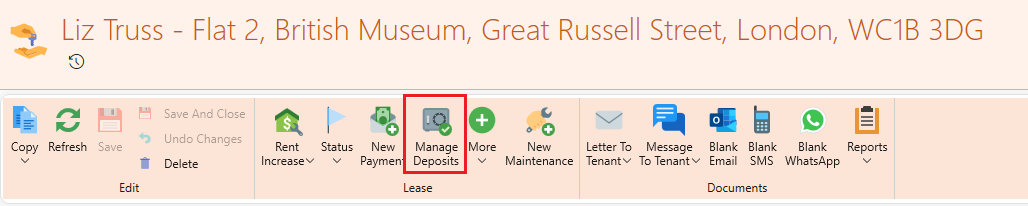
- Click Manage Deposits.
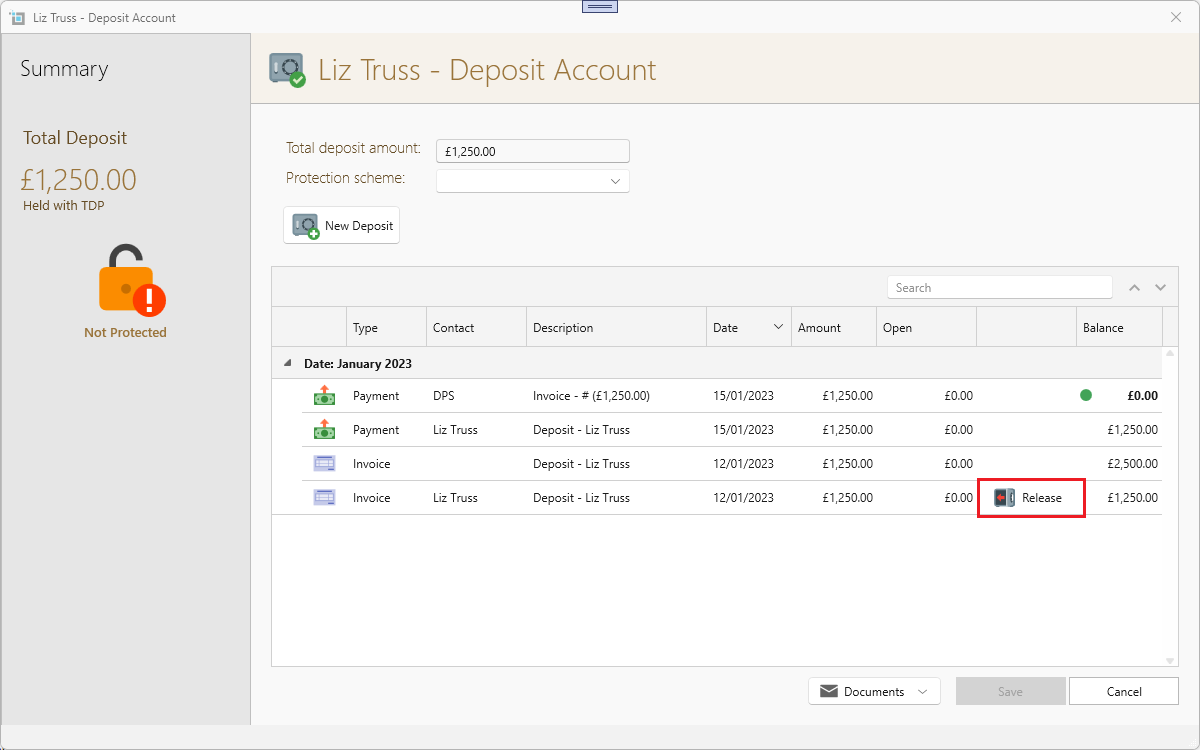
- Click Release on the tenant's deposit invoice line.
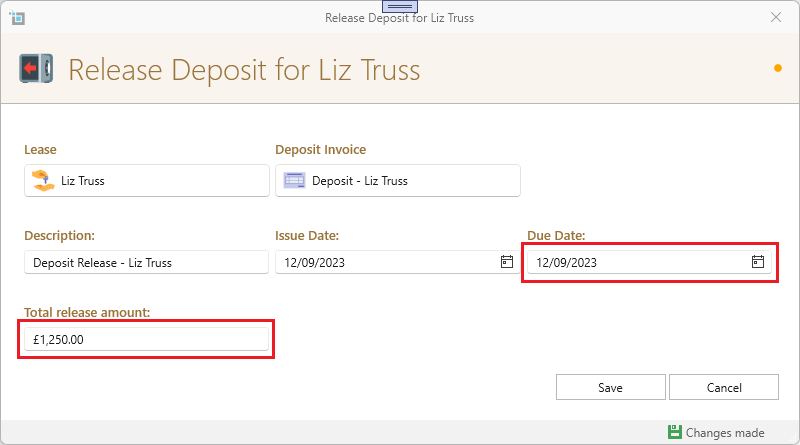
- The release deposit window will open.
- Fill in the Due Date and Total release amount.
- Click Save
- Go back to the tenancy page.
- Click Refresh
- You will see the virtual payment in the tenant's account.
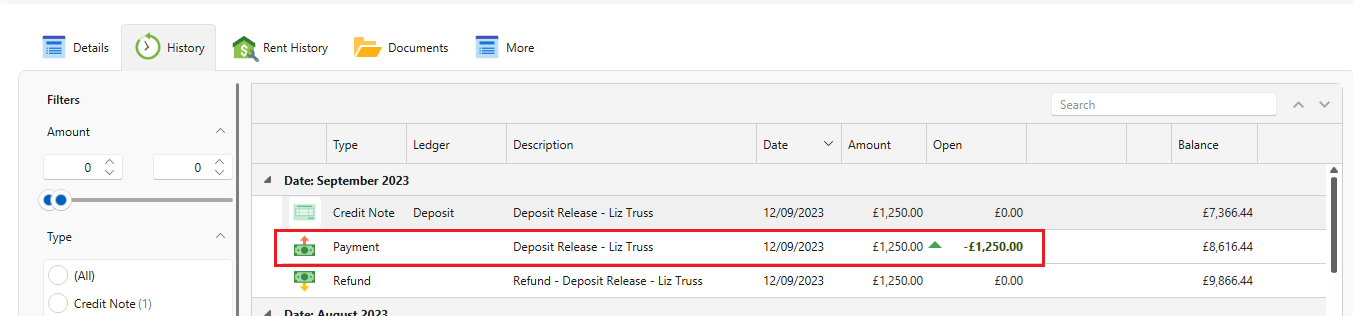
- SleekTech has now created a virtual incoming payment on the tenant account.
- You can use to apply outstanding rent or other charges, or you could refund it to the tenant if nothing is outstanding.
- To apply to the payment to rent or other charges, click on the payment to open it.
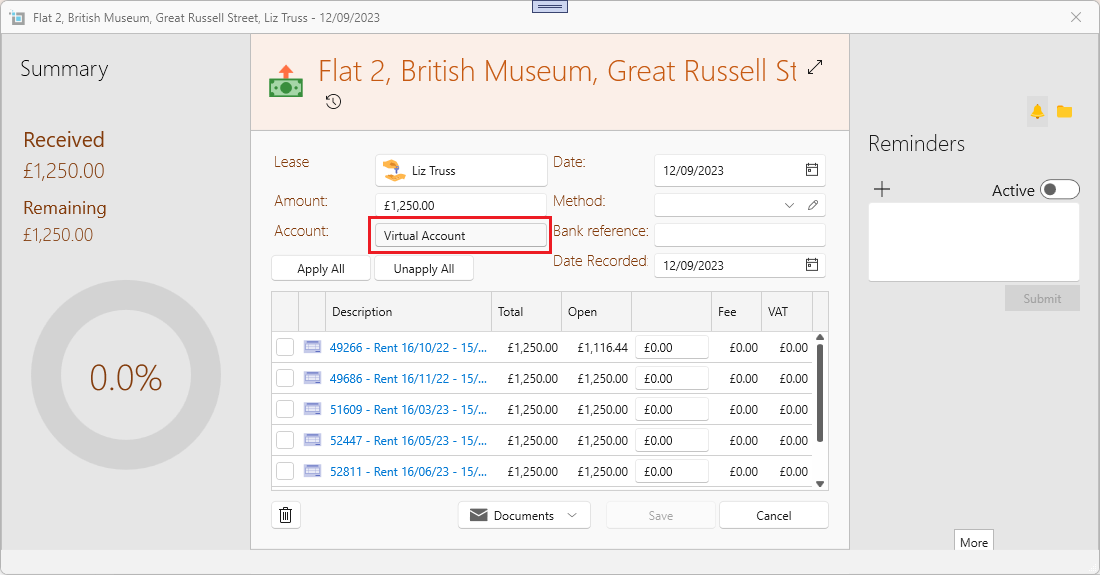
- Apply to any outstanding invoice as usual.
- If you want to refund it to the tenant, you will first have to create a refund.
- See here how to do it: How to create a refund for a tenant
- If you want to keep the payment and forward it to the owner—for example, to cover an early leaving fee—you can create a non-rent invoice for the required amount and apply it to the virtual incoming payment that was generated
- In all of the steps above, remember to process a refund on the supplier page for the credit note that was created when the deposit was released.
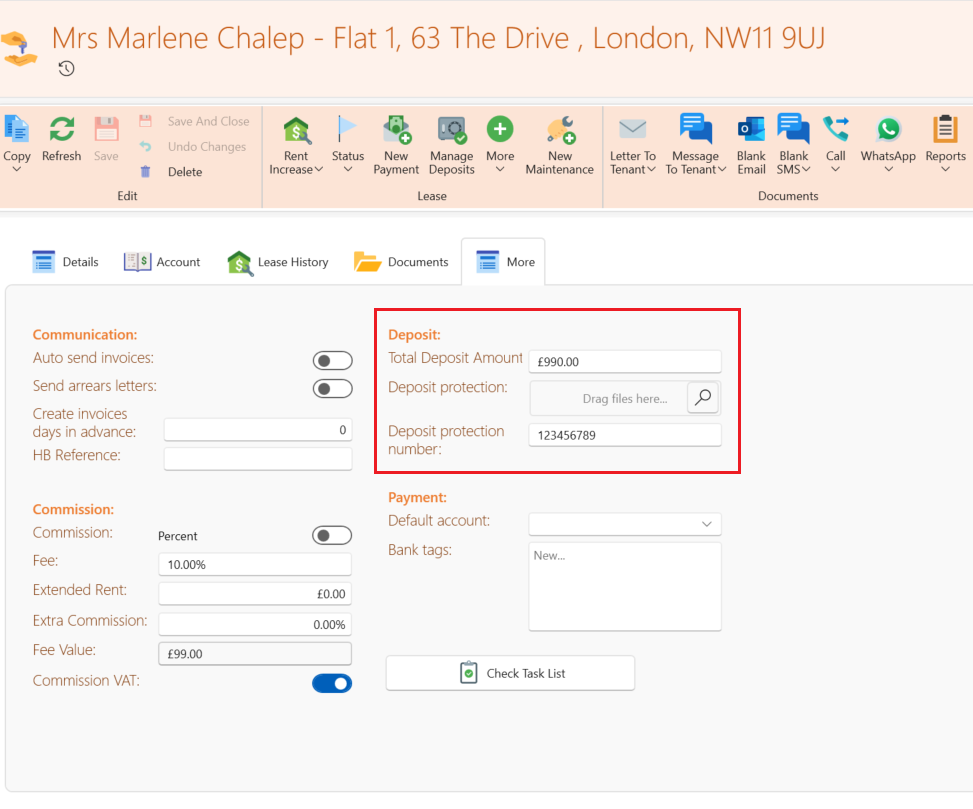
This is how to release a tenant's deposit that is being sent straight back from the owner or tenancy deposit scheme to the tenant
On the More tab of the lease, find the Deposit box. Change the amount to 0 and press Save.