
Adding Tags to Landlords
You can now assign tags to individual landlords directly on the Landlord page. Tags provide quick, searchable labels such as Annual Statements Only, Tough LL, VIP, Needs Review etc.
To add a tag:
Navigate to a specific Landlord Page
Locate the Tags section on the left
Click the dropdown to select a tag
Alternatively you can create a new tag
Save your changes
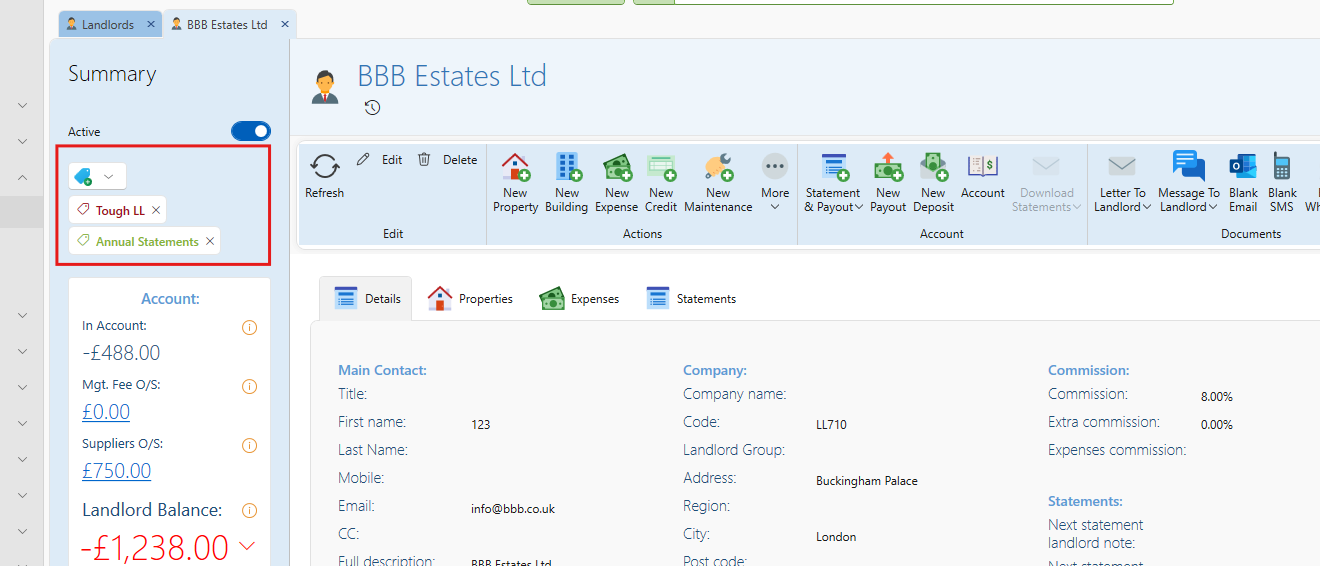
Note: This is not to be confused with LL Group, which is used for grouping multiple companies or partnerships under a common ownership such as multiple companies belonging to one landlord. Tags are informal labels for additional context.
Filtering by Tags on the View Landlords Page
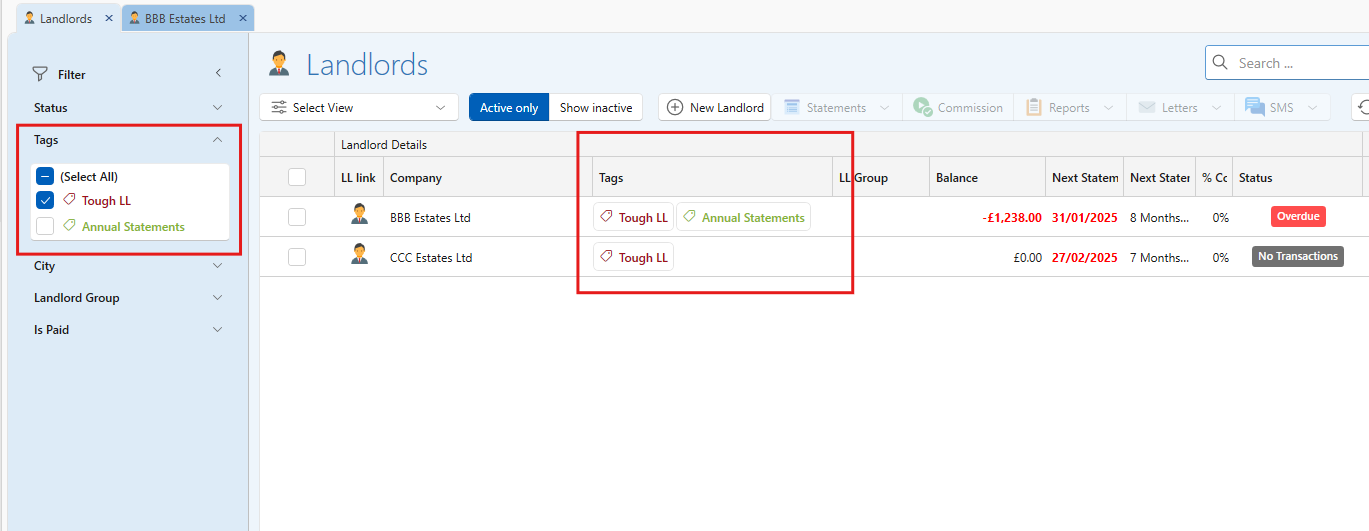
Just like with leases, you can now filter landlords by tags from the View Landlords Page.
To filter by tags:
Go to the View Landlords page
Use the Tag filter dropdown
Select one or more tags
The list will update to show only landlords with those tags
This is useful for quickly finding landlords with specific operational notes, segmenting follow-ups like all landlords tagged "Annual Statements".
Keep tags short and meaningful by avoid full sentences
Use existing tags when possible to maintain consistency
Do not use tags as replacements for formal status fields or legal groupings
Still need support?
Need more help with landlord tags? Reach out to our support team for personalized assistance and solutions.