
Streamlined Statements, Smarter Workflows & Time-Saving Upgrades
It’s been a while since our last update — but we’ve been working hard behind the scenes, and we’re excited to roll out a huge wave of improvements that make your day-to-day smoother, smarter, and faster.
From statement creation to arrears logic and vacancy tracking, this release is all about removing friction and saving you time where it counts most.
Let’s jump in:
A brand-new statement workflow experience
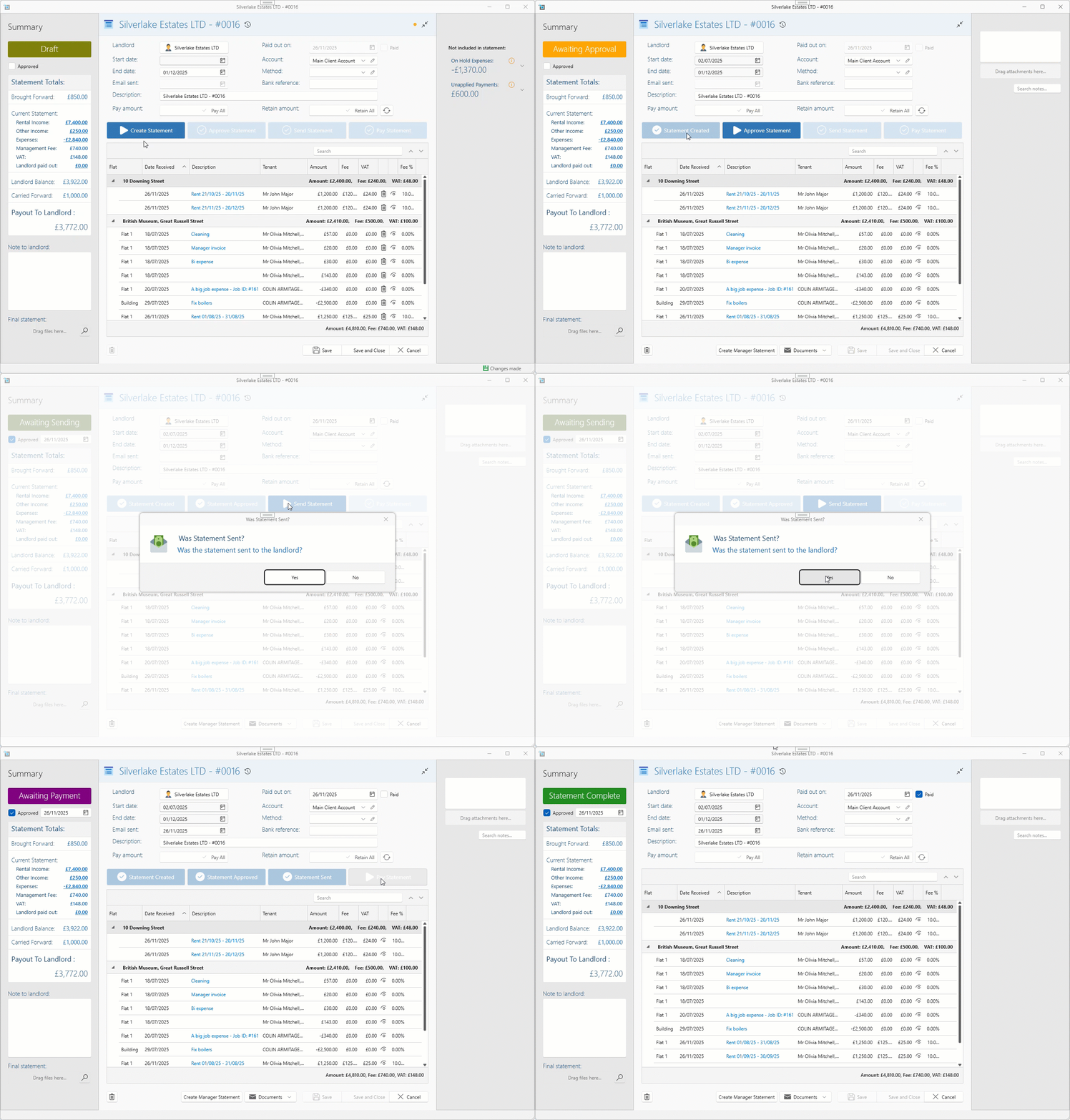
You can now manage every stage of your landlord statements in one smooth flow:
Draft → Awaiting Approval → Awaiting Sending → Awaiting Payment → Complete.
Each stage is visible and actionable, with guardrails and warnings to help prevent costly mistakes.
You can see what’s coming in, fix any incorrect transactions or commission mismatches, and reload as needed until it’s ready to go.
To read more about the new statement workflow see here:
How to create landlord/owner statements
Bulk Statement Workflow – Smoother, Smarter, Faster
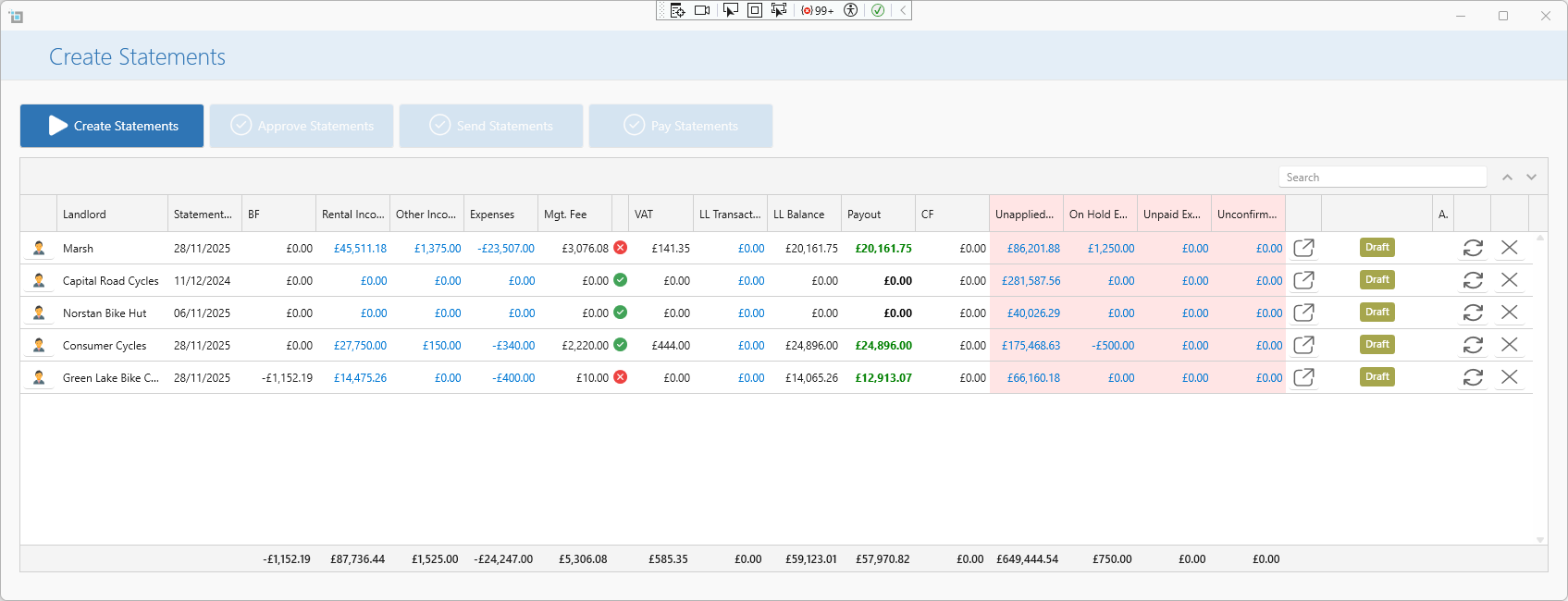
You can now move entire batches of statements seamlessly through each step — from Draft to Approval to Sending and Payment — all from one streamlined interface.
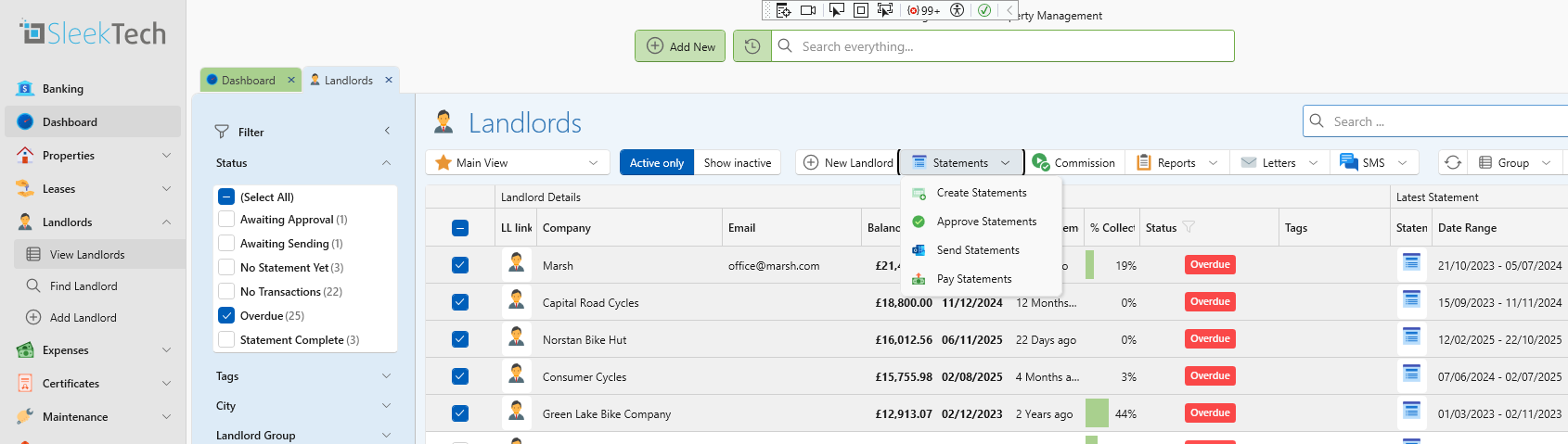
At every stage, you’ll get a clear overview of what's ready, what's waiting, and what's overdue, with the flexibility to dive in, make edits, or fix anything before moving on.
Bulk statement day just went from dreaded to done.
To read everything about how to create statements in bulk see here:
How to create statements in bulk
Statement overview coming to the dashboard
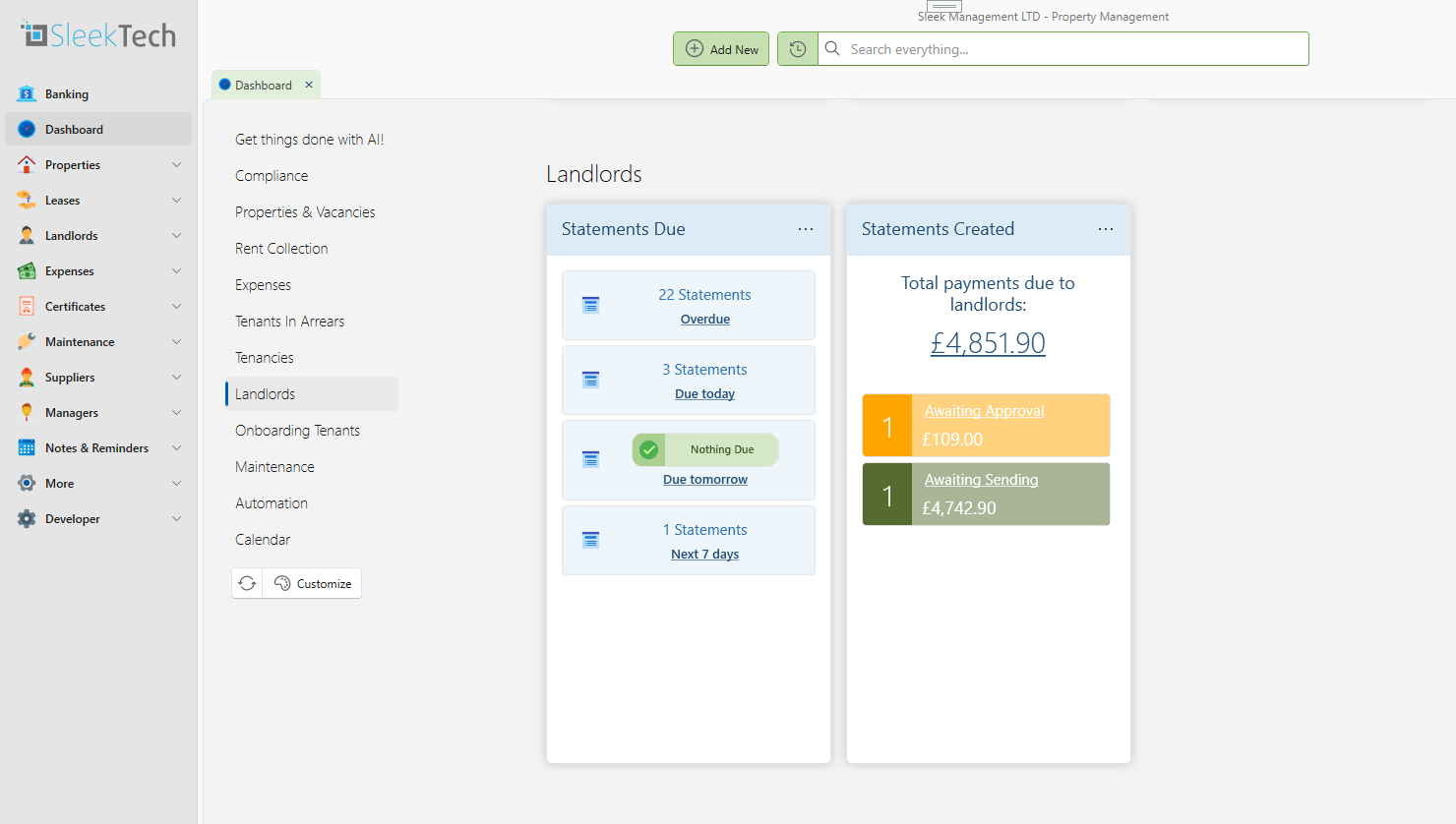
Two powerful new cards on your dashboard now keep your statements under control:
- Upcoming & Overdue – See which statements are due or overdue and jump straight into drafting.
- In Progress – Track statements already in motion, clearly showing what’s waiting to be sent, paid, or approved.
No more guesswork — just clear next steps at every stage.
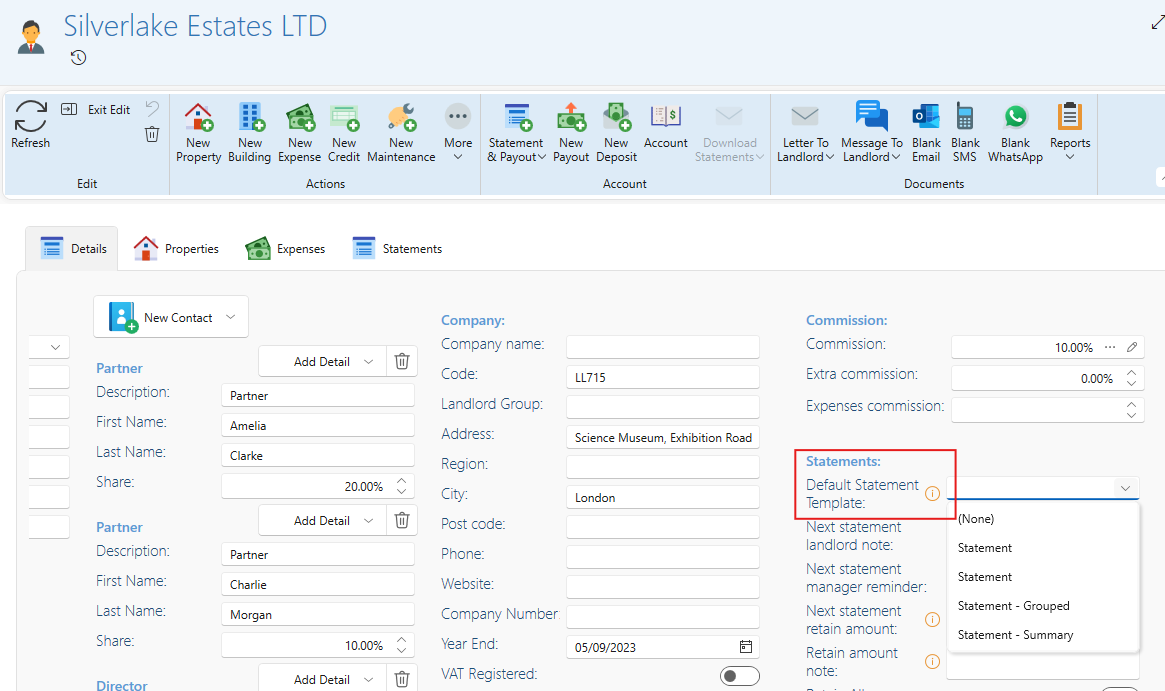
Default statement templates
You can now set a default statement template per landlord, or set a global default from the Control Panel.
These are automatically used whether you send a statement manually or via bulk mode.
Option to Require Approval for Statements
We’ve added an optional setting allowing you to require approval before statements can be sent or paid.
This creates a controlled, multi-user workflow that ensures statements are thoroughly reviewed before they leave the system.
How It Works
User A (Creator) can draft and create statements in bulk or individually.
Their role is to prepare the statements.
They cannot send or pay if approval is required.
Statements then move to Awaiting Approval.
User B (Approver) — someone with permission to approve — reviews the statements.
They can:Open PDFs or email previews
Open any statement to amend transactions
Refresh to reload the updated data
Once approved, the Date Approved is recorded.
Statements then progress to Awaiting Sending, where the next authorised user may:
Send the statements
Or trigger the payment stage (if auto-sent or already sent)
This ensures the right people check the financials before anything is sent to landlords.
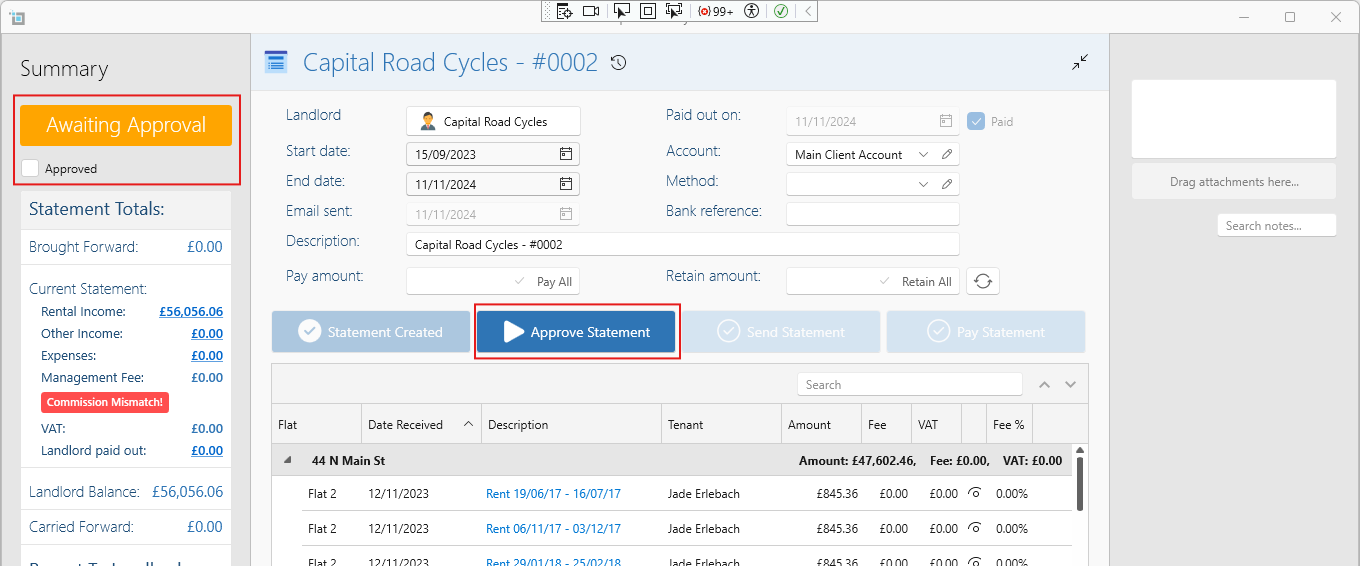
For how to approve statements, see:
Approving Statements
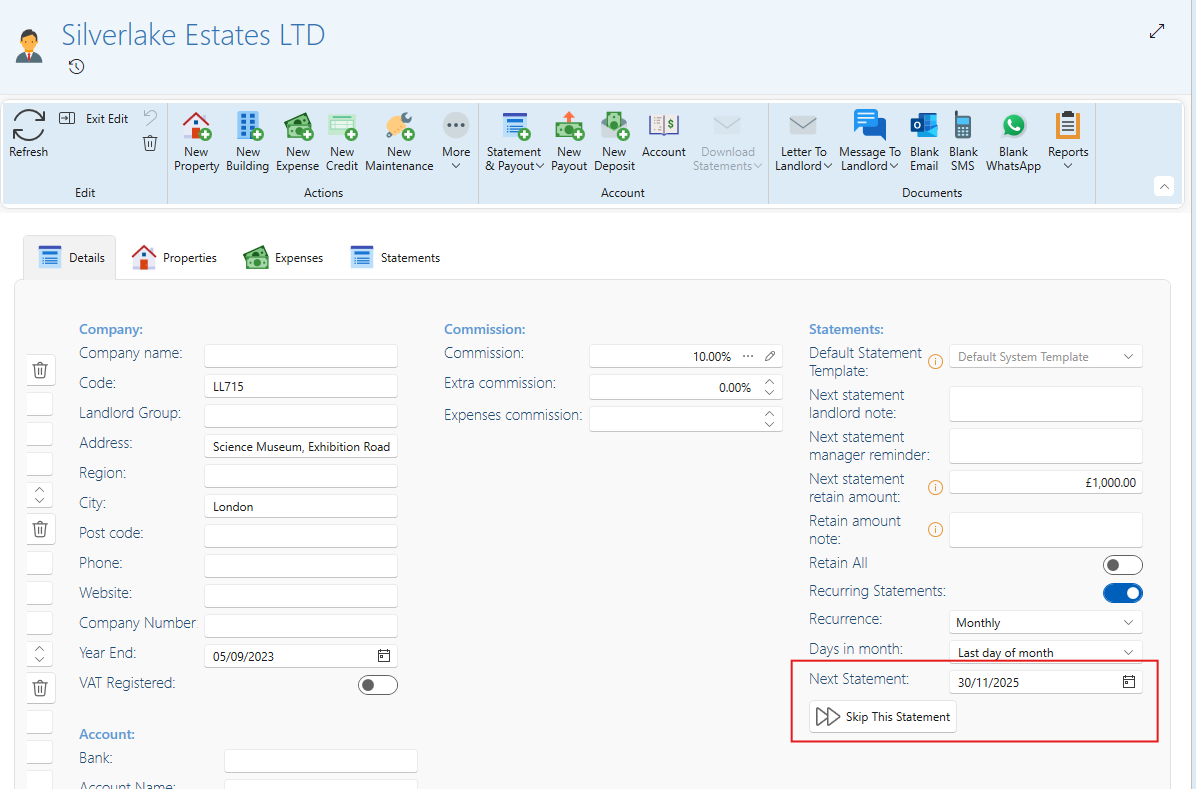
Option to skip a statement cycle
If you don’t want to send a statement this month — maybe there are no charges, or it’s a quiet period — simply skip the cycle, and it won’t show as overdue.
It’ll be picked up automatically next month.
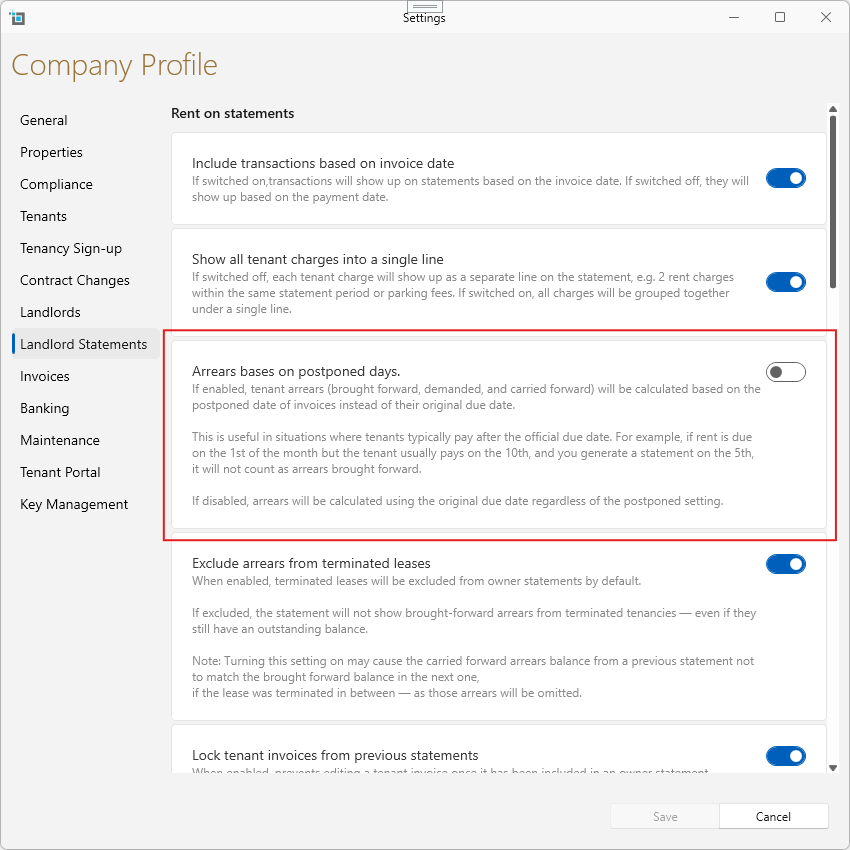
Arrears in statements based on usual tenant pay dates
You can now switch on a setting that calculates brought forward and carried forward arrears based on the tenant’s usual payment date — not just the invoice due date.
So, if a tenant always pays on the 5th, even if the rent is due on the 1st, their statement won’t unfairly flag arrears. It’s a smarter way to reflect real-world expectations.
Option to Hide Sensitive Bank Accounts
You can now admins can now hide specific bank accounts to better control access to sensitive financial data.
Hidden accounts are invisible to users without special permission, while blocked accounts require an additional permission even if users can see other accounts. This update enhances privacy and helps protect confidential transactions like payroll and director withdrawals.
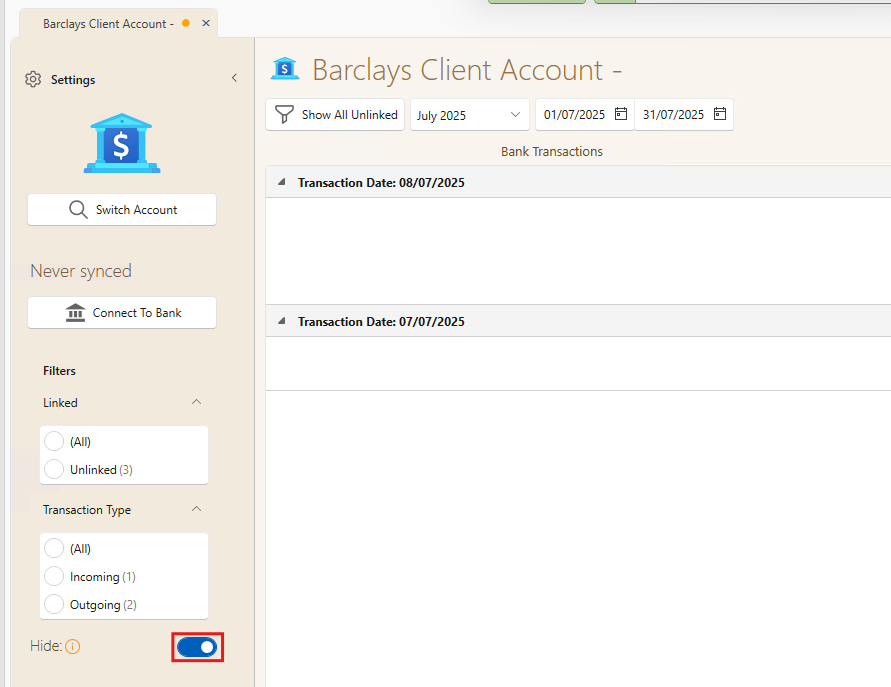
For more information view blocked accounts please view this article:
How to hide sensitive accounts from specific users
Landlord Tags
You can now assign tags to individual landlords directly on the Landlord page. Tags provide quick, searchable labels such as Annual Statements Only, Tough LL, VIP, Needs Review etc.
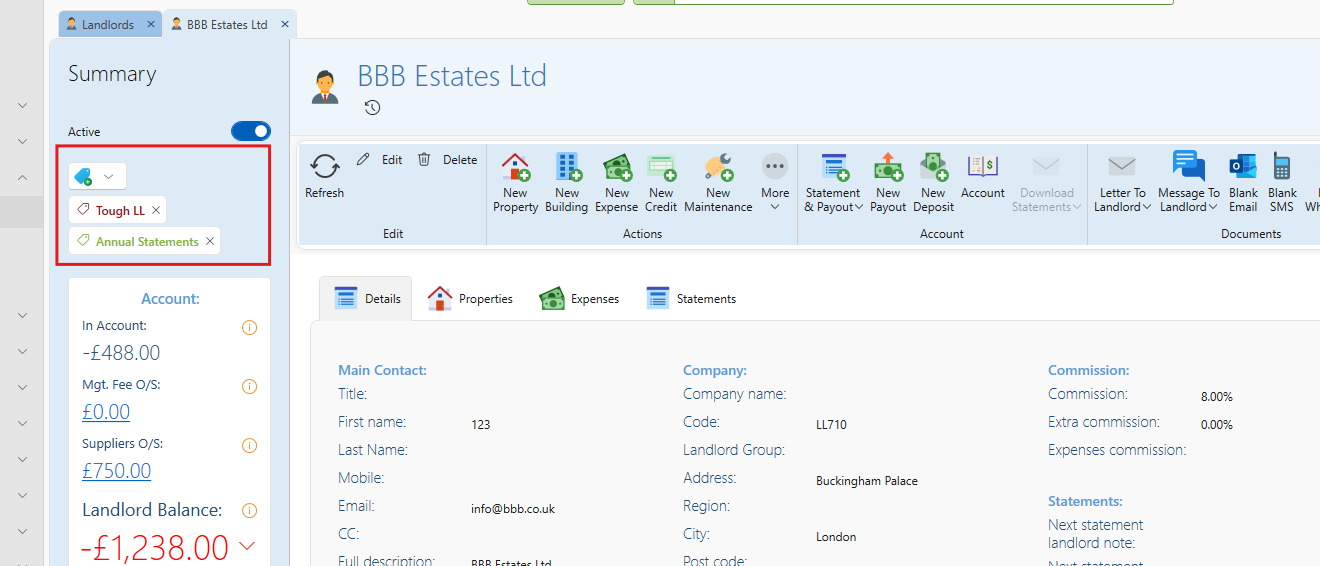
For more information view blocked accounts please view this article:
We’re Here to Make SleekTech Even Better
We’re constantly improving SleekTech based on your real-world needs — and we would love to hear your thoughts on this update and what you’d like to see next.
Share your feedback in our community topic:
Your Thoughts on the New Update — What Should We Build Next?
And if you’re excited about this new feature, feel free to give us a like at the bottom of this page - just click the thumbs-up button to let us know!
Your feedback directly shapes the future of SleekTech.