Welcome to our guide on how to record temporary accommodations.
This article will walk you through the steps of setting up temporary accommodation leases and the income received via the council, using SleekTech, our all-in-one software solution designed to simplify, streamline, and empower property managers.
Temporary is commonly used as a part of the guaranteed rent scheme, for more information please view the following article:
Guaranteed Rent
Recording income for temporary accommodation
When subletting a property to the council for temporary accommodations there are two options on how to record the incoming rent received.
Option 1 - Creating a new lease for each new tenant that moves in.
This option requires you to create a new lease for each tenant that moves in.
When the tenant vacates the property you will need to terminate the tenancy.
This can be done by following the guidance in the article below:
How to end a tenancy
When a new tenant is assigned to the property you will need to create a new lease.
Pros and Cons
The pros of this option is a clear and detailed flow of names and date ranges for each tenant.
The cons of this option is that you may have to create a new lease frequently that can be quite time taking.
Option 2 - Create the council as the primary tenant and the current tenant details are saved as tenant 2.
When the tenant leaves the property the council remains the main tenant, you will need to inactivate tenant 2 and set the rent charge to £0.00.
You can inactivate a tenant by selecting the three dots in the corner of the tenant card, in the detail pop up slide the toggle away from Active.
You may want to keep a record of previous tenants in the communication panel on the right.
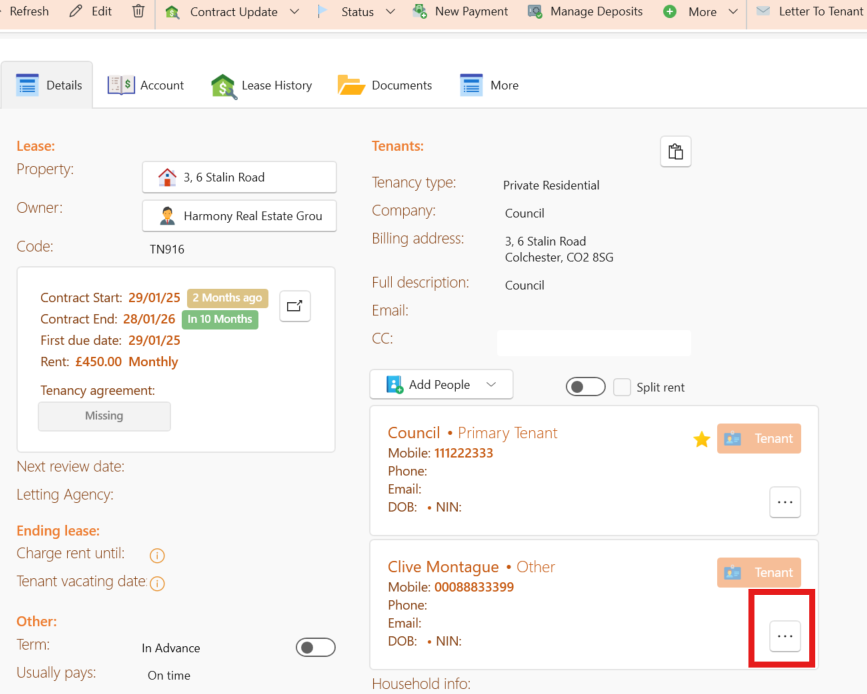
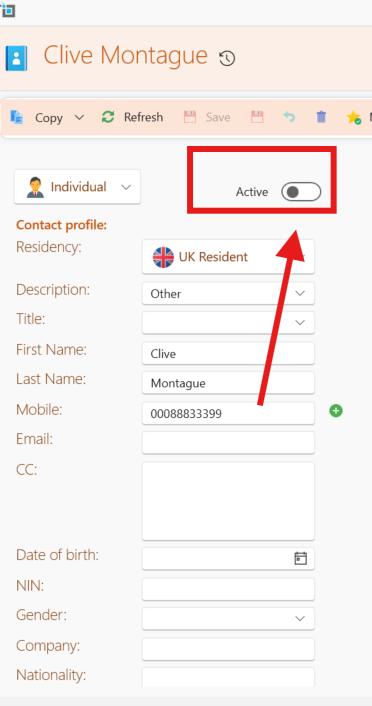
When a new tenant moves in you will need to create a new secondary tenant within the same council lease.
You will then need to create a contract renewal with the rent amount to restart charging rent.
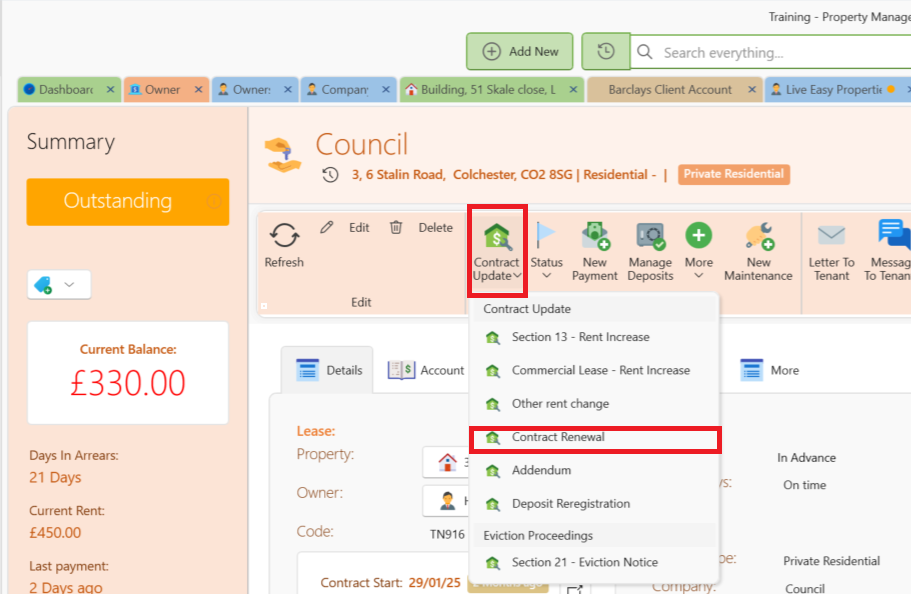
NOTE: If the lease is switched to a new council you will need to terminate the lease of the previous council and then create a new lease for the new council.
Pros and Cons
The pros of this option is a combined view of how much you have received from this council regardless of the tenant name.
Additionally you will not need to continuously create new tenancy.
The cons of this option is that you will not have a clear record when each tenant moved in and out unless you specifically add a note in this regard on the side of the page.
Conclusion
By following these steps, you can efficiently manage temporary accommodation and sublets to the council.
