
Understanding which Tenancies will be included in Arrears Automation
The following criteria ensure that only relevant tenancies are included:
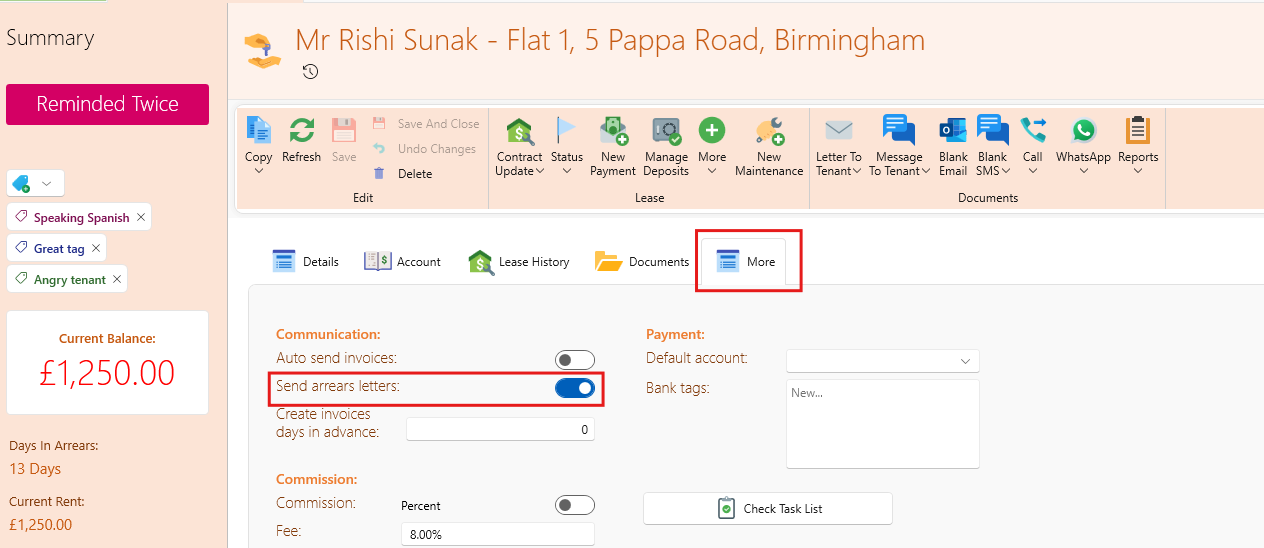
- "Send Arrears" Switch: This feature is disabled by default for all tenancies. You can toggle it on or off for specific tenancies directly on their tenancy page if needed.
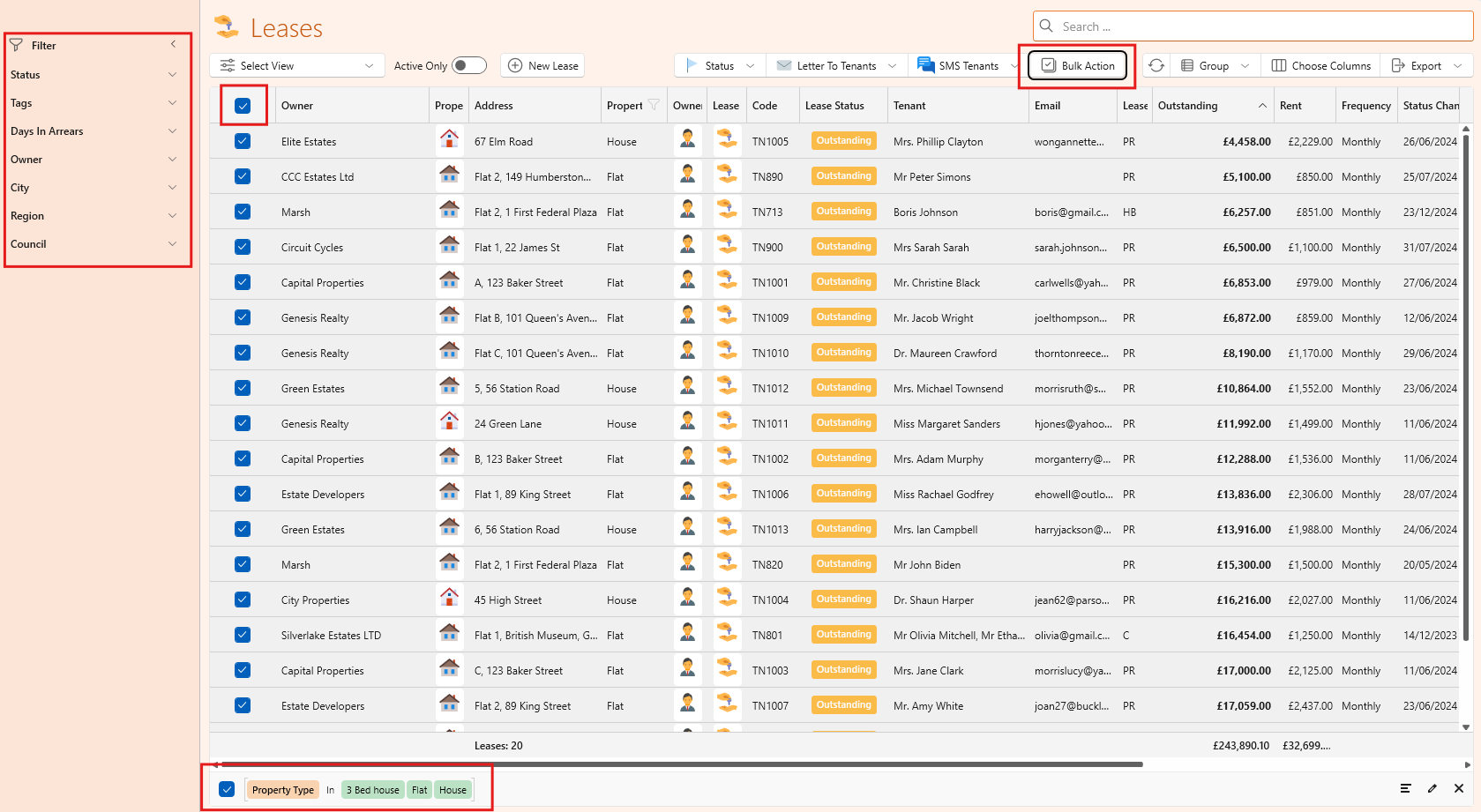
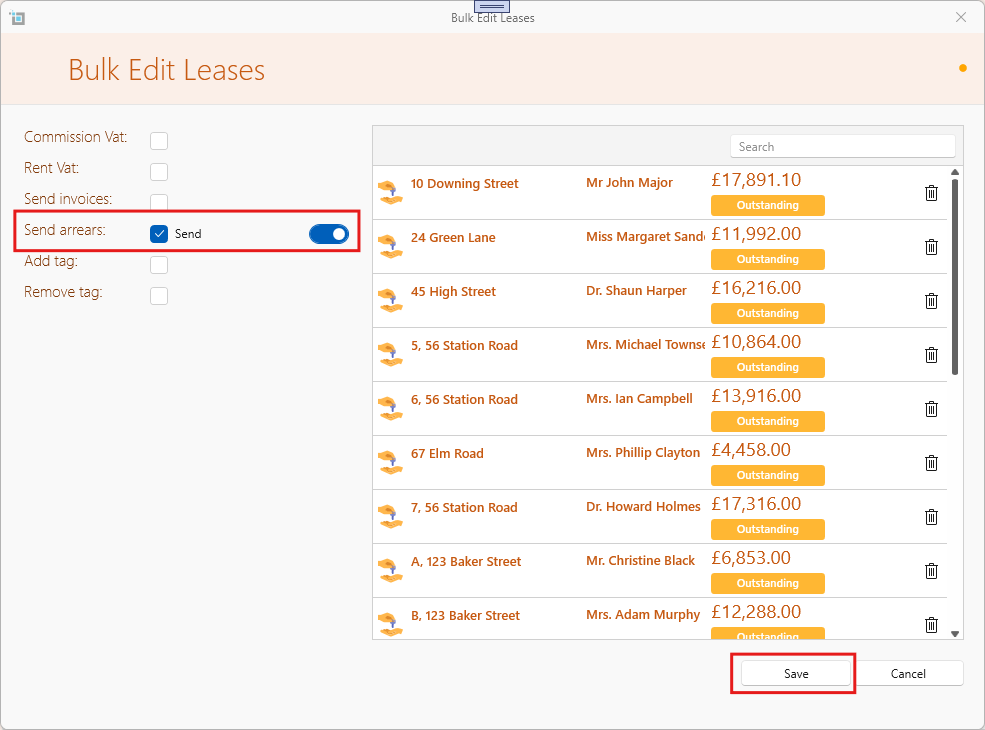
- Updating in bulk: Use the "View Lease" page to filter tenancies by type (e.g., commercial or residential) and enable or disable arrears automation in bulk.
- Main Email Address Requirement: Automation will only include tenancies with a valid main email address entered. Emails will also be sent to any CC email addresses associated with the tenancy.