
Welcome to our guide on managing statements for properties with multiple owners.
This article will walk you through how to manage properties owned by partners with any ownership percentage, such as 50:50, 70:30, or other splits. Using SleekTech, you can efficiently split statements and pay-outs to reflect these proportions, ensuring accurate records and reconciliation.
This is how to split an owner statement
Find one of the owners with the shared ownership and go to their page. I t will not matter which of the owners you choose, but it is best to choose the same one each month.
Step 1: Determine the Total Amount
- Navigate to the Owners page and view the account balance in the side panel.
- If needed, create a statement to view the total amount. You should then delete this temporary statement afterward to avoid duplication.
Step 2: Calculate Each Partner’s Share
- Multiply the total amount by each owner’s ownership percentage to determine their share.
- For example, if the total amount is £1,000:
- For a 70:30 split:
- Owner A (70%) receives £700.
- Owner B (30%) receives £300.
- For a 70:30 split:
- For example, if the total amount is £1,000:
Step 3: Create a Payout for Each Owner
- On the page ribbon of the owner, click New Payout.
- Enter the calculated amount for the second owner (e.g., £300 for Owner B).
- In the Description field, add a note such as "Payout to Owner B for 30% share."
- Save the payout.
Step 4: Generate a Statement
- Create the statement as usual. The payout for the second owner will appear as a deduction on the statement, reducing the total by the appropriate amount.
Step 5: Reconcile Payments
- Once payouts are made, reconcile them with the bank transactions:
- Match the statement to Owner A with their share of the statement.
- Match the payout to Owner B with the manual payout recorded earlier.
Add Ownership Info
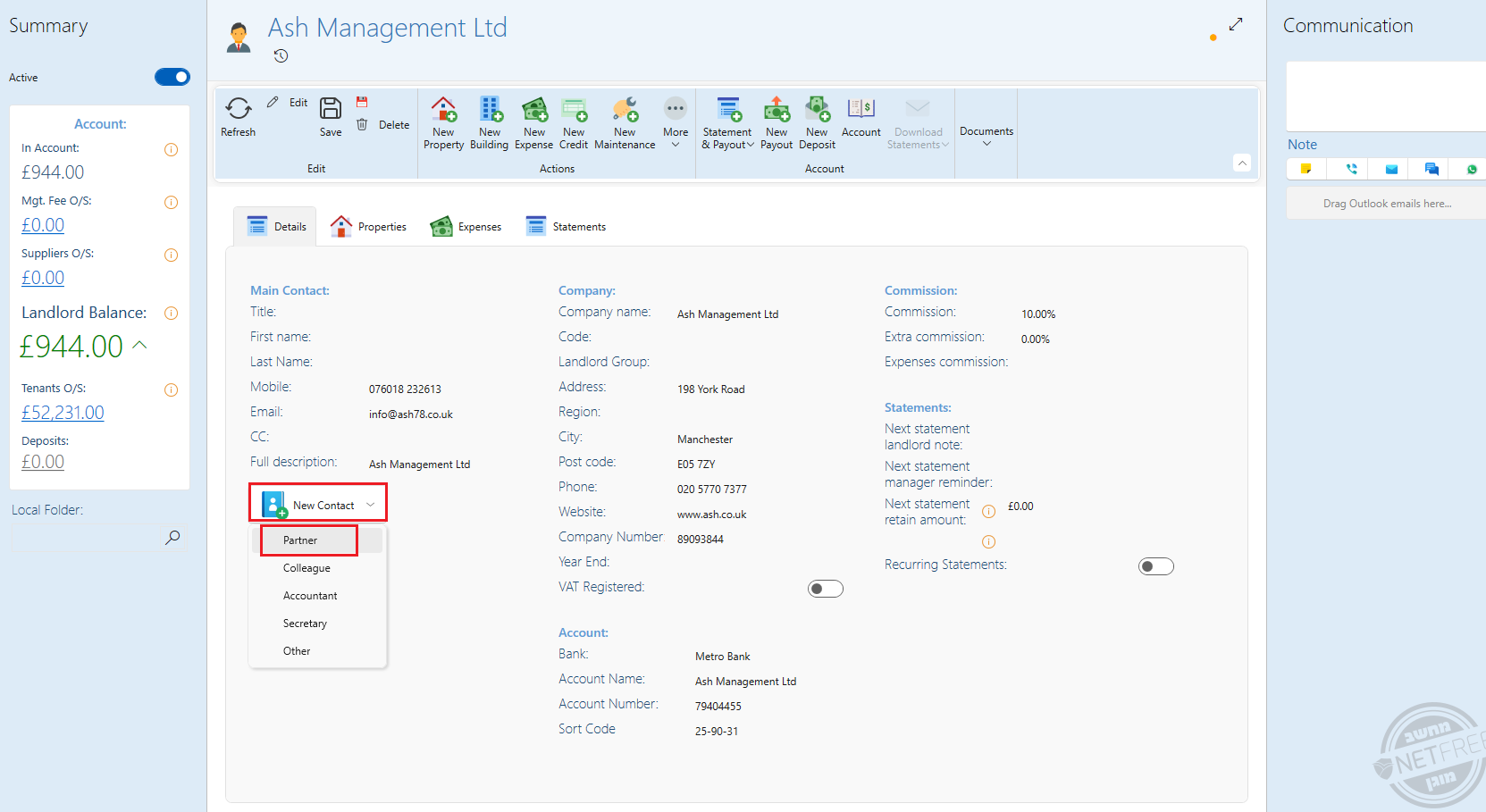
In addition to handling the statements, there’s also a section in the system where you can add this information, just so it’s recorded and easily accessible.
- Go to one of the owners page.
- On the Details tab, click on Contact
- Select Partner
- Fill in all the details, the Share box is the last one.
- Save
Conclusion
By following these steps, you can effectively manage statements and payouts for properties with any ownership split using SleekTech. This method ensures fair and accurate financial distribution, tailored to the partnership percentages.
Still having trouble?
If you encounter any issues while splitting statements or handling payouts, please contact our support team for assistance