
Overview
If you have accidentally created two suppliers and have allocated payments and created invoices for both, it is highly recommended that you merge the duplicate suppliers to keep your records clean and accurate. By merging the suppliers, you can ensure that all transactions are properly assigned to a single supplier, avoiding confusion and potential errors in your accounting.
How to Merge Suppliers
- Navigate to the Find Suppliers button located on the left-hand side of the screen.
- From the supplier list, identify and select one of the suppliers you wish to merge.
- Click the Merge option associated with the supplier you selected.
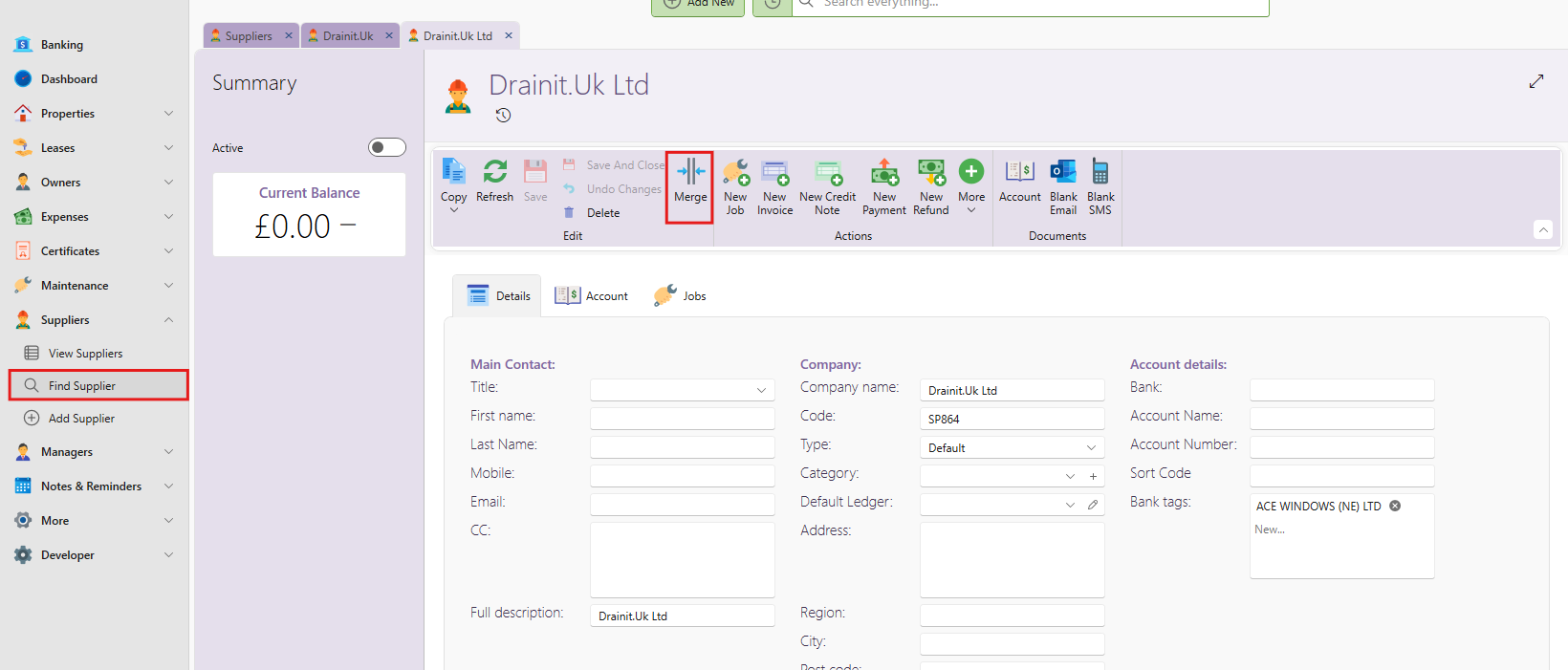
- You will be prompted to select the duplicate supplier from a dropdown list. Choose the supplier that is the duplicate or incorrect entry.
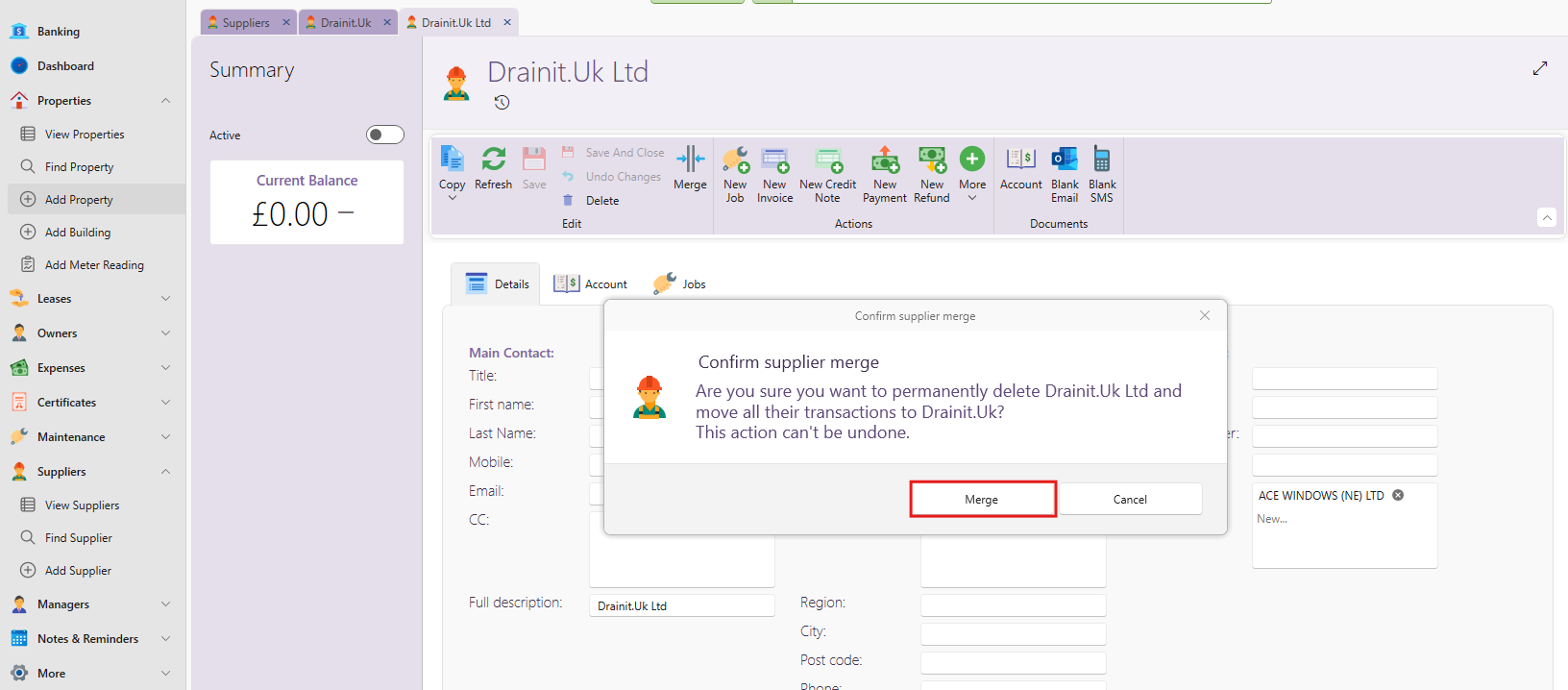
- A prompt will appear informing you that the system will permanently delete the selected duplicate supplier and transfer all of its associated transactions to the remaining supplier.
- If you are certain that you want to proceed, click Merge to complete the process.
Important Notes
- Merging suppliers is a permanent action. Once the duplicate supplier is merged, it cannot be undone and the deleted supplier will no longer be available in your system.
- All transactions, such as payments and invoices, from the duplicate supplier will be moved to the remaining supplier.
If you have any issues or need further assistance, please reach out to our support team.