
Adding Owner Note for Next Owner Statement
To add a note that you'd like to appear on the next owner's statement, follow these steps:
- From the Main Ribbon, select Find Owner.
- Go to the Owner that you'd like to make a note for.
- Locate the section designated for owner notes. This is typically found under the owner's details on the far right.
- Insert the reminder or note you want to display on the Next owner's statement. This could be related to upcoming expenses, specific instructions, or important details you wish to communicate.
- After entering the note, Save your changes. The note will now be associated with the owner's most recent statement and disappear from the details section.
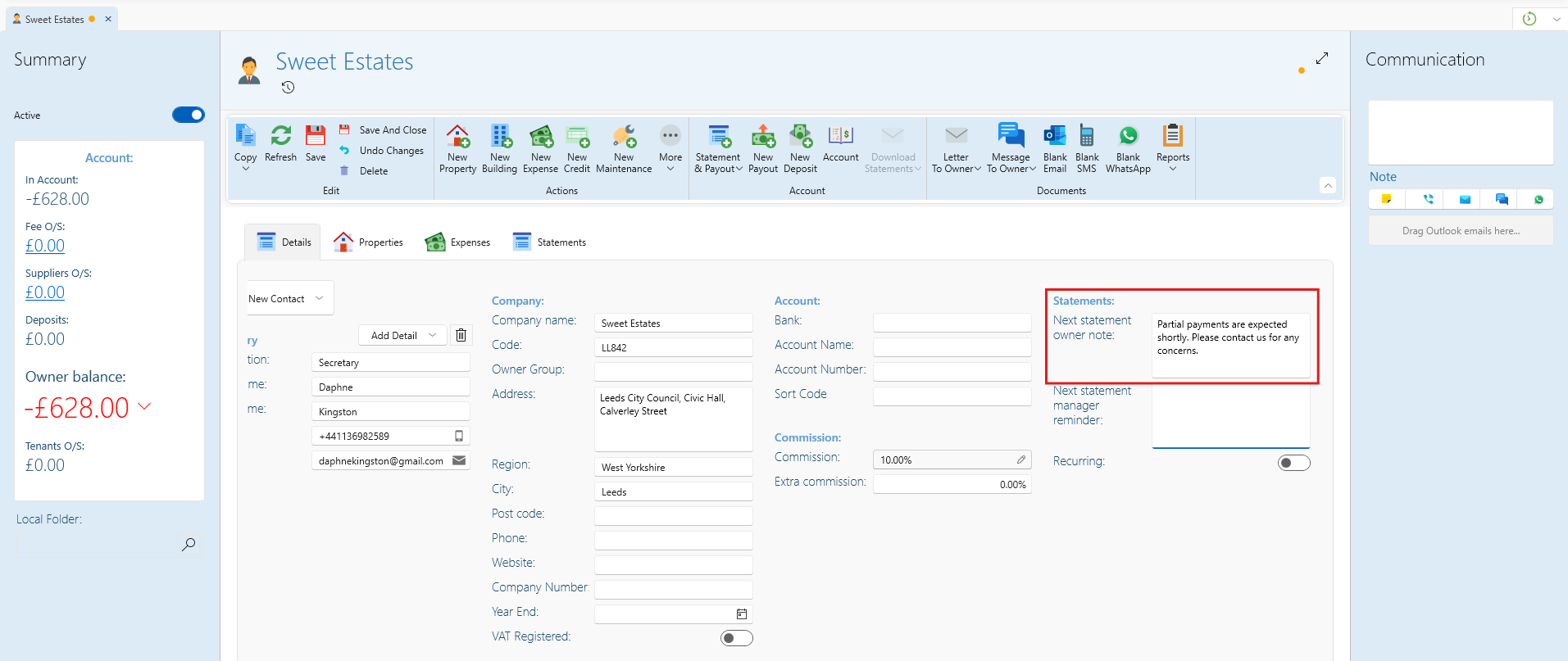
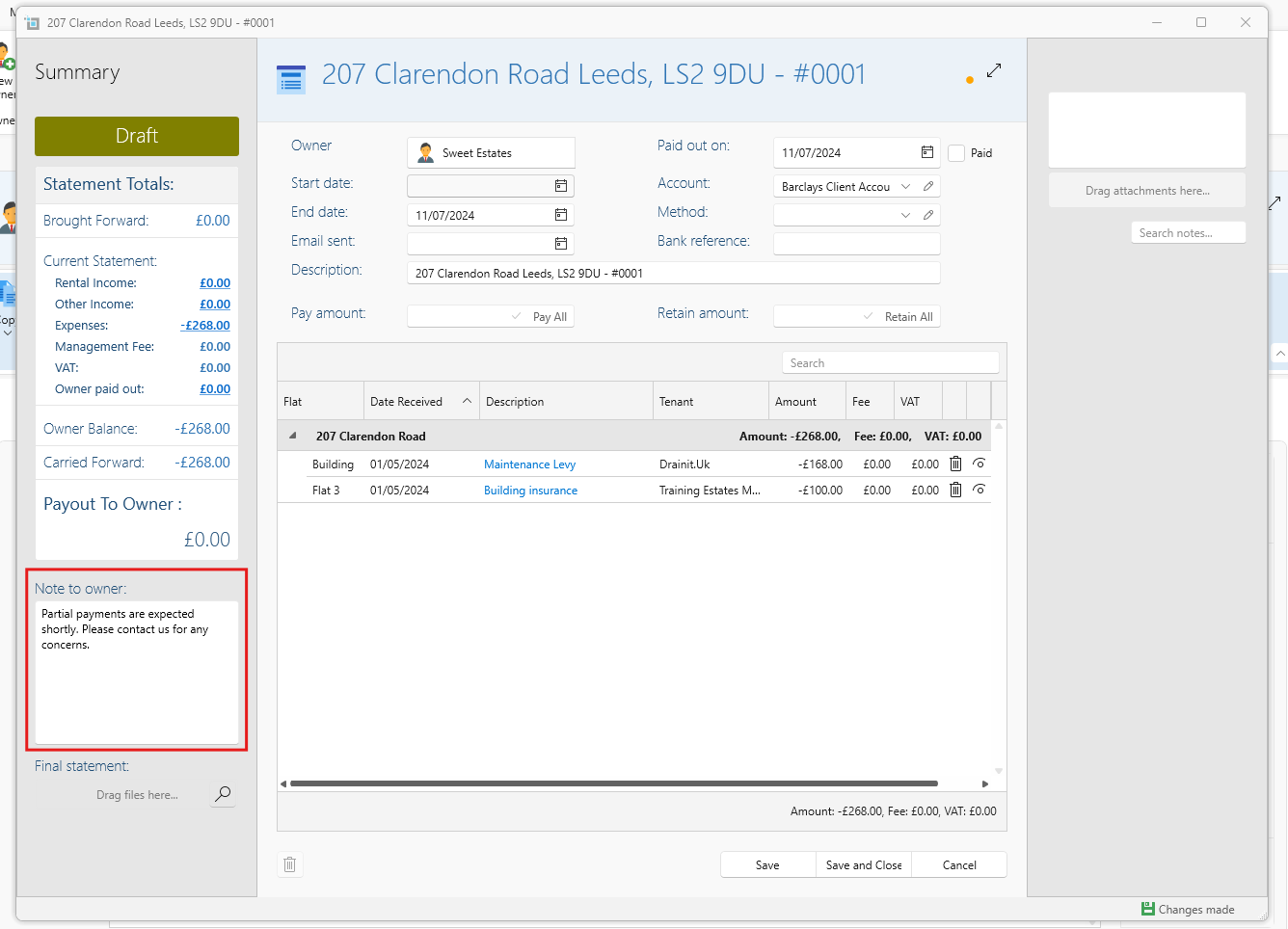
Landlord statements are generated and released monthly. Consider adding an owner note for significant expenses or important information that should be included in the upcoming statement.
Adding Manager Note and Reminder for Next Owner Statement
If you need to create a reminder or note for the manager before sending the owner's statement, follow these steps:
- Navigate to the Owner page.
- Look for the Next statement manager reminder section within the window.
- Enter the information or reminder for the manager. This could include actions like removing expenses before sending the statement or any other managerial instructions.
- Once you've entered the manager note, Save your changes to ensure the reminder is recorded.
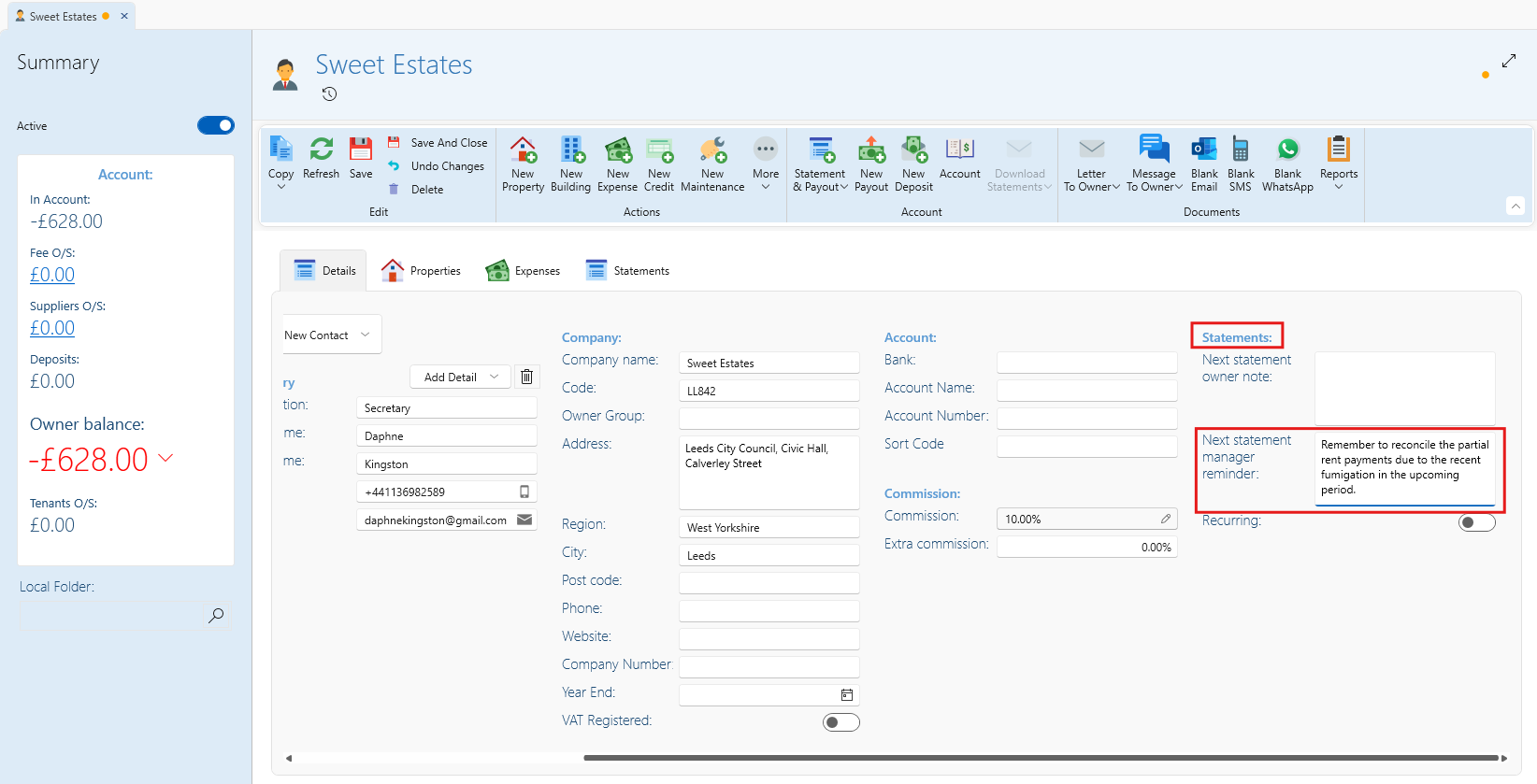
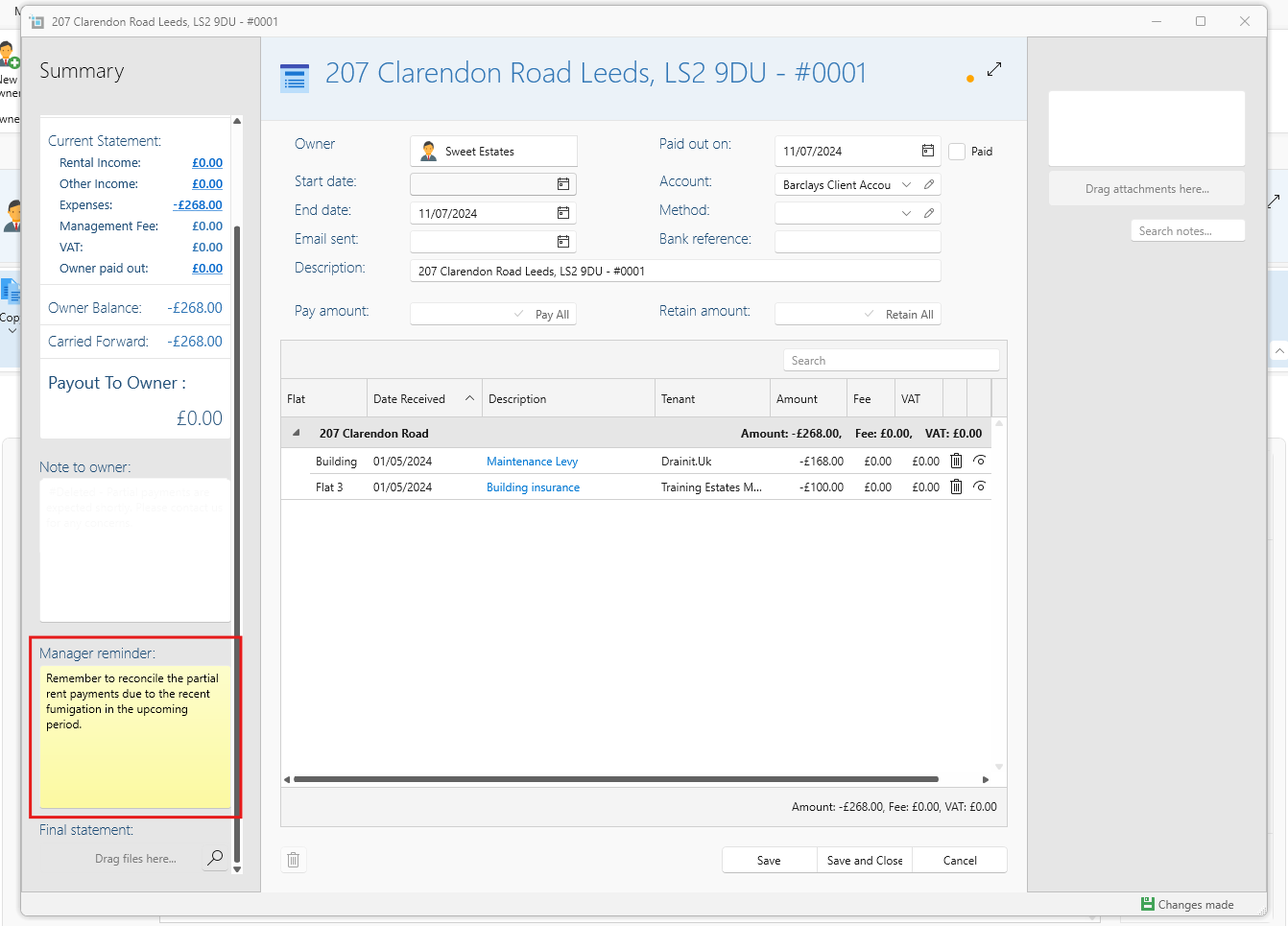
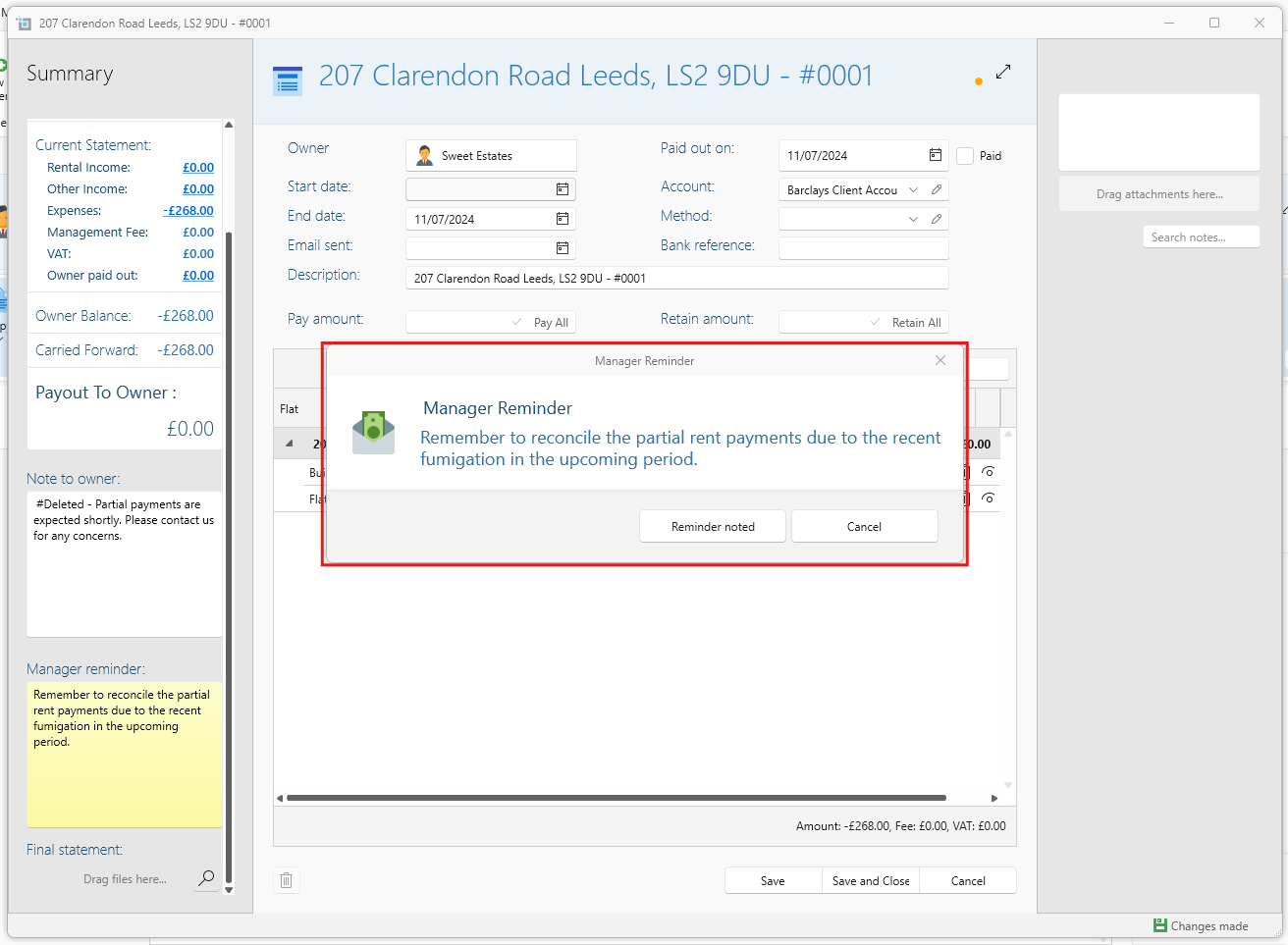
By utilizing the owner note feature for statements and manager notes for managerial reminders, you can effectively communicate important details and streamline your property management processes.
Still in need of assistance?
For further assistance or detailed guidance on managing owner and manager notes within your software, refer to our help resources or contact our support team.