
SleekTech allows you to export BACS (Bankers' Automated Clearing Services) for suppliers where the details (more specifically, the banking details) have been fully included for each.
Exporting BACS files is typically necessary for businesses that need to make bulk payments electronically in the UK.
How to make bulk payments to suppliers?
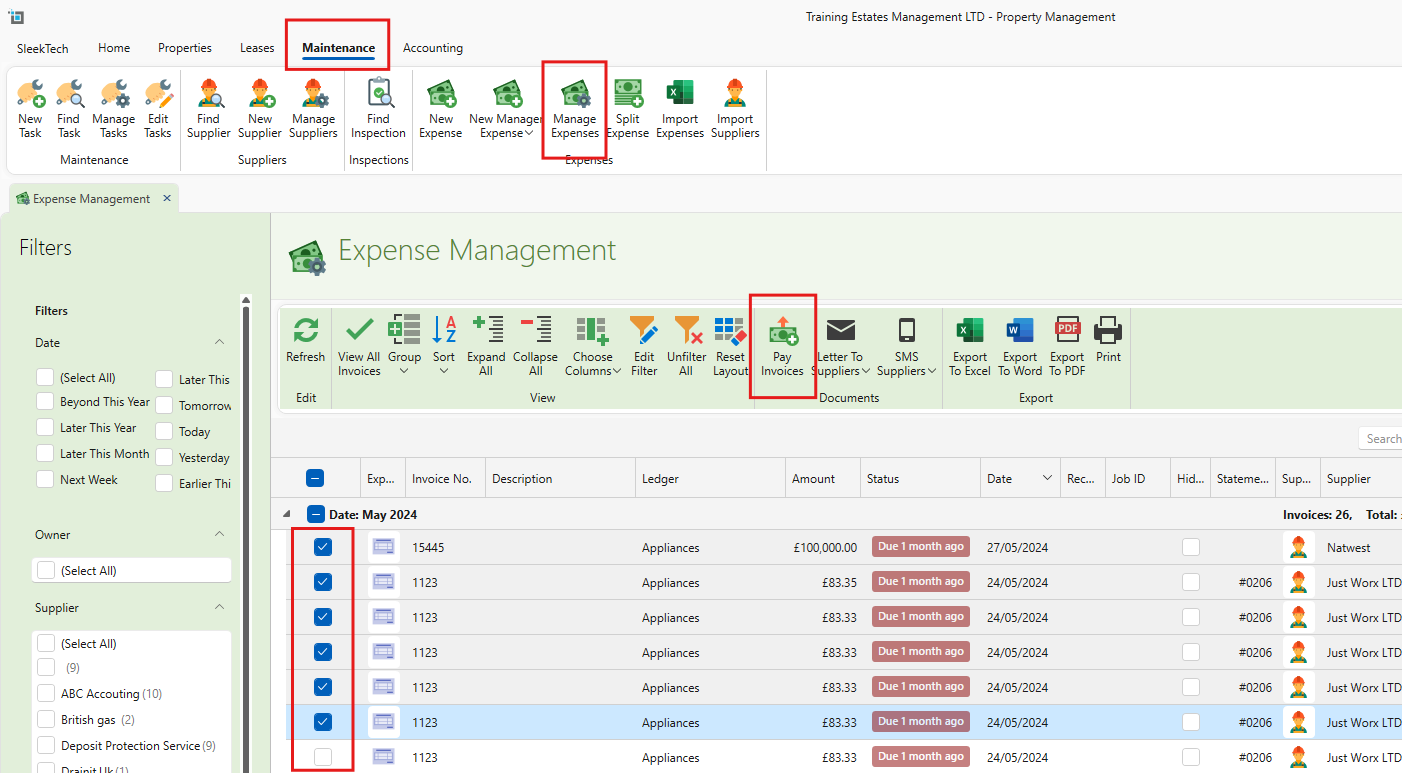
- Go to the Maintenance tab.
- Select Manage Expenses.
- Select the suppliers you would like to pay.
- Click on Pay Invoices.
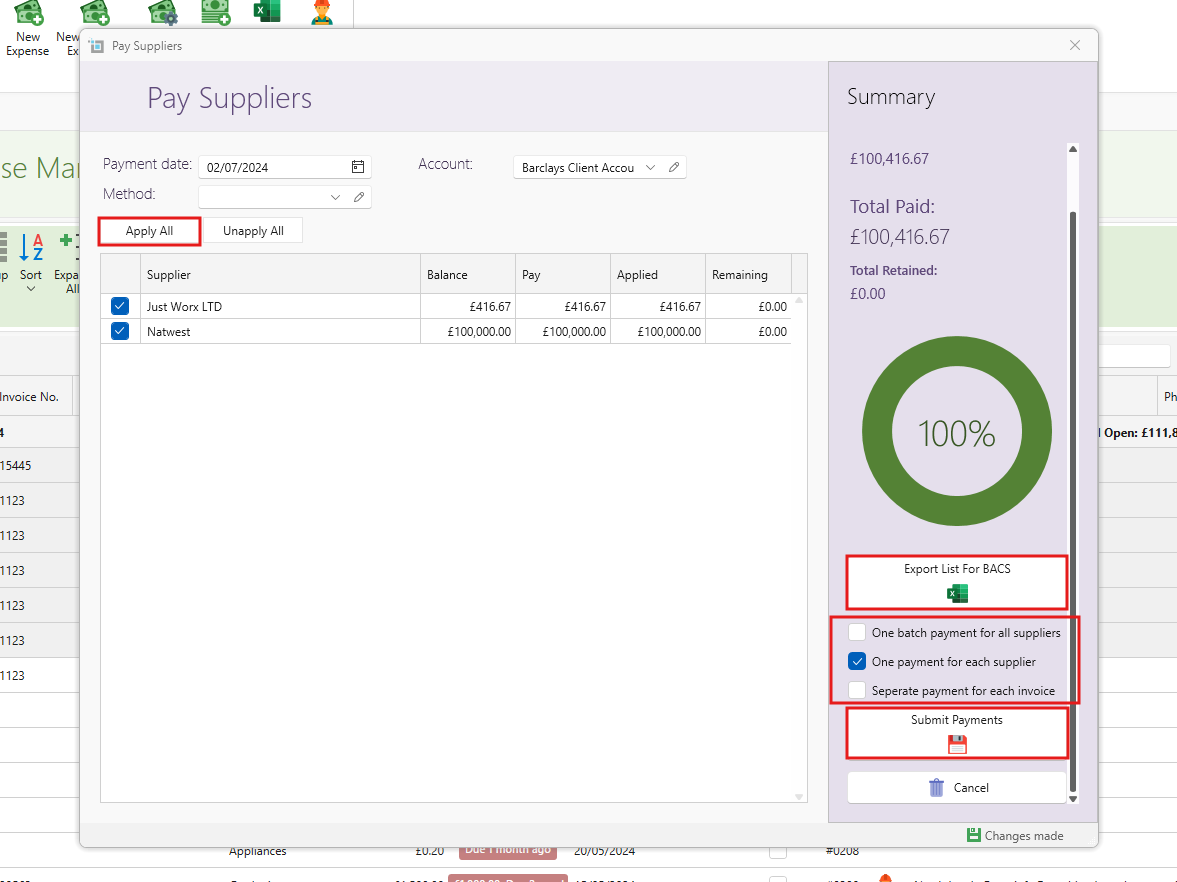
- Fill in the necessary information and click Apply All.
- Choose the preferred payment option for record-keeping within SleekTech.
- Select Export List for BACS.
- An Excel spreadsheet will open with the supplier and transaction details.
- Click Submit Payments to finalize the process.
- An Excel spreadsheet will open, displaying the owner and transaction details.
You can now save this document as an excel spreadsheet or csv file to be shared with your bank.
Still having trouble?
If you encounter any issues please contact our support team.