
SleekTech allows you to export BACS (Bankers' Automated Clearing Services) for owners where the details (more specifically, the banking details) have been fully included for each.
Exporting BACS files is typically necessary for businesses that need to make bulk payments electronically in the UK.
How to make bulk payments to owners?
- Navigate to the main ribbon and select Find Owners.
- Ensure that the banking details for each owner are fully included.
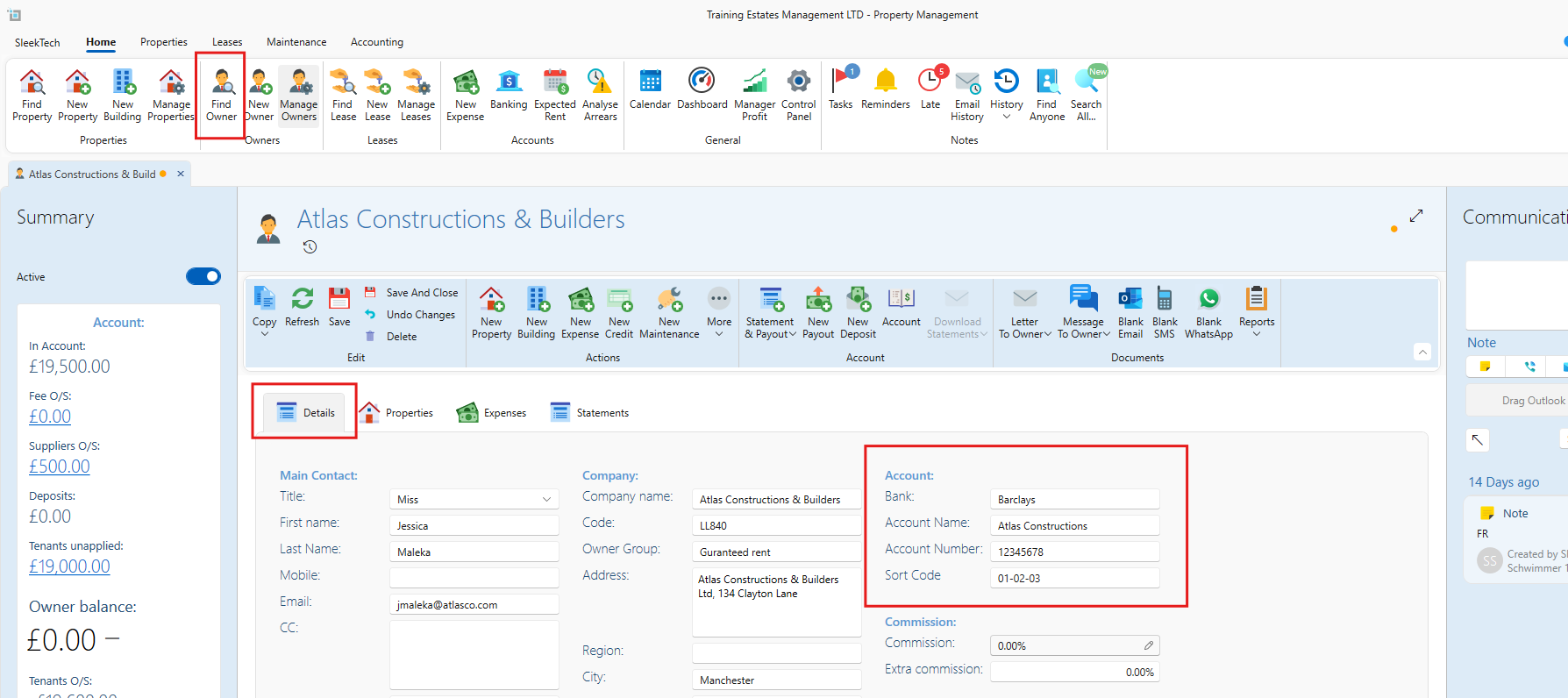
- Navigate to the main ribbon and select Manage Owners .
- Confirm that you have completed the process of creating a statement, sending, and marking the statement as sent for each owner.
- With the relevant owners selected and choose Export BACS.
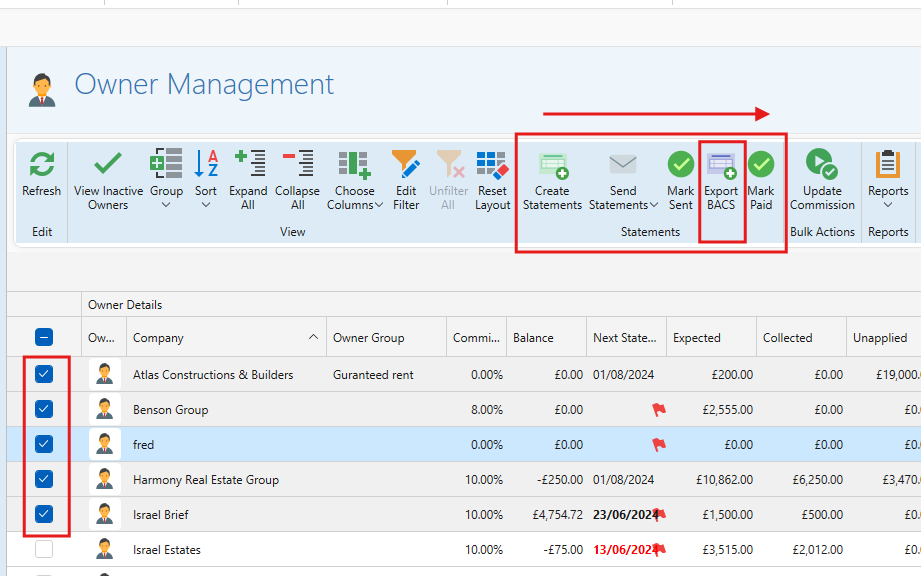
- An Excel spreadsheet will open, displaying the owner and transaction details.
You can now save this document as an excel spreadsheet or csv file to be shared with your bank.
Still having trouble?
If you encounter any issues please contact our support team.