
This is how to record and reconcile an incentive received from the council for your management company for letting a property.
Create a Credit Note
- Create a new supplier and call it the name of the council.
- Save.
- Open your manger page by selecting on the person icon in the top right corner.
- Select New Credit to create a credit note.
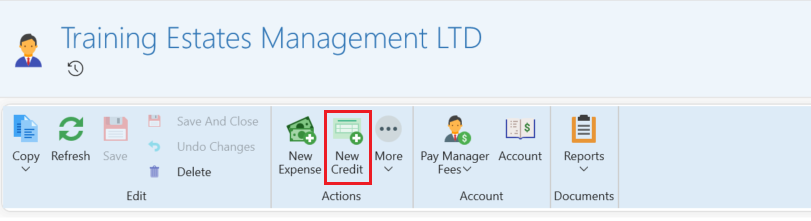
- In the credit note select the council as the supplier.
- You can then choose to assign it to a property.
- Write in the description which tenancy it is referring to.
- Save and close the credit note.
Create a refund
In order to reconcile the transaction in the banking follow the steps below:
- Click open the credit note. (this can be found on the management page under the expenses tab)
- Select the refund icon.
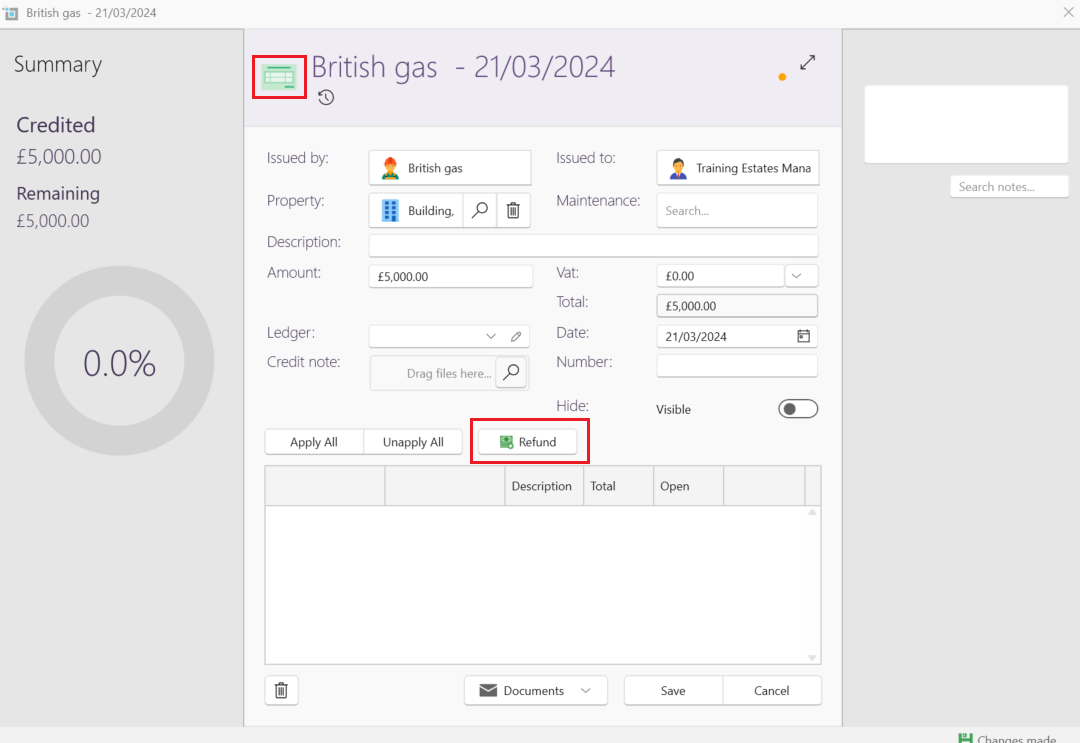
- A new refund window will open where you can record the date of the incoming transaction in the bank.
- Apply the refund to the open credit note.
- Save.
The refund will now show up in the banking window and can be dragged to match the incoming payment.
Note:
On the tenant page you can add a note stating that you received an incentive for this lease.