In order to see your projected annual incoming rental payments you can create a report as follows:
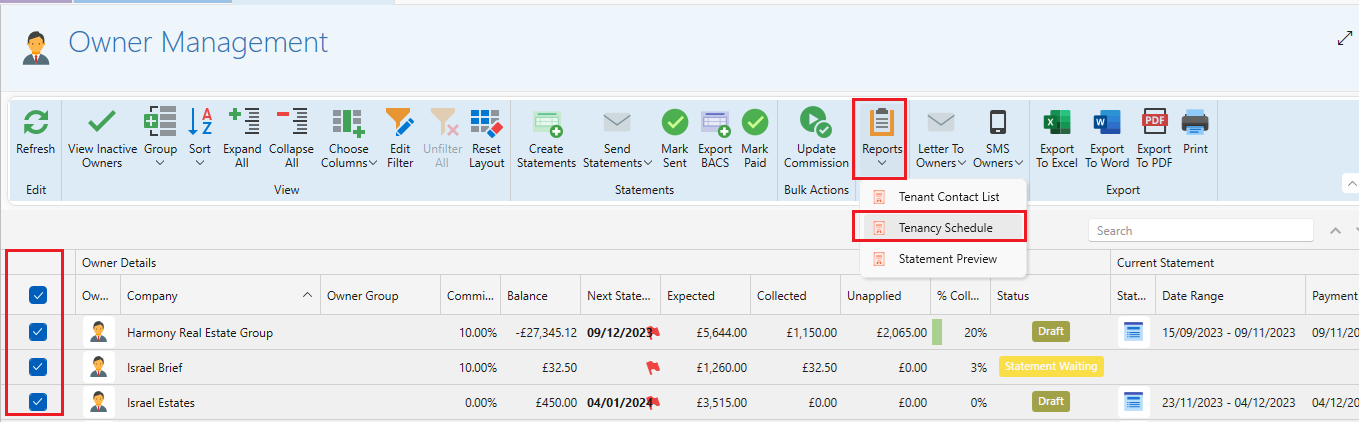
- Select View Landlords.
- Select all the owners so that they show up with a blue box ticked.
- Click Reports>Tenancy schedule.
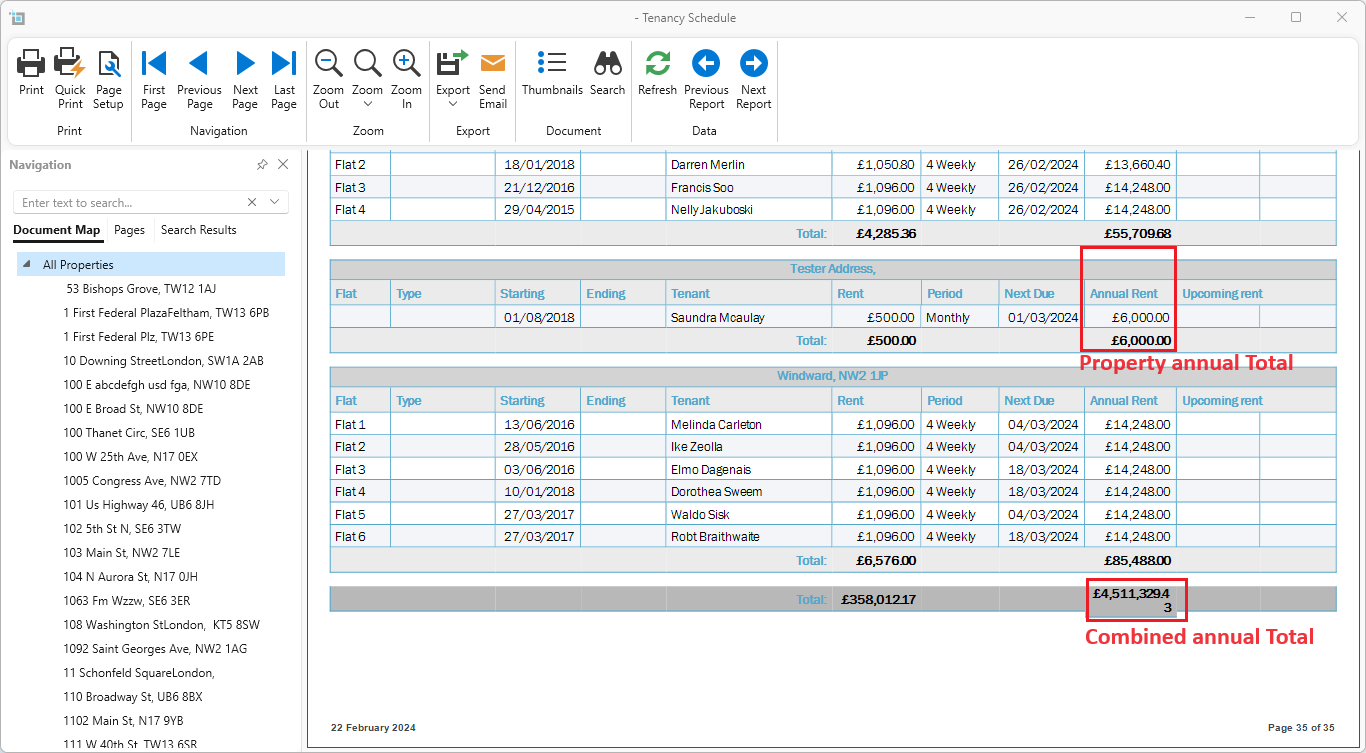
Once the report opens, expand it to full screen and you will see a column called annual rent.
Scroll to the end of the report you will see a combined Total figure for your annual rental incoming payments.
You can also see the total of annual rental income for each individual property.
You can use this figure to project an annual turnover.