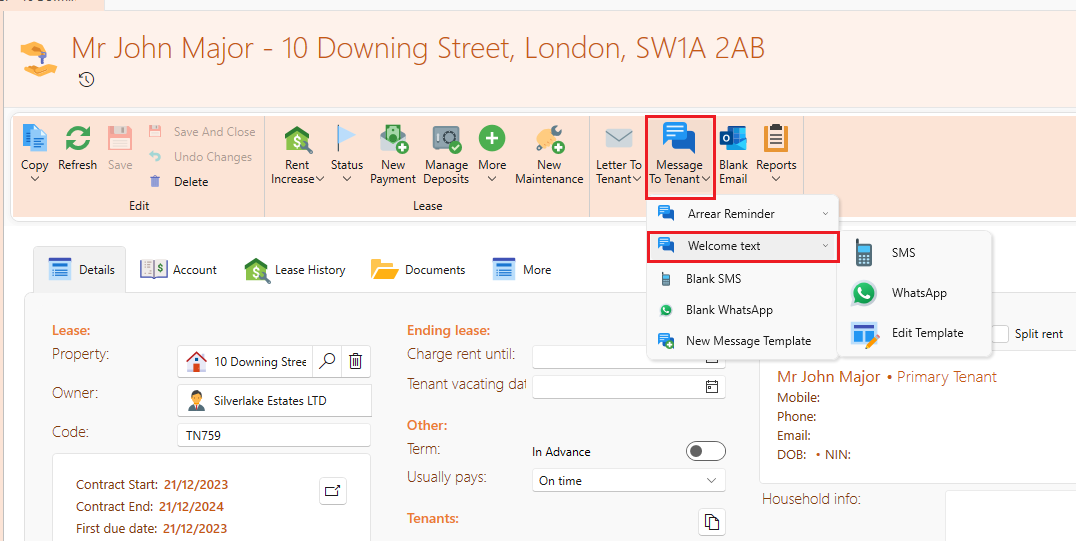
On the page of an owner or a tenant you have the choice of either using a blank SMS to craft your own message, or creating a new template for quicker and easier sending.
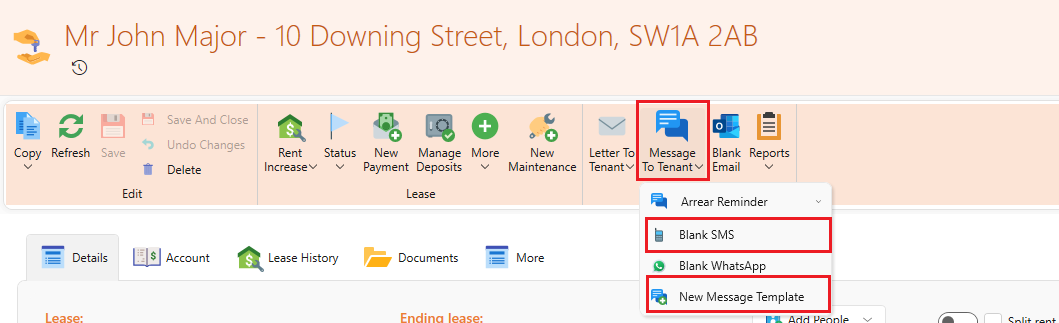
How to customise your SMS template
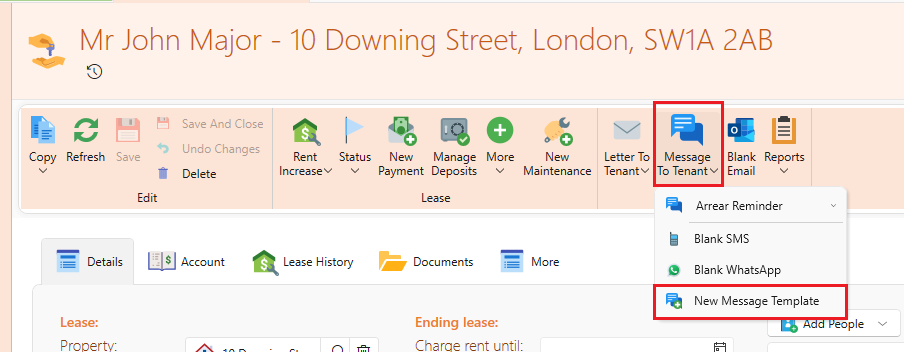
- On the owner or lease page, click on Message to Tenant/Message to Owner from the page ribbon.
- Click on New Message Template
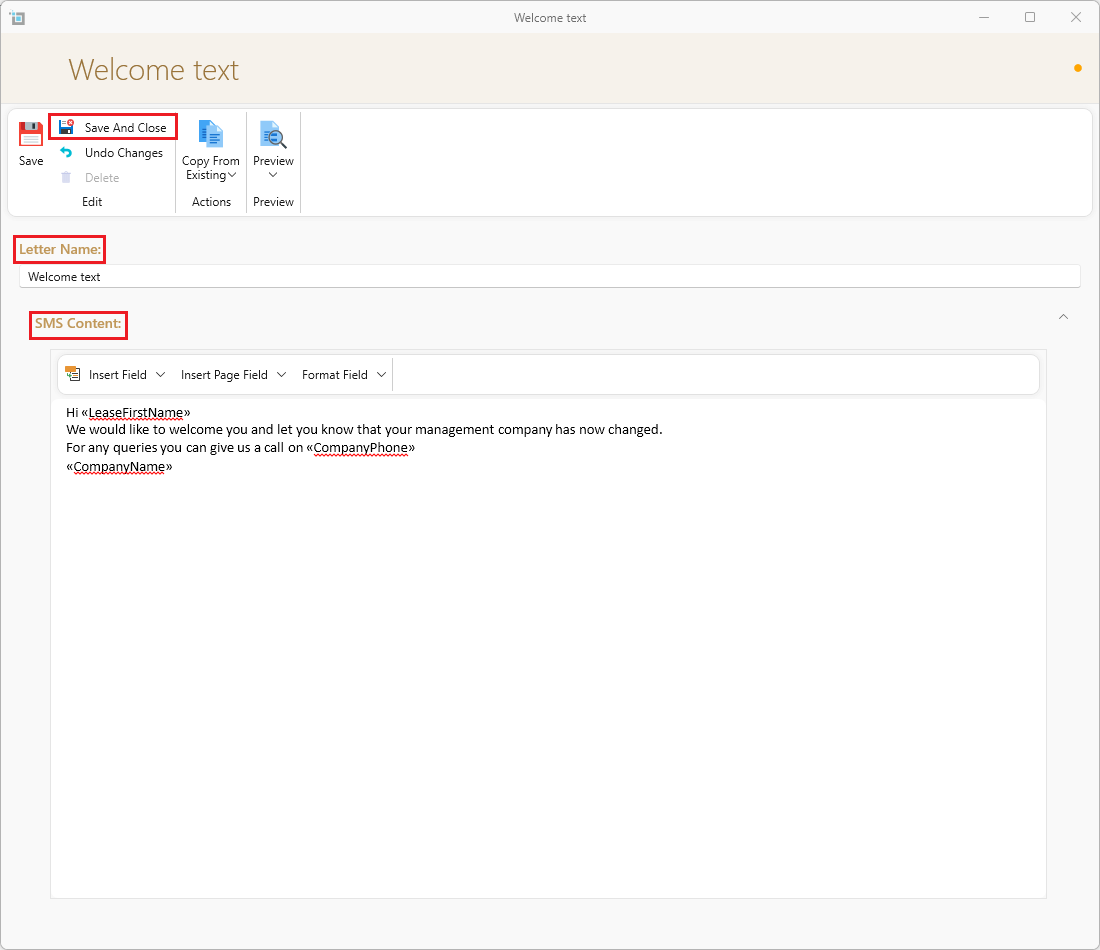
- The SMS editor window will show up.
- Under Letter name you can put in the name of this SMS template. This is what will appear on the dropdown for you as a reference but will not be seen by the tenant or owner.
- Under SMS Content, type in the text you wish to be sent.
- You can also insert different fields by clicking on Insert field or Insert Page field and then choosing the desired field.
- For more on using merge fields, see here: How to design customised templates for email and letters
- Once a field is inserted, it can also be formatted to the desired formatting by clicking on Format field.
- For more on how to change the formatting see here: Change date and number formats
- Click on Save and close
- Once you have reopened the page, you will now see the new template under the Message to Tenant/Message to owner.
- You will then have the option of sending this through SMS or WhatsApp.
- If you later want to edit the template again, you can click on Edit template.