Maximum characters you can send in an SMS.
When sending an SMS to an owner, tenant or supplier there is a maximum amount of characters that can be sent per text.
To set up an SMS account please see the article for more details:
Setting up your SMS account
When sending an SMS from SleekTech, the maximum amount of characters allowed per text is 160. This will show up by default under the text.
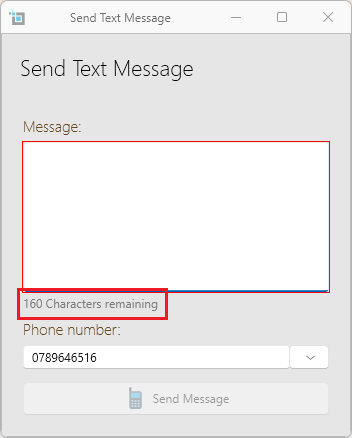
As you type, the characters will show less and will not allow you to type after 160 characters have been fully used.
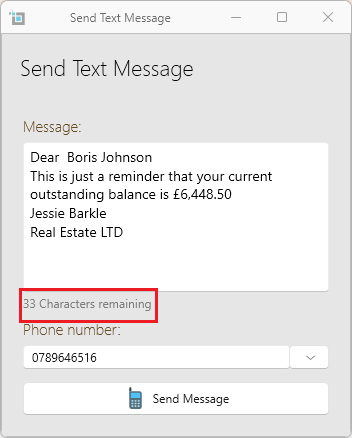
Extend the amount of characters allowed per SMS.
There is an option of sending a text with more characters per text.
Please note that if you extend the amount of characters allowed, every 150 characters of the SMS will cost you another credit.To change the setting of sending a text with more characters:
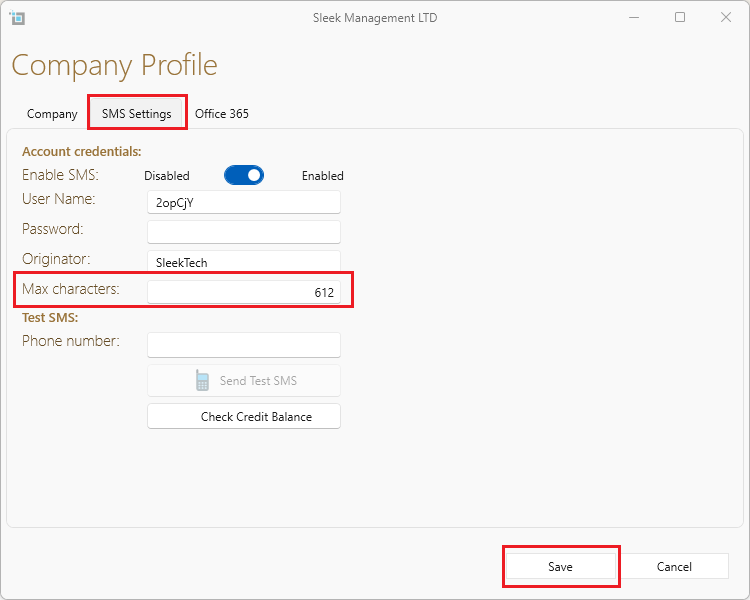
- Go to Control Panel, and then to Company profile
- Find the SMS Settings tab
- In the Max characters box put in the amount of characters you wish to enable in one text.
- Please note the maximum amount that is able to be sent is 612!
- Click on Save.