
If your company forwards rent to the landlord based on the rental income received by the tenant, this is the way to record it.
If you send the landlord a set amount, regardless of the actual tenant income, you should use the Guaranteed rent approach which works more smoothly:
If your own company is the guaranteed rent provider, this is the way to record it:
- On the Lease page click on the Contract which is on the Details tab
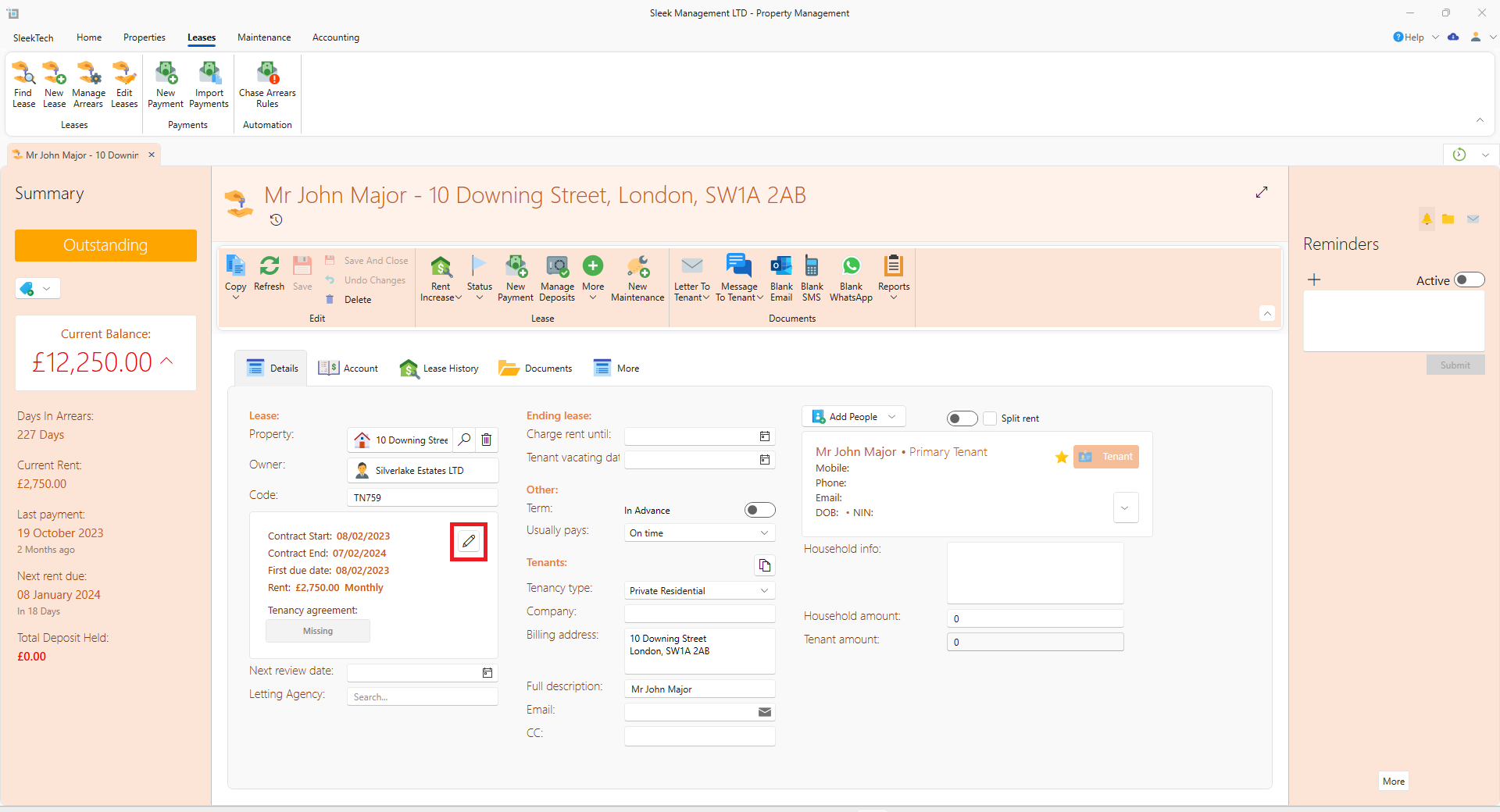
- In Rent amount put in the rental amount that is sent to the owner.
- Click on the Show more button.
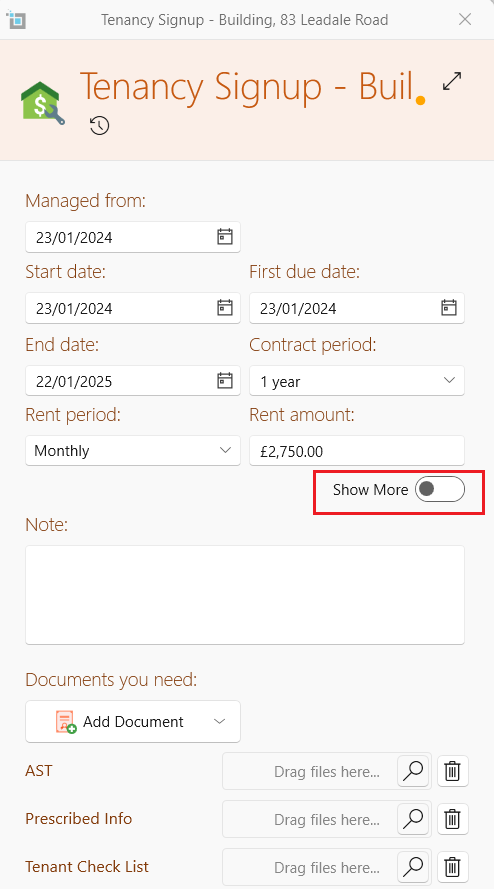
- The Higher rent box will appear. Put in the amount that you actually receive from the tenant.
- Click on Save
- On the More tab you will see the amount that you actually receive under Extended rent.
- Make sure that the box underneath- Extra commission is put in as 100%.
The actual rent amount including the higher rent will show on the statement.
Should you require the higher rent figures not to be sent to the landlord you will need to send in a request that your statement template is edited to reflect this.