Adding required documents to contract renewals and rent increases.
You can now add the required documents when creating a rent increase or renewing a lease contract.
Once those documents are added, SleekTech will ensure you are staying compliant by showing them on the dashboard as missing until you attach the required documents.
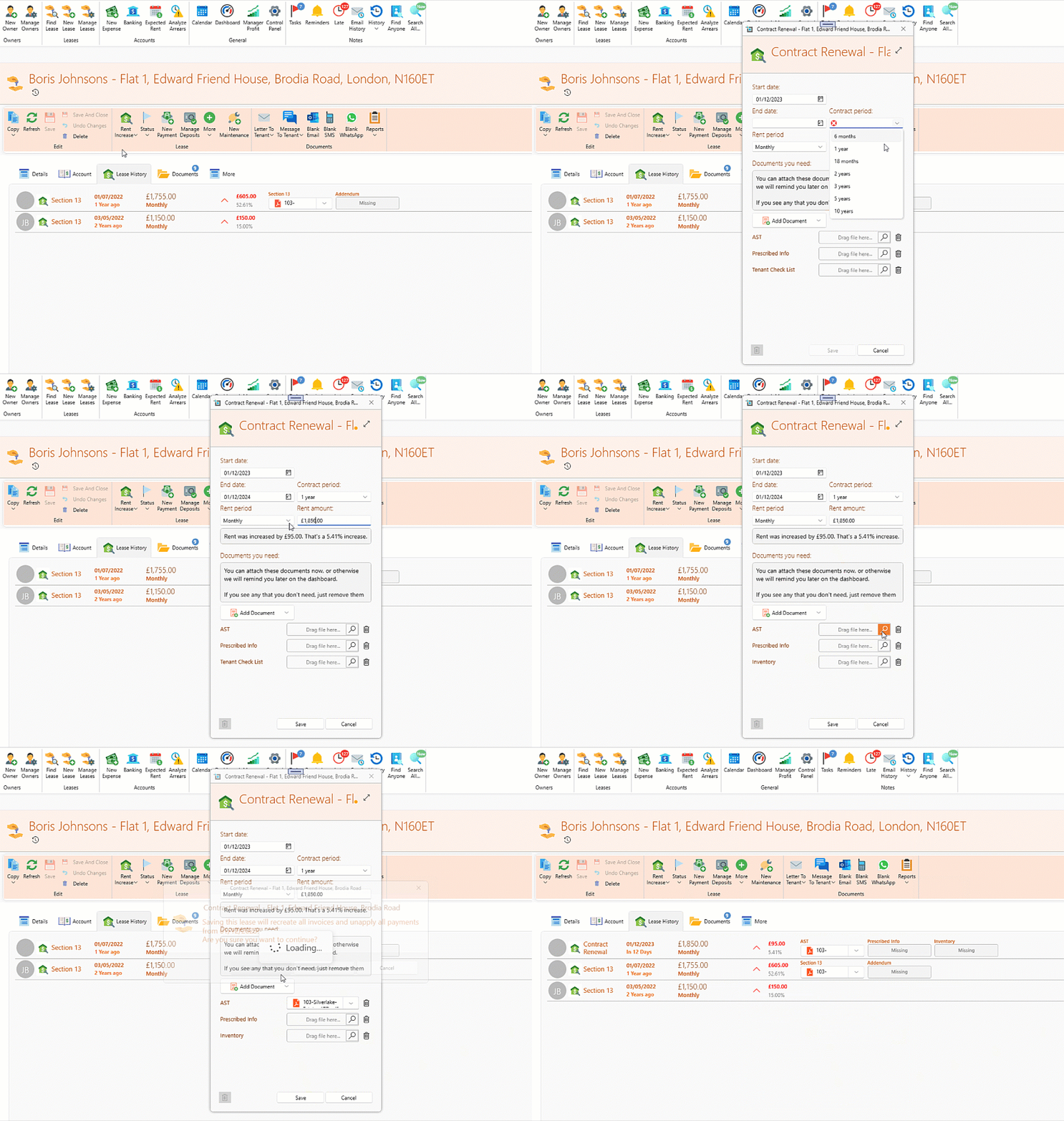
Please note, you can change the documents required by default under Control Panel > Lease Document Type list
Bulk edit property fields.
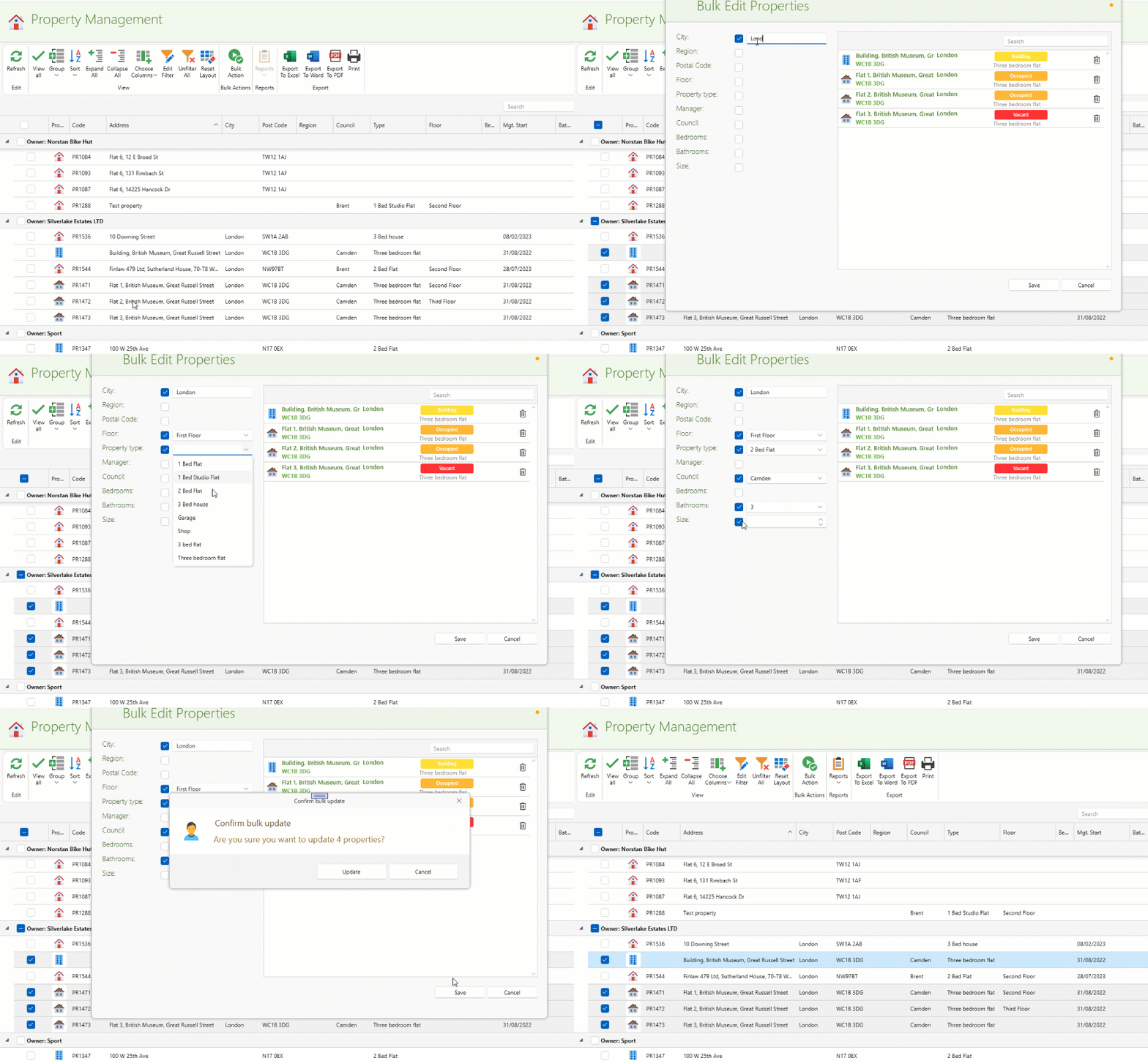
You can now easily bulk edit various property fields like, city, region, council and much more.
Just go to Manage Properties form the main ribbon. Filter and select the desired properties and click Bulk Edit. Once opened you can still review the property list and remove the undesired ones by clicking on the remove button on the right.
Choose which fields to edit by checking or unchecking them on, and fill in the values for the checked fields.
More fields added to the property page.
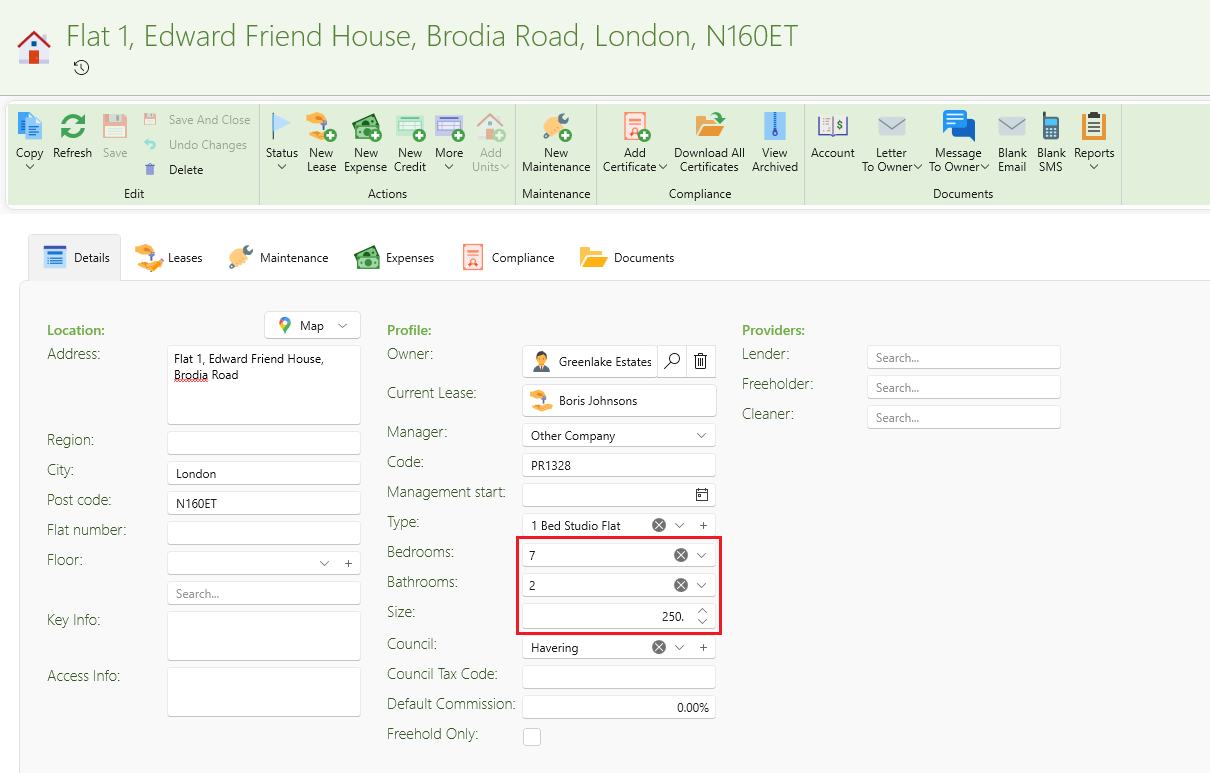
Bedrooms, bathrooms and unit size fields have been added to the property page.
Those fields will now also appear on the Manage Properties page.
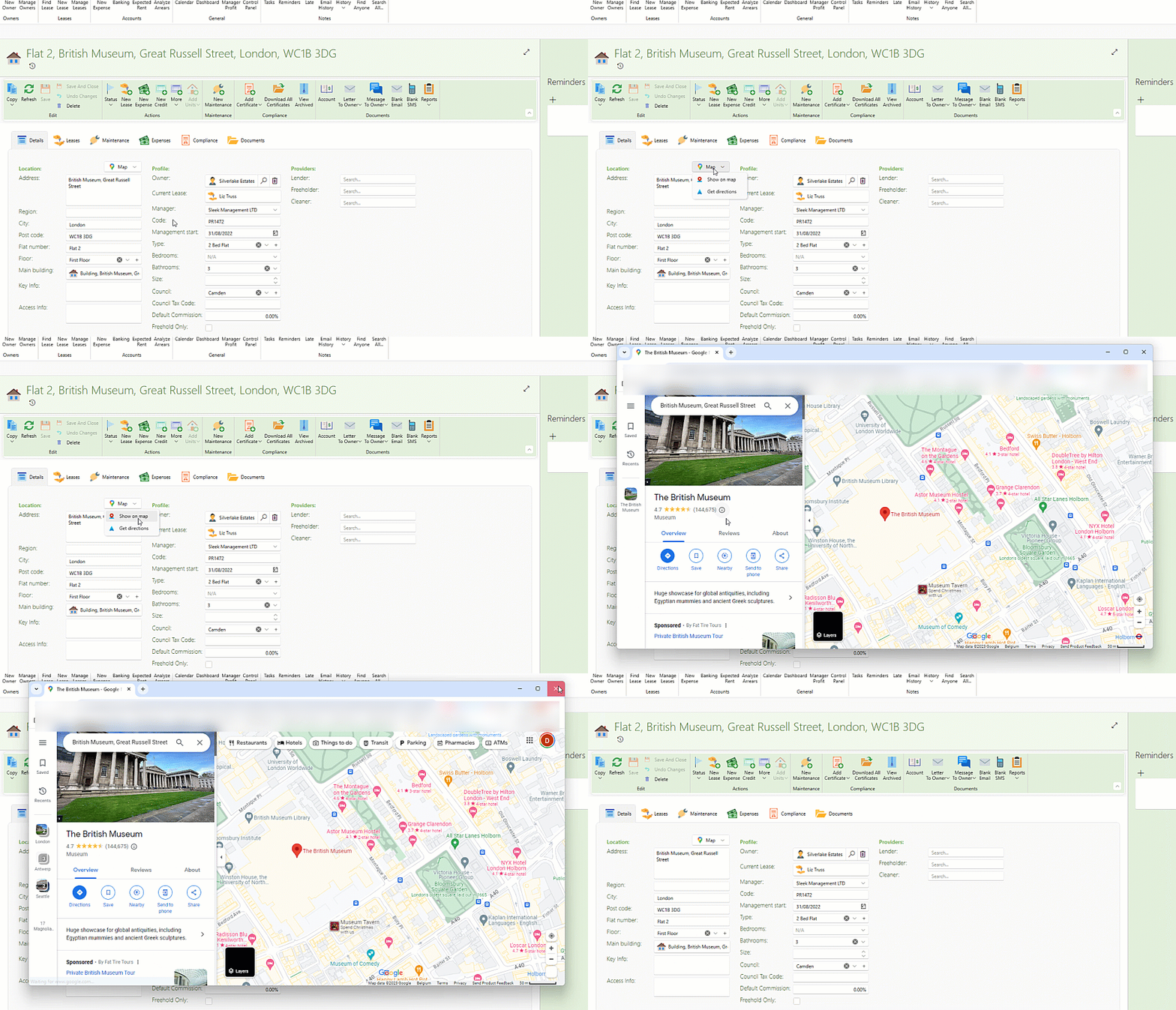
Easily open map or get directions from the property page.