
New global search experience.
We are thrilled to announce the introduction of our new global search experience in our property management software! With this enhanced feature, you can now search across the entire software system to quickly find the information you need.
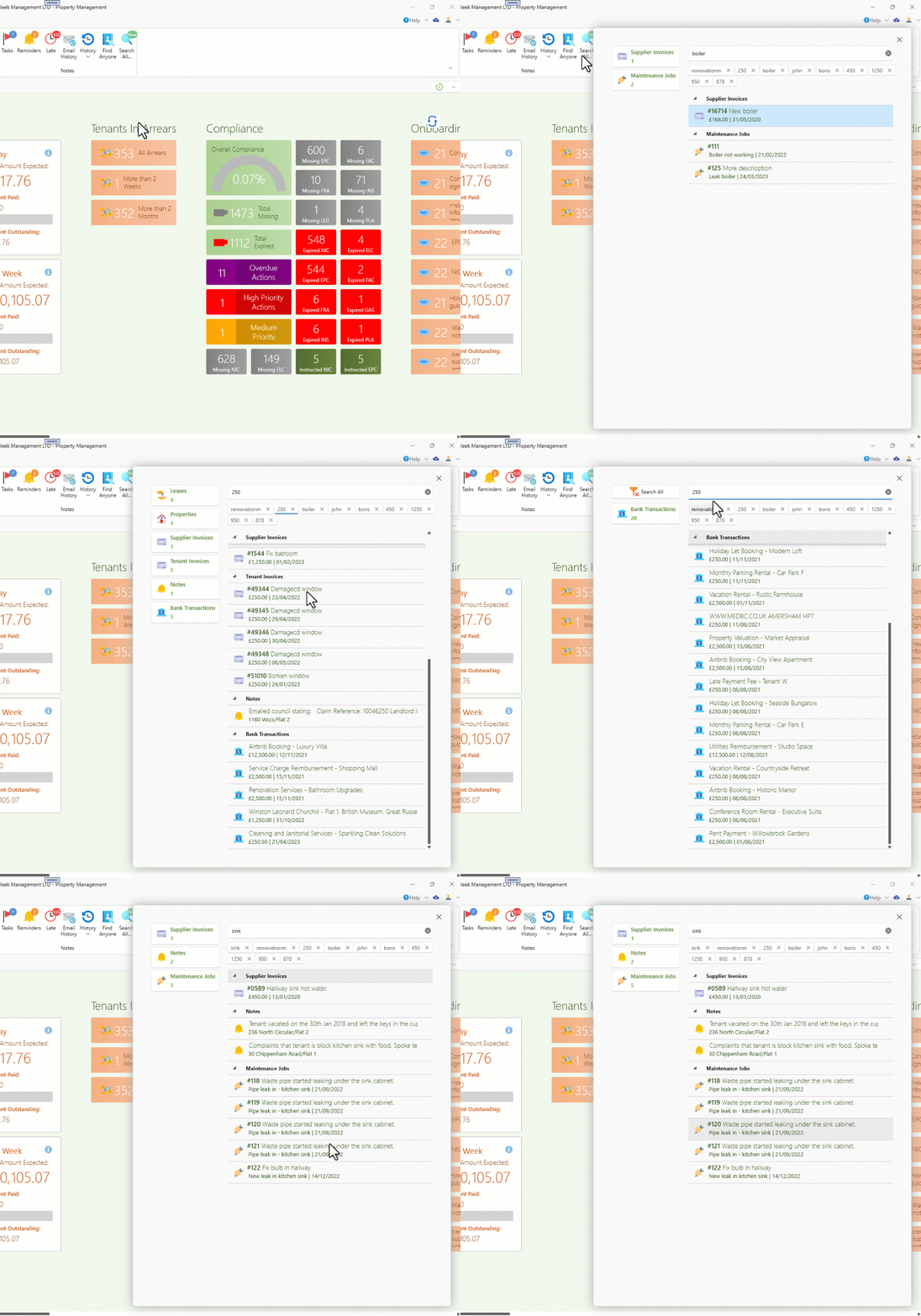
Here's how it works:
- Click on the "Search All" button to initiate a search across all entities within the system.
- You will be presented with a list of recent items that match your search criteria.
- Simply type in your search term and hit Enter to search across the entire system.
- Press Enter again to open the first item in the search results, or use the up and down arrow keys to navigate through the results and press Enter to select an item.
- Alternatively, you can click on an item directly to open it.
- If you want to narrow down your search to a specific category, click on one of the category buttons located on the left-hand side.
- To clear the filter and perform a search across all entities again, click on the "Search All" button.
You can search for the following entities using the global search feature:
- Owners, suppliers, and tenants: You can search by their code, name, phone number, email, or company number.
- Tenants: Additionally, you can search for tenants by their national insurance number.
- Properties: You can search for properties by their code or address.
- Invoices: You can search invoices by their invoice number, description, or amount.
- Notes and reminders: You can search for specific messages or content within notes and reminders.
- Documents: You can search for documents by their file name.
- Maintenance jobs: You can search for maintenance jobs by their title, description, or job ID.
- Bank transactions: You can search for bank transactions by their bank reference or amount.
We believe that this new global search experience will greatly enhance your efficiency and productivity when using our property management software. Try it out today and discover the power of streamlined searching across your entire system!
Merging suppliers.
Merging suppliers can be necessary when duplicate entries are inadvertently created. If you start recording expenses or other transactions for both suppliers, it can become difficult to manage.
To address this issue, we have introduced a new feature called "Merge Suppliers" that simplifies the process of combining two suppliers into one. Here's how you can use it:
1. Navigate to the page of the duplicate supplier.
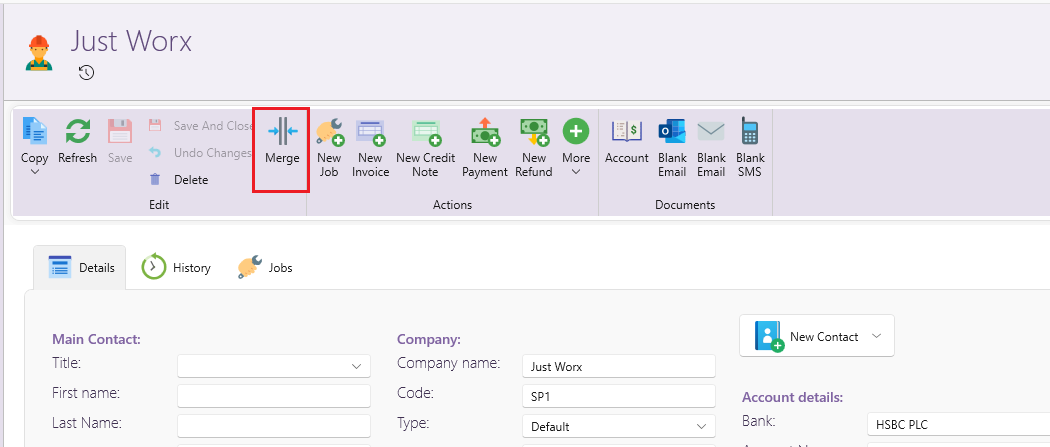
2. Locate the "Merge" option in the window ribbon.
3. Select the supplier you wish to merge with.
4. Confirm your selection twice, as this action is irreversible.
By merging the suppliers, all transactions associated with the current supplier will be transferred to the chosen one. Subsequently, the current supplier will be deleted from the system.
Accounting - General Ledger
We have introduced a new accounting report called "General Ledger" on the Owner page.
This report offers a comprehensive and detailed list of all ledger transactions that occurred within a specified date range.