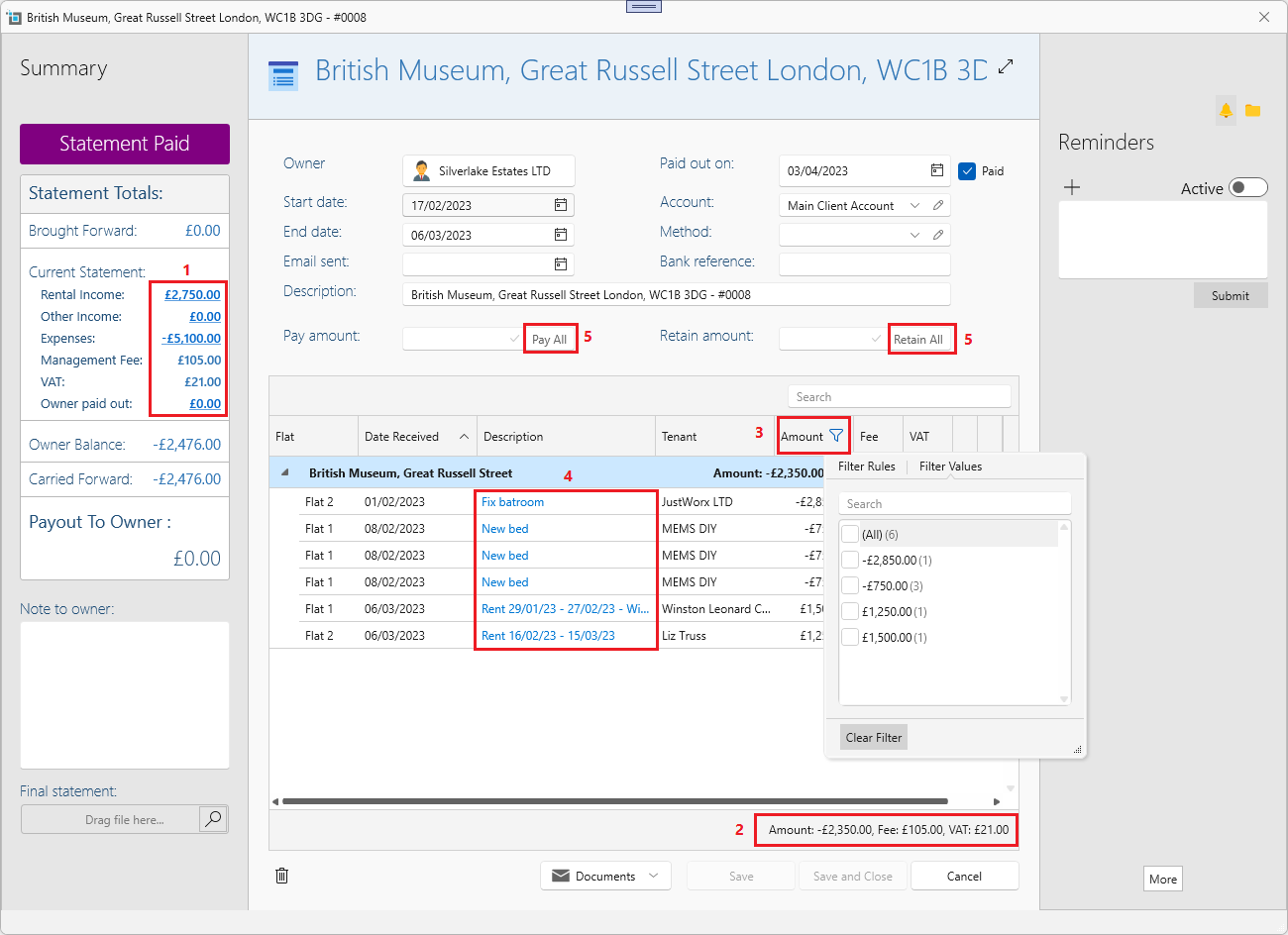
Enhanced statement window
- You can now filter by the group totals on the left by clicking on them.
- Totals at the bottom of the table will show based on filtered items.
- Filtering by any of the column headers is also enabled.
- All rows are clickable, so you can quickly open the relevant transaction window.
- New buttons Pay all and Retain all to quickly pay or retail the full statement amount.
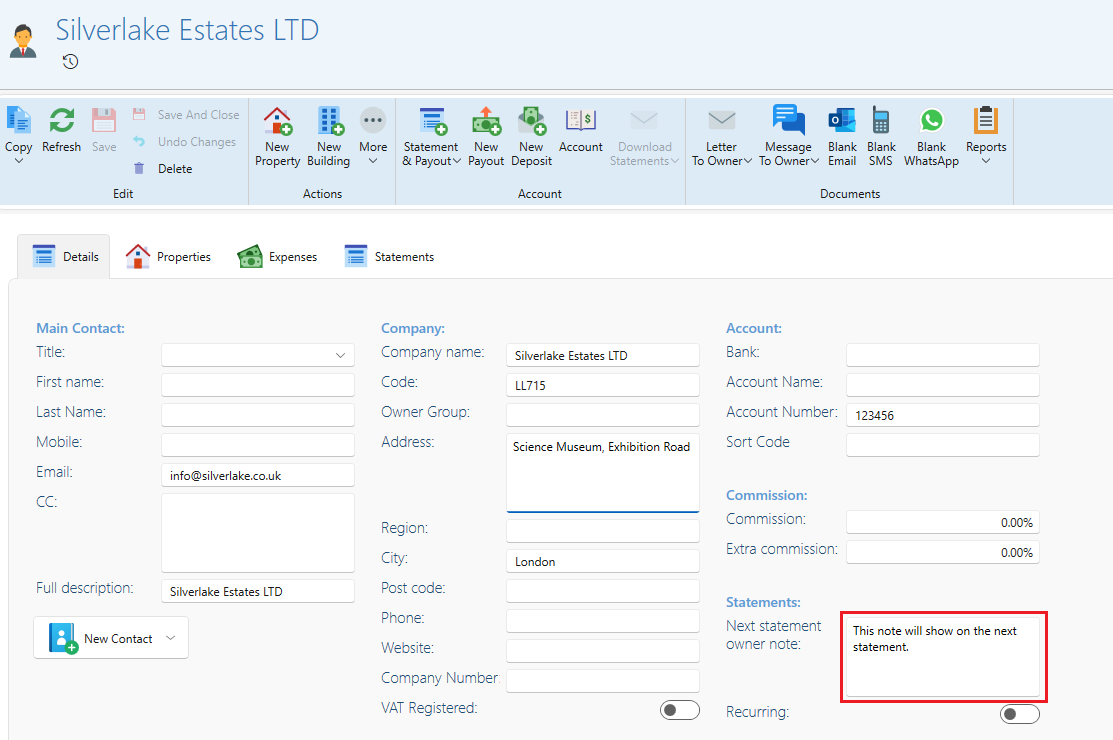
Add note for next owner statement.
You might want to add a reminder in the middle of the month which you want to show on the next owner's statement. You can now add this under the owner page.
The next time you create a statement for this owner, the note will automatically be prefilled in the Owner Note section of the statement.
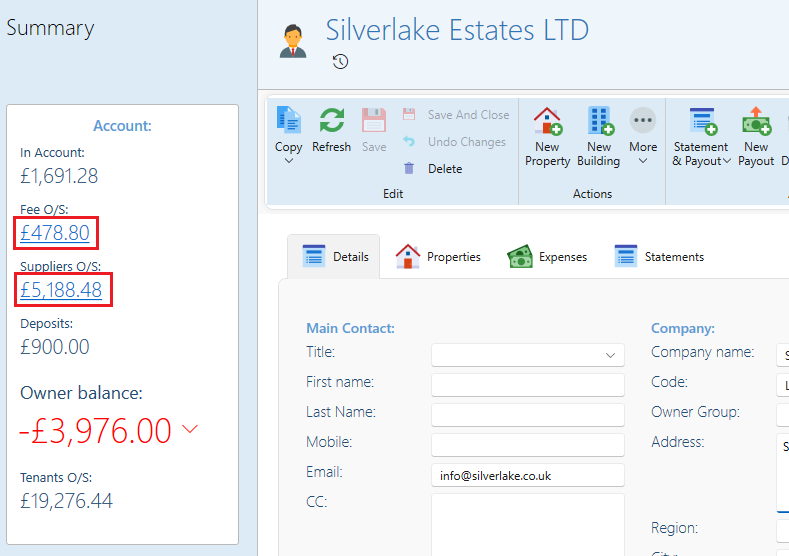
View summary breakdowns on owner and property pages.
You can now click on some of the owner and property summaries to get a detailed report of the figures shown.
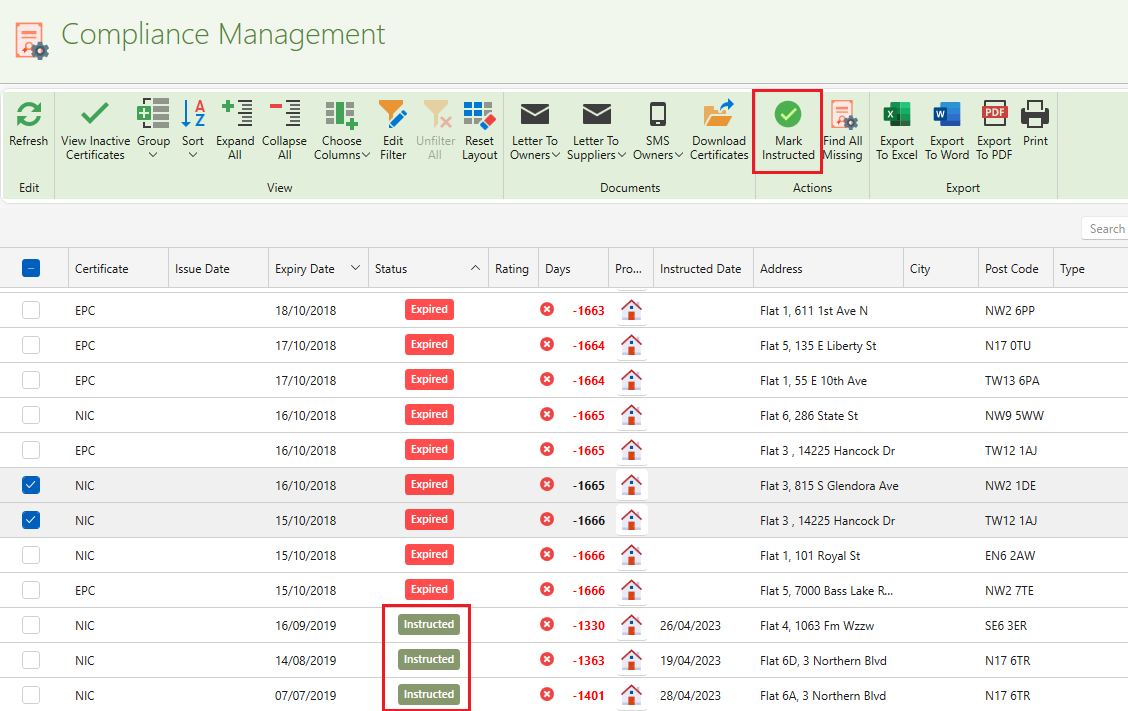
Compliance - new Instructed status.
You can now mark certificates as Instructed. This will indicate that the certificate has been instructed, or applied for so no further action needs to be taken.
Under the dashboard, those certificates will appear separately and not included in expired or missing figures.
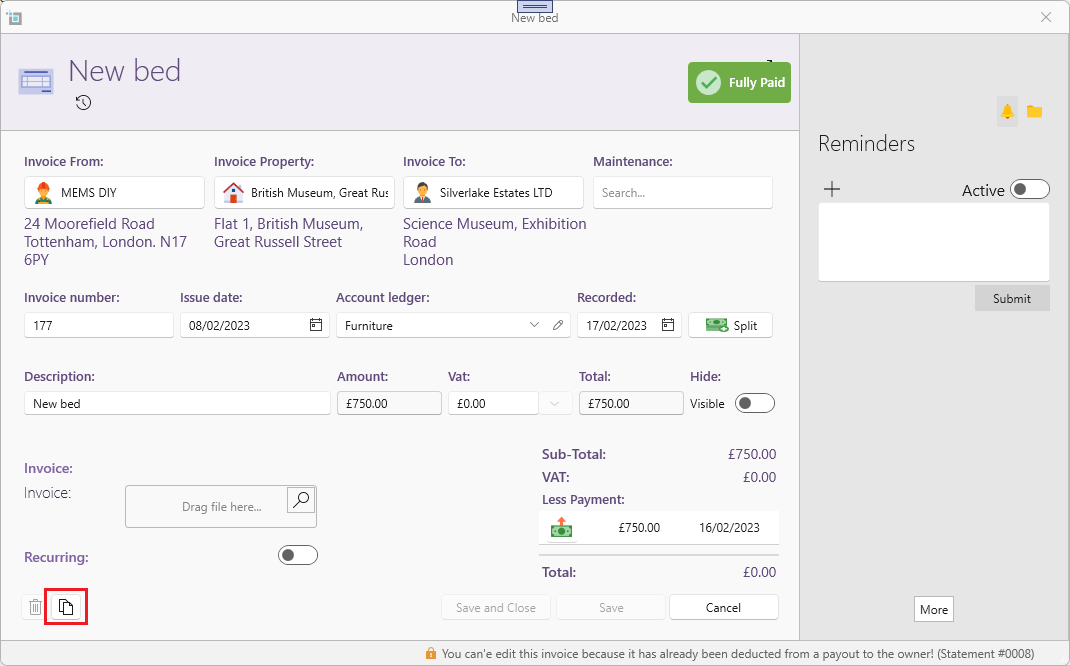
Copy expense invoices.
You can now easily copy expense invoices with a click of a button.
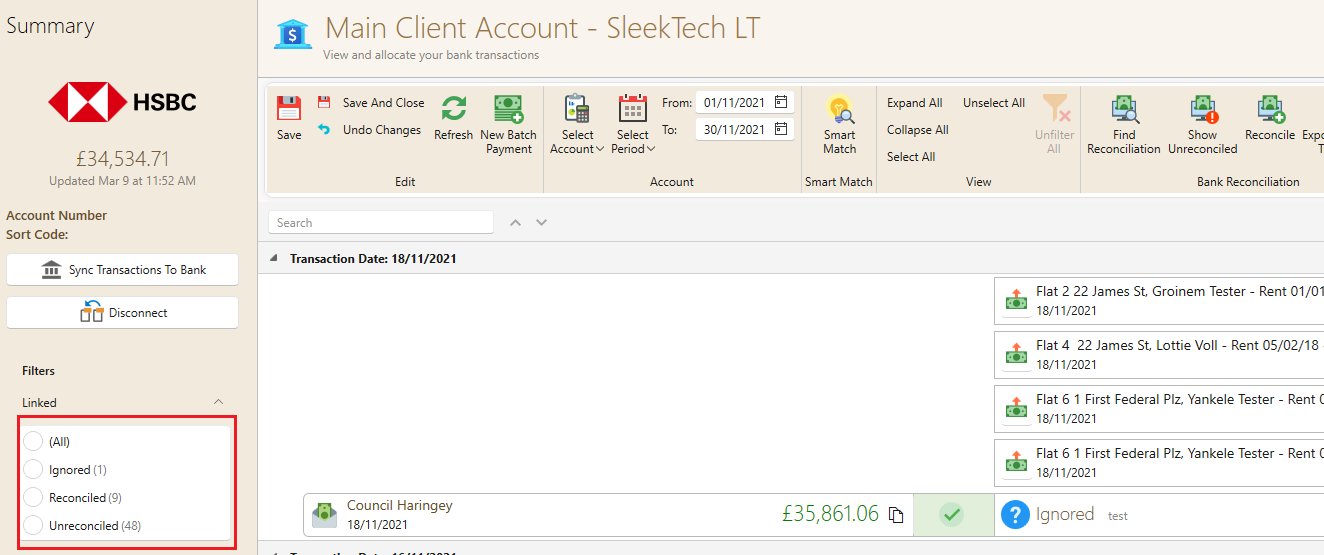
Banking - Filter ignored transactions.