
The Default Ledger feature simplifies expense tracking by allowing you to assign the most frequently used ledger to each supplier.
For example, expenses related to a bank are typically mortgage payments, while those for a waste removal company would fall under waste removal.
By setting a default ledger on the supplier’s profile, you save time and reduce the risk of errors by eliminating the need to manually select the ledger each time you record an expense.
How to set it up:
- Open the supplier window.
- Click on the edit button on the top ribbon. This will enable the edit function.
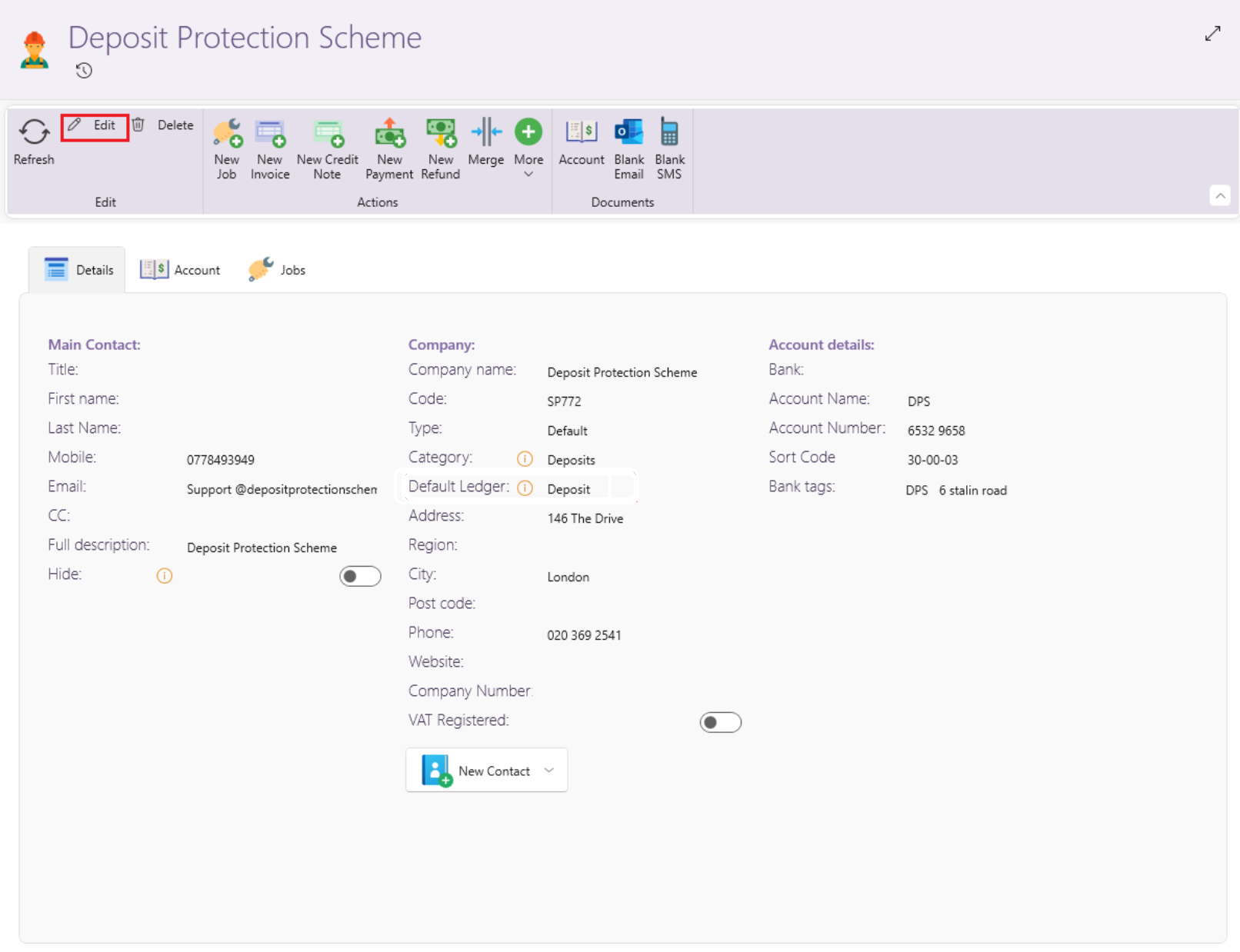
- Once the Edit button is clicked, you will now be able to edit.
- Click on the Dropdown Arrow to see all the different ledgers.
- You can scroll to the ledger you want
- You can also search for the ledger by typing in the search field.
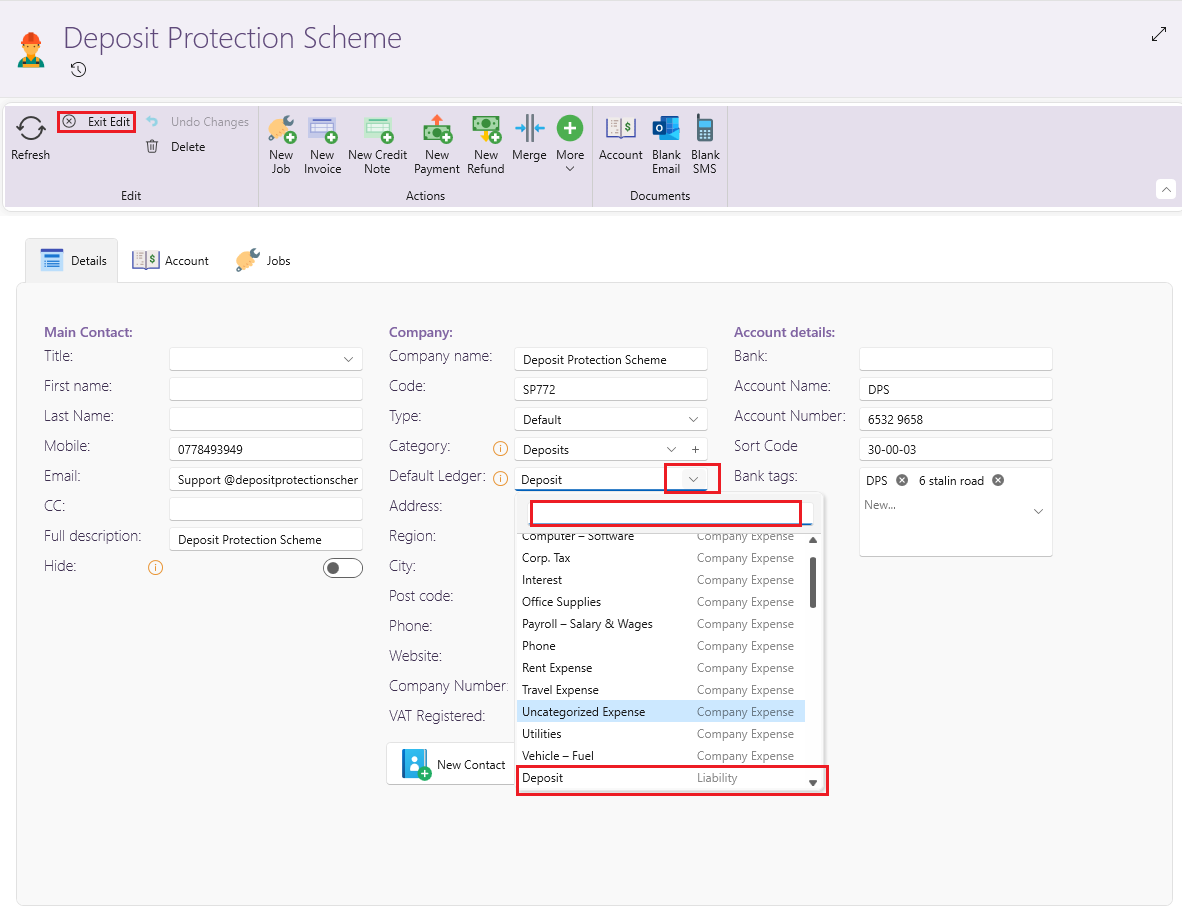
You can always create new ledgers if it's not found in the list.
For more on how to create additional ledgers and generally managing your list of ledgers, see here: Manage your account ledgers