Dashboard Customisation
You can now customise the dashboard to show only cards that relevant to you and in the order you want to see them.
- From the Main Ribbon open your user profile.
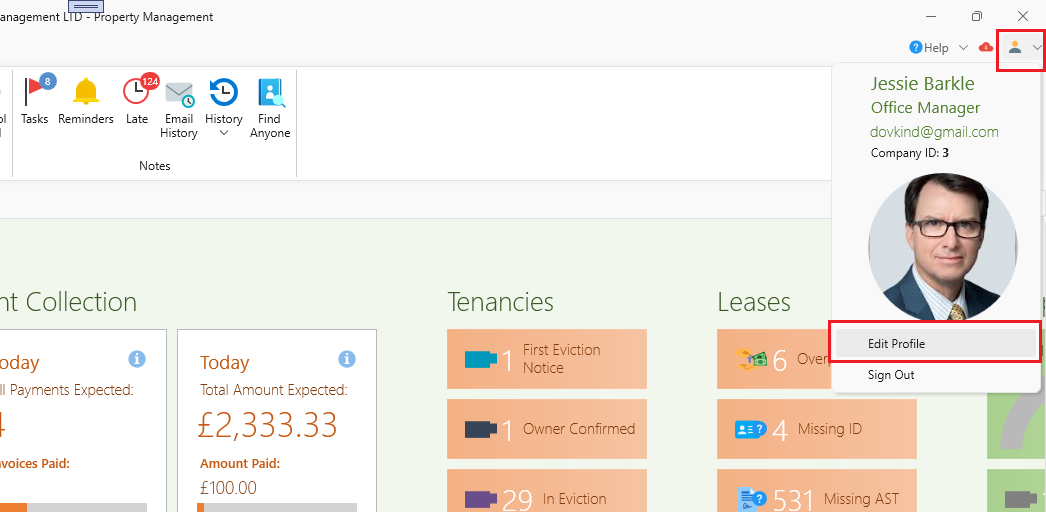
- The User Profile window will open.
- Select the Dashboard tab.
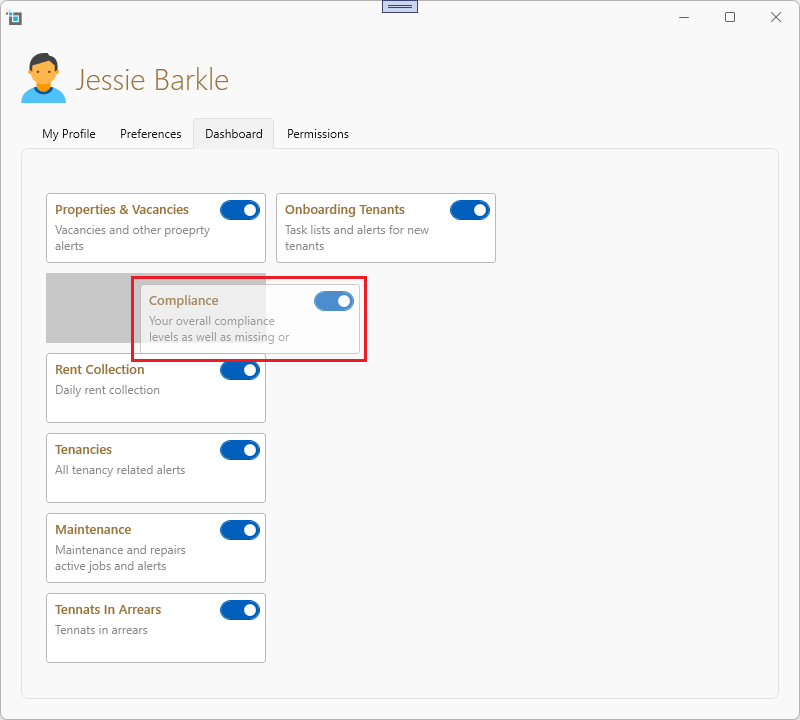
- You can drag around the cards to order them the way you'd like to have them on the dashboard.
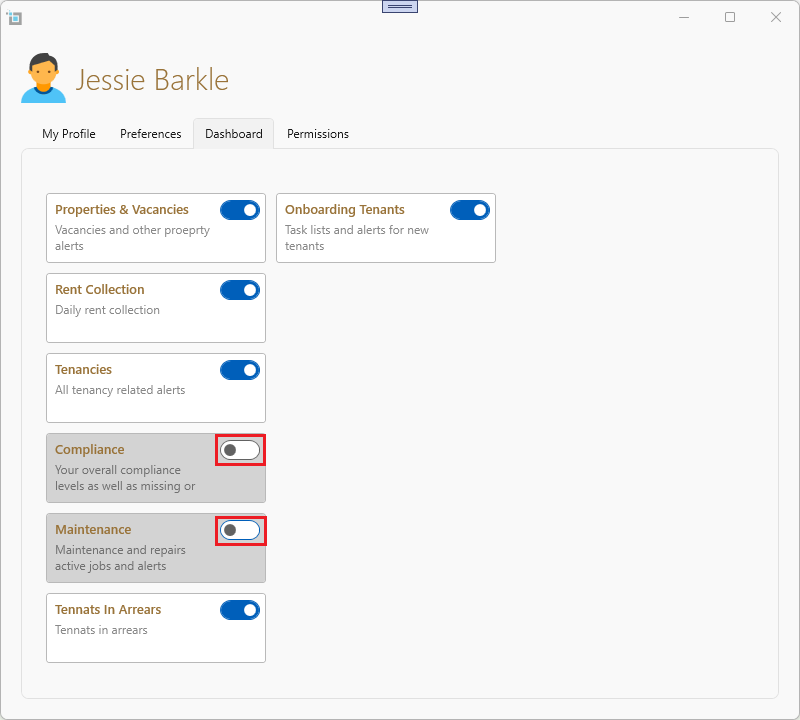
You can also completely hide cards not relevant to you by turning the switch on or off.
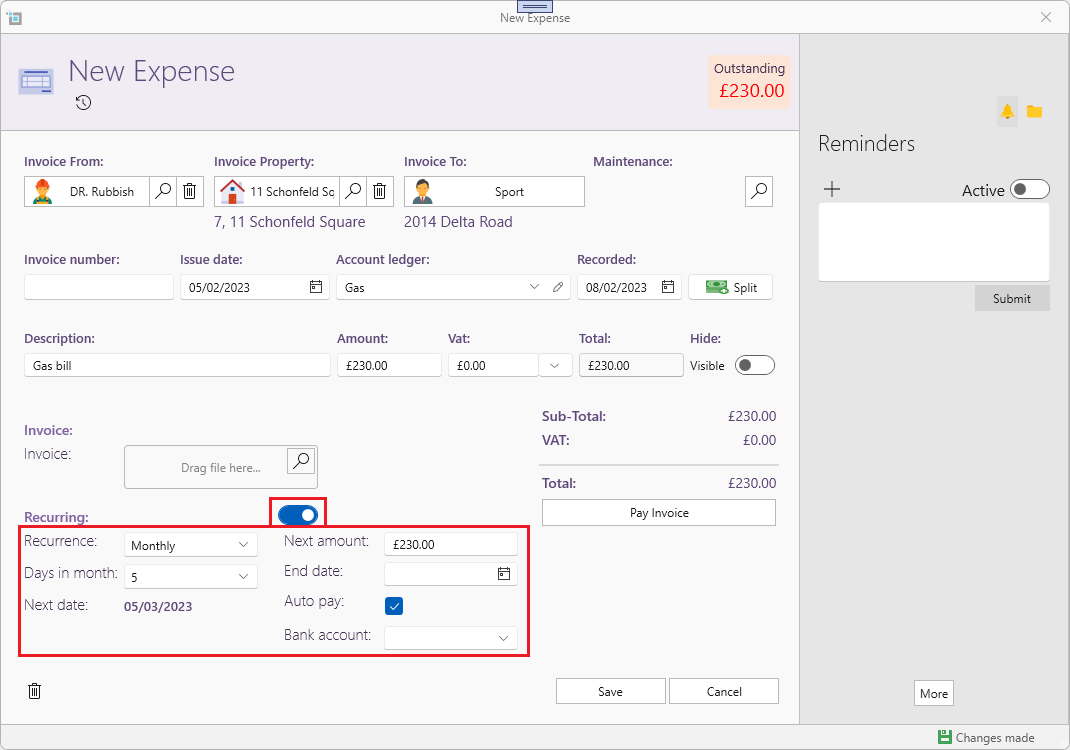
Recurring charges updates.
You now have more options to adjust recurring expenses:
- Sometimes, like with a mortgage, the first charge will usually be different then the coming charges. Also, you might get notice that a specific recurring charge will increase. In cases like these just change the Next Amount to the next expected charge. This will be used when generating future invoices.
- Some charges, like mortgages and utility bills are being settled via direct debit automatically. You can switch on Auto Pay so SleekTech will create the invoice and the payment. You can also select the bank account this charge is paid from.
- Finally, if you know until when the charge is running you can set an End Date to stop generating invoices from that date.
- If you leave the End Date blank, invoices will be created indefinitely.