This is how to upload passport, right to rent and drivers license:
- Open lease.
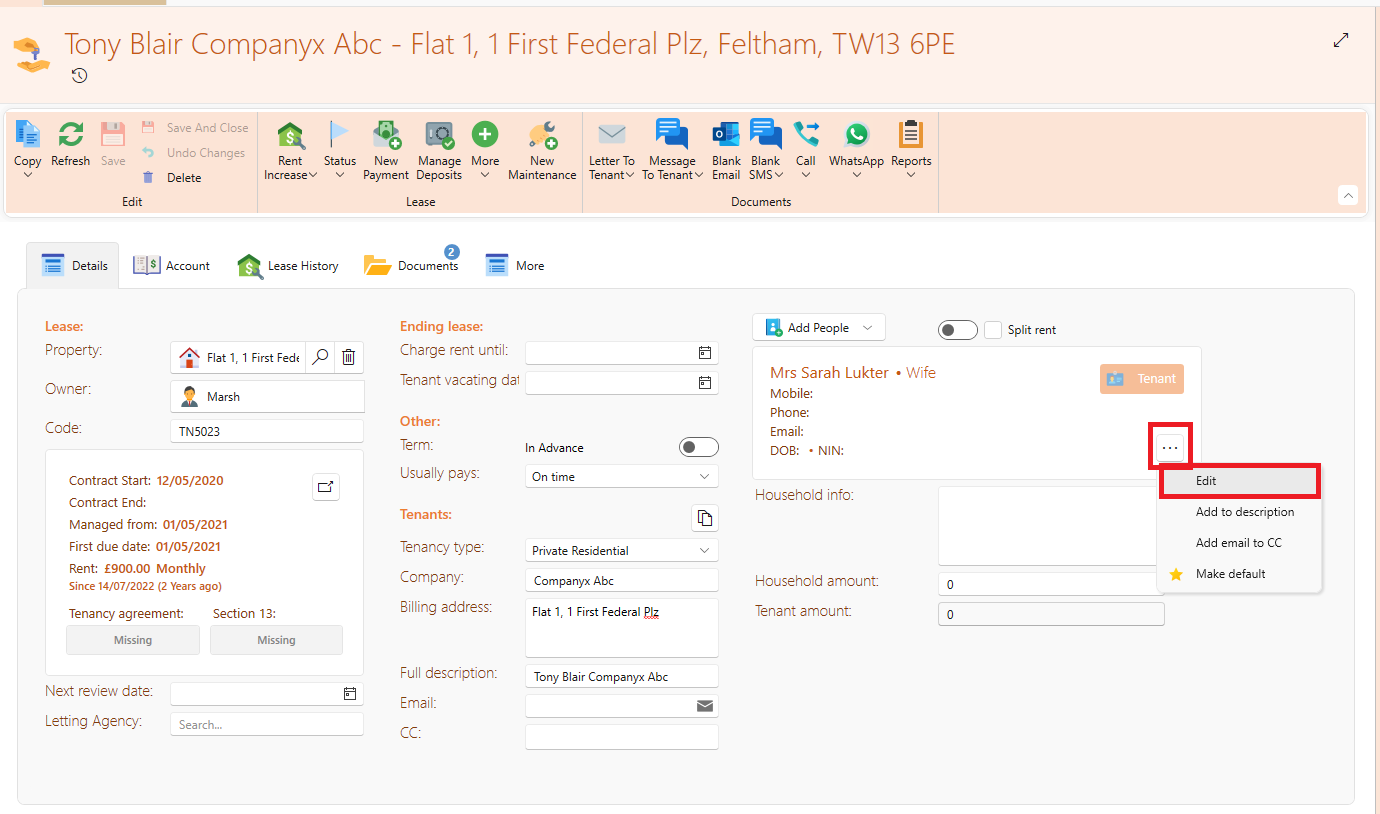
- Click on the 3 dots icon on the tenant contact card.
- Click Edit.
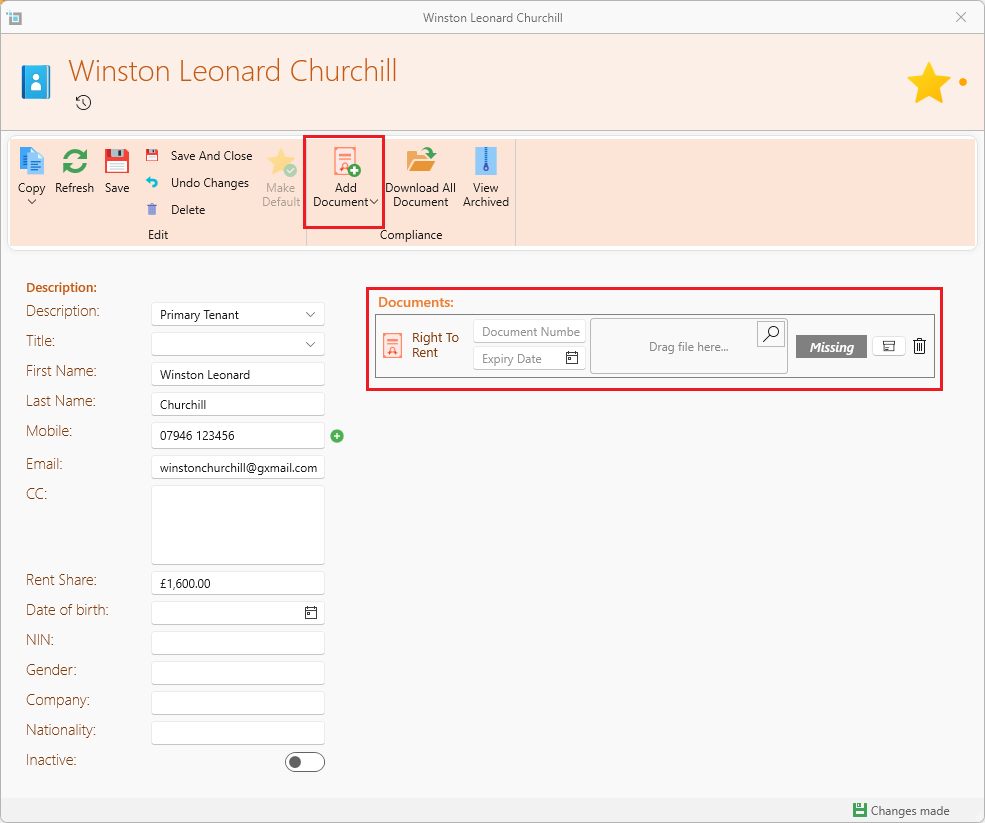
- The contact box with all details will now come up. Click Add Document from the top of the page and choose which document to add.
- You can choose to fill in Document number and Expiry Date. You can also archive and delete from the icons on the right hand side.