
To change the status of a lease just select if from the Status dropdown and Save.
You can always select Automatic from the dropdown which will revert the status to the default as described above.
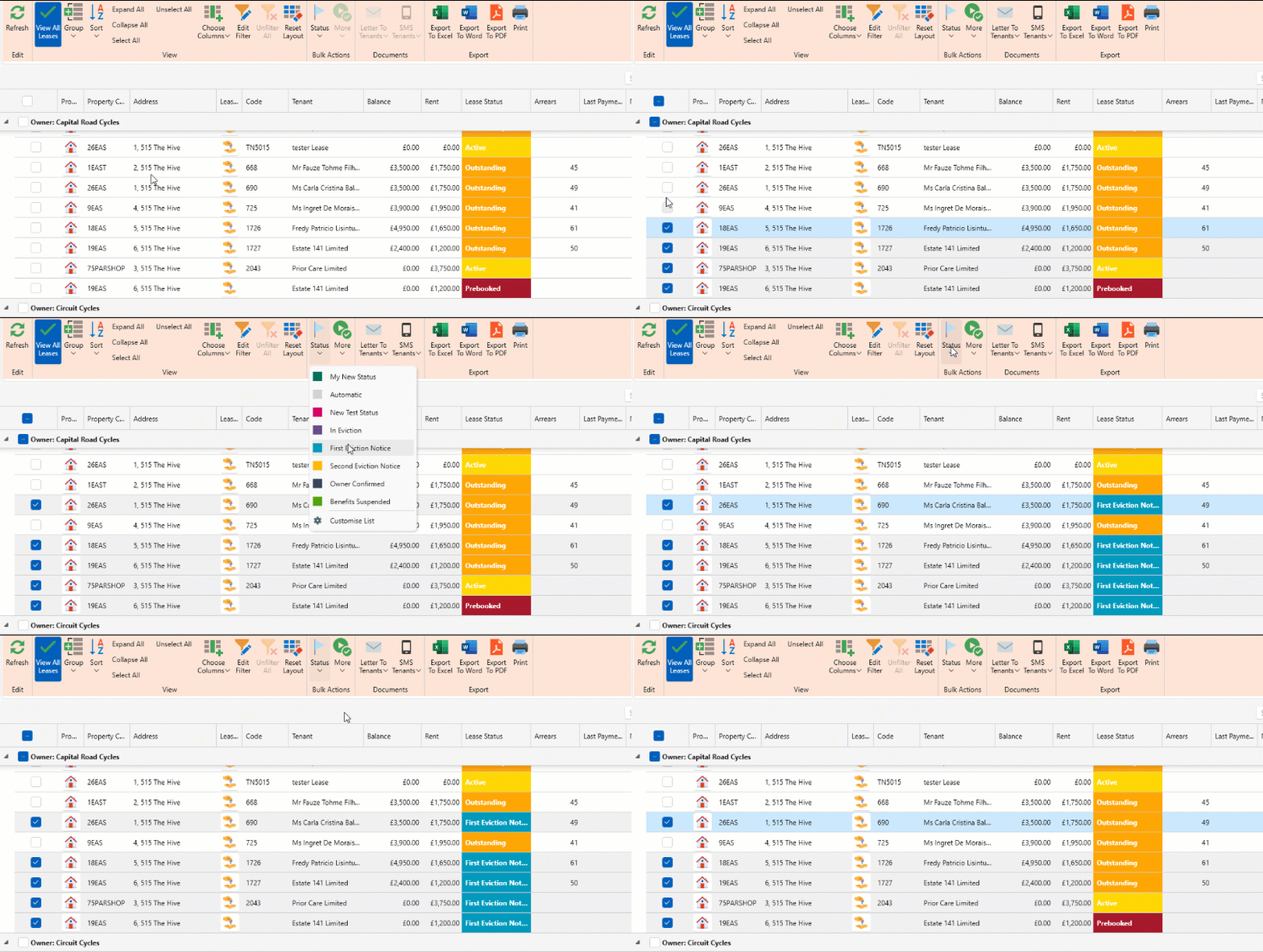
In the Manage Leases window, you can bulk update leases statuses.
- Select all leases you want to change the status for.
- You can click on the Lease status column and filter to desired content.
- In the page ribbon click on the Status dropdown and select the desired states.
- You can always change back to automatic status by selecting Automatic.
Want to know more? Click on the following links.