
This is how to create a custom lease status:
You can also create additional statuses to group your properties i.e. In Eviction.
- Find the desired lease.
- On the page ribbon click on Status, then select Customise List.
- Click on the Plus sign at the bottom to add a new Lease status. Fill in the details in the new row that comes up.
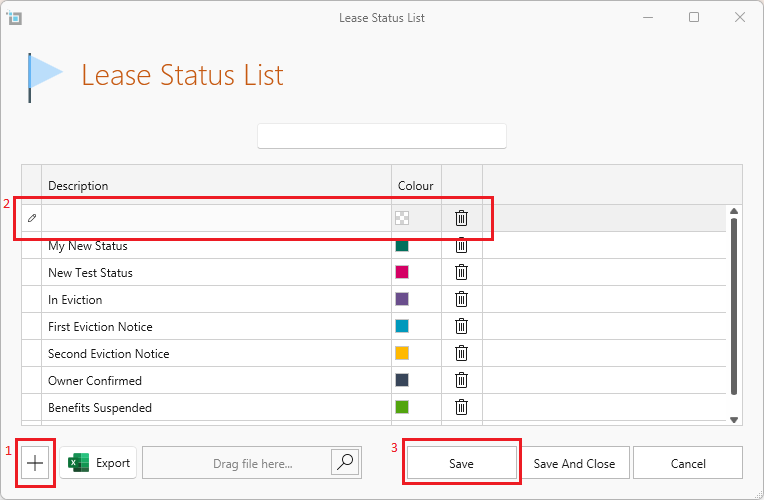
- You can also change the colour of the status by clicking on the dropdown next to the colour shown.
- Double-click on any status to edit, and click on the delete button to delete a status.
- You can also drag the rows around to reorder them as desired.
- When finished, click Save.
(Alternatively, you can go to Control Panel from the main ribbon and click on Lease Status List)
Want to know more? Click on the following links.
How to change the status of a lease.