
A Landlord Deposit is used when the landlord pays money in. This money will be added to his balance an example of when this feature would be used is in anticipation of major refurbishment.
This is how to create an owner deposit:
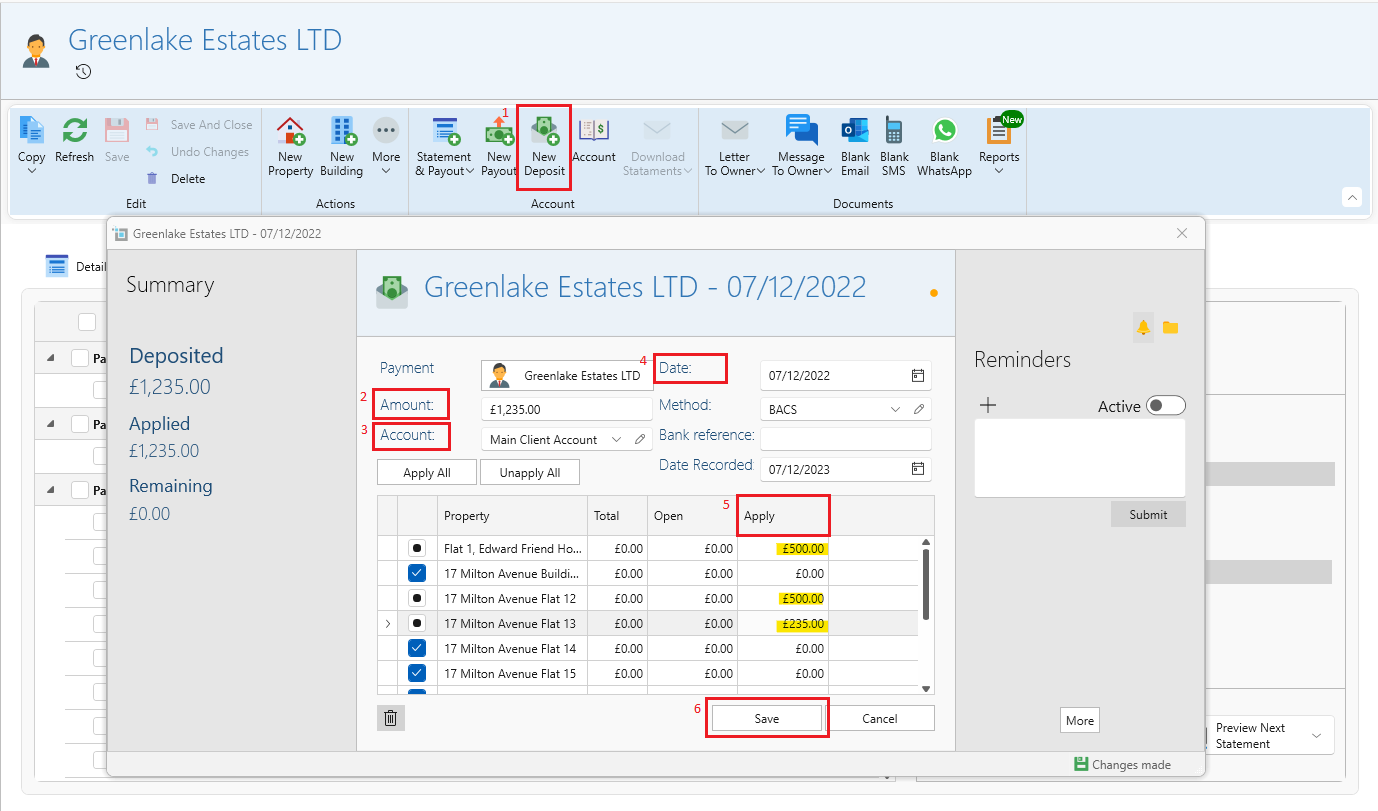
- Open the Owner page.
- Click New Deposit.
- Insert the Amount.
- Under each property set the amount manually in the Apply column until it matches the total amount on the deposit.
- Make sure the Date and Account are filled in correctly.
- Click Save.
The deposit will show as a credit on the next landlord statement.
This can be done directly from the banking window by selecting Landlord Deposit and following the process above.