
This is how to split an invoice to multiple properties.
- On the main software ribbon go to Maintenance
- Click Split Expense.
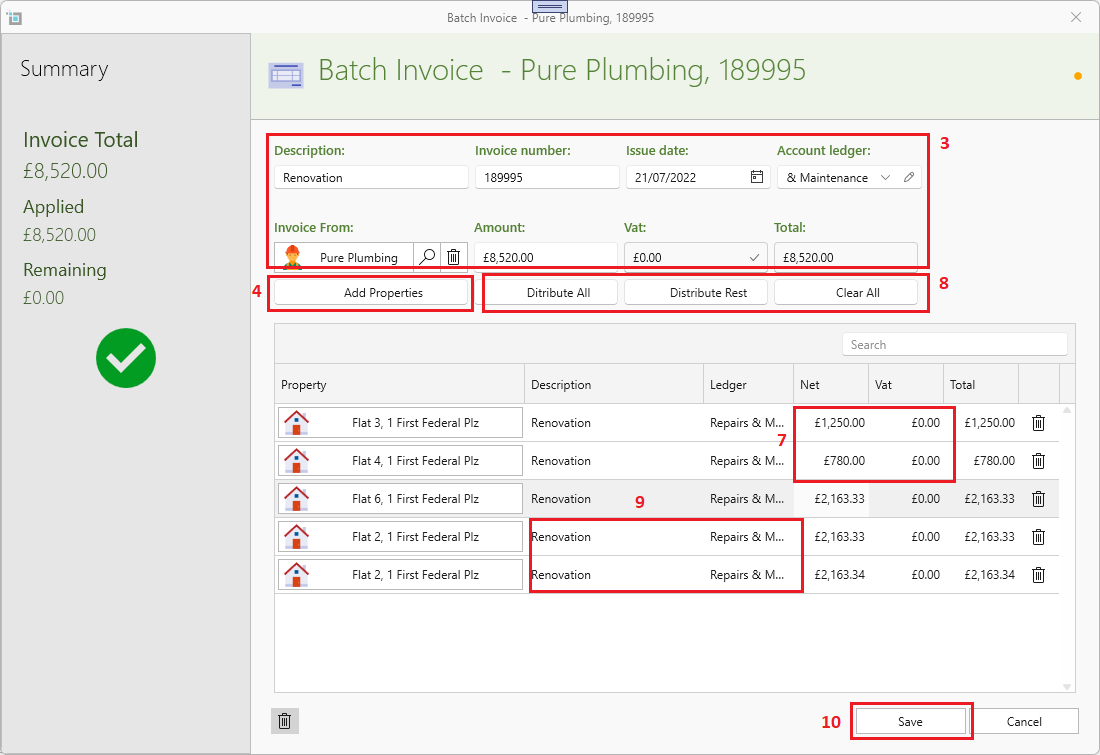
- Fill in all details like a regular invoice.
- Click Add Properties.
- Select all properties you want to include.
- Click OK at the bottom of the search panel.
- Fill in the amount you want to apply for each property.
- You can also use one of the buttons at the top to automatically fill in the figures for you.
- You can manually change the description or account ledger for each property.
- Once the all property amounts match the total invoice amount you can click Save.
Watch this vide for step by step guidance.