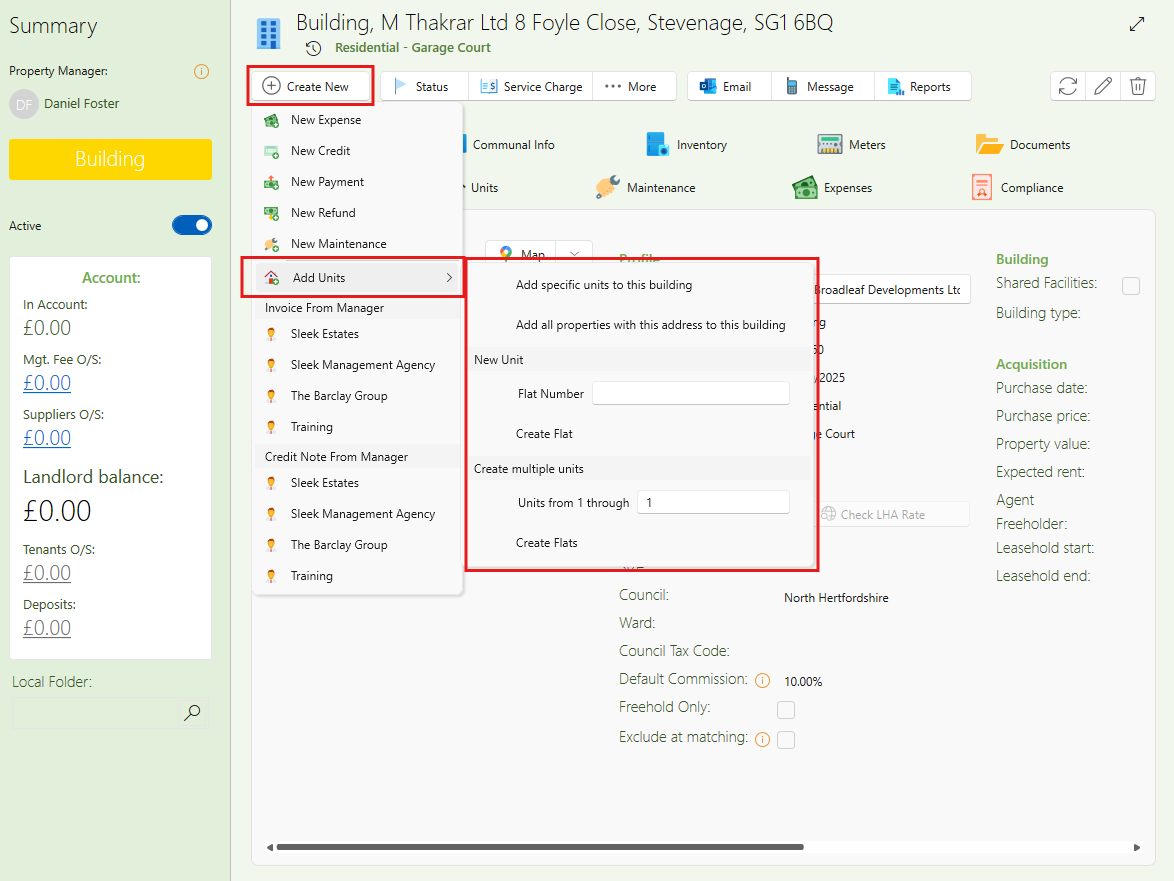
This is how to add a new or an existing flat to a building:
- Open the building.
- Click Create New in the window ribbon.
- Hover over Add Units.
- Choose one of the following options:
Add specific units to this building
Use this option if you want to add existing properties.
A list of properties will open — select as many as you need, then click OK at the bottom.
Add all properties with this address to this building
Use this option if there are multiple flats already set up with the same address as the building.
New unit
To add a completely new property, type the flat number under New Unit, then click Create Flat.
Create multiple units
If you want to add several new flats at once, enter the biggest flat number and click Create Flats.