
If you sometimes receive cash payments, you should create a cash account.
- Under Control Panel click on Chart Of Accounts.
- Under the Bank Accounts tab on the left hand side, click Add New Account.
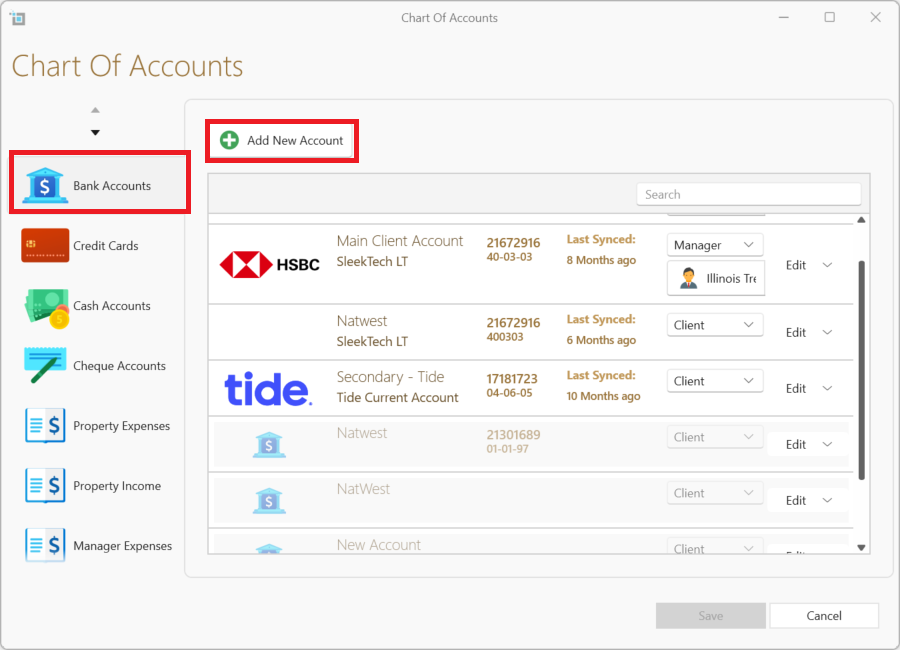
- You can describe the account as Incoming Cash etc.
- Save.
- When you receive a cash payment, open the lease page for the tenant.
- Click New Payment from the page ribbon.
- Enter all payment details.
- Make sure to select Incoming Cash under Account.
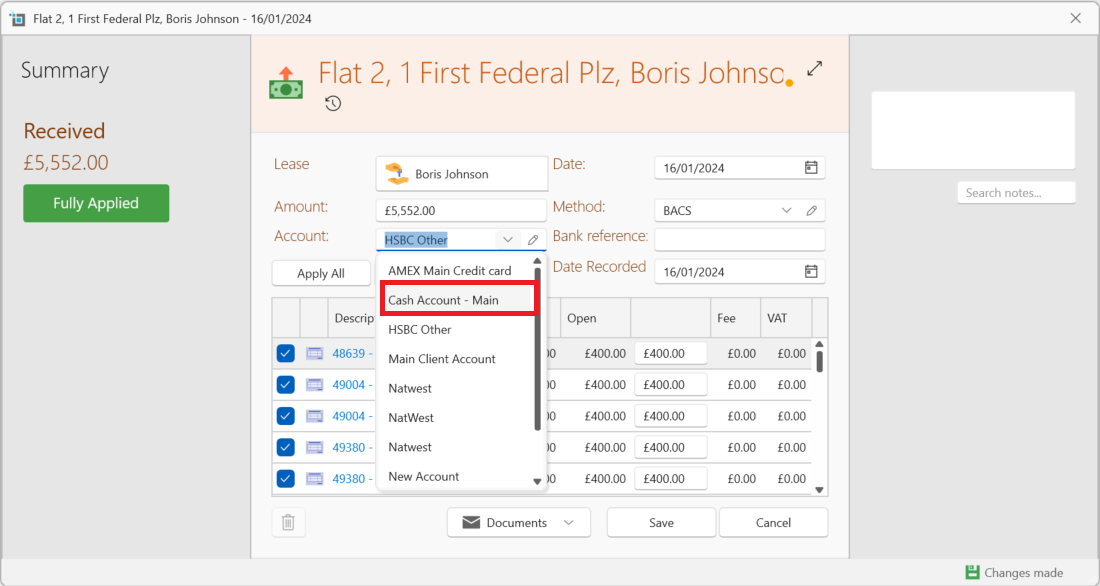
- Apply to relevant invoices.
- Save and close.
- You can see all cash payments by going to the Banking window and clicking on Select Account from the page ribbon and then on Cash account from the list of accounts.