
Due to some changes with TechLoq, when you try opening SleekTech you might encounter the following window which will block you from opening the program.
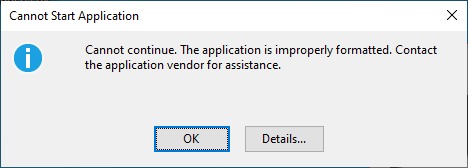
This happens because TechLoq is blocking SleekTech from checking and accessing new udpates.
To solve this please click do the following:
- Click this link: SleekTech Update Location
- You will see the TechLoq block page.
- Click Request Access.
- Select the Webiste option.
- Select the Permenant option and submit.
- Soon you will receive an email from TechLoq that your request has been done (This will usually be done instantly).
- After that, you should be able to open SleekTech without any problem.