Download all tenancy agreements for all building's tenancies.
Sometimes you might want to save all tenancy agreements for a specific building without having to open each tenancy page.
You can now do this by oprning the building page and click on "Downloadl All Asts".

New "Reports" dropdown on the Property and Owner pages.

Reports includes two new rerpots; Contact List and Tenancy Schedule.
More reports will be added in the future.
Contact List For Tenants - By Property or Owner.
Generate contact list for all tenants and additional contacts.
You can do this on a building, by opening the building page.
To do this for all tenancies of an owner, open the owner page and click the same button.
You can also create this report for multiple buildings by opening the "Manage Properties" window and selecting the proeprties you want to include in the report.
The same can also be done for multiple owner by opening the "Manage Owners" page and selecting the desired owners.
Tenancy Schedule - By Property or Owner.
Generate detailed tenancy list including start and end date, rent amount and period, next rent due date, and anunal rent.
You can do this on a building, by opening the building page.
To do this for all tenancies of an owner, open the owner page and click the same button.
You can also create this report for multiple buildings by opening the "Manage Properties"
window and selecting the proeprties you want to include in the report.
The same can also be done for multiple owner by opening the "Manage Owners" page and selecting the desired owners.
Editting payments already connected to bank transaction.
You can now edit payments that have already been connected to a bank transaction without having to go into the banking window and unlink the payment.
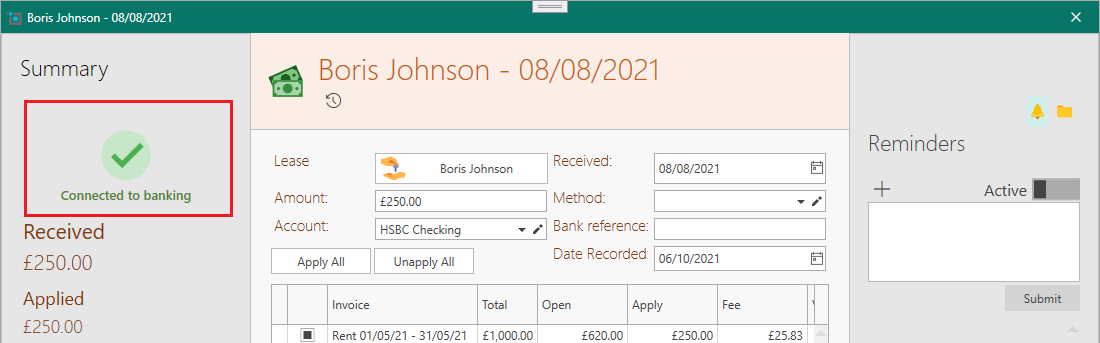
When you open a connected payment, you will see an icon on the window as shown below:
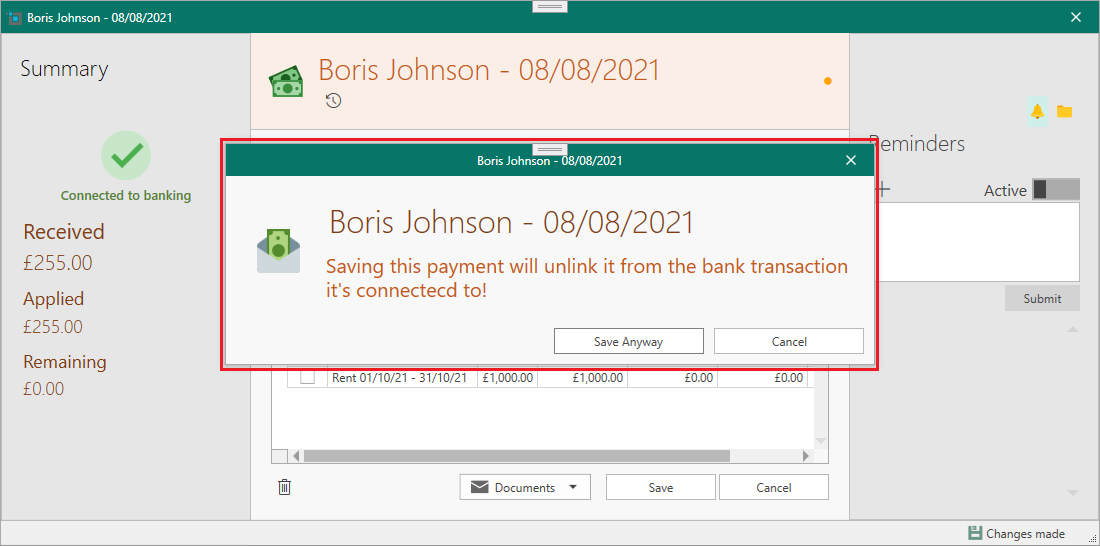
If you change the amound, date, account or bank reference of a connected payment, the system will warn you before saving that this will automatically unlink this transaction from the bank payment.