
In your control panel, you have the ability to configure various settings within the Tenant Portal.
Accessing Tenant Portal Settings
From the main ribbon, navigate to Control Panel > Settings > Tenant Portal Settings.
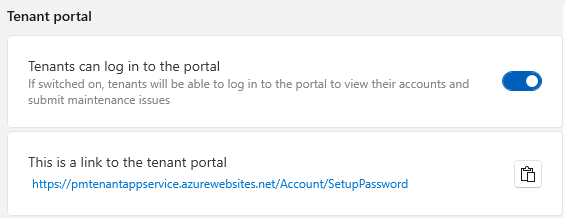
Setting Tenant Login Access
You can decide whether tenants should have access to log in to the portal. The login link can be found here.
Manager Notification Preferences
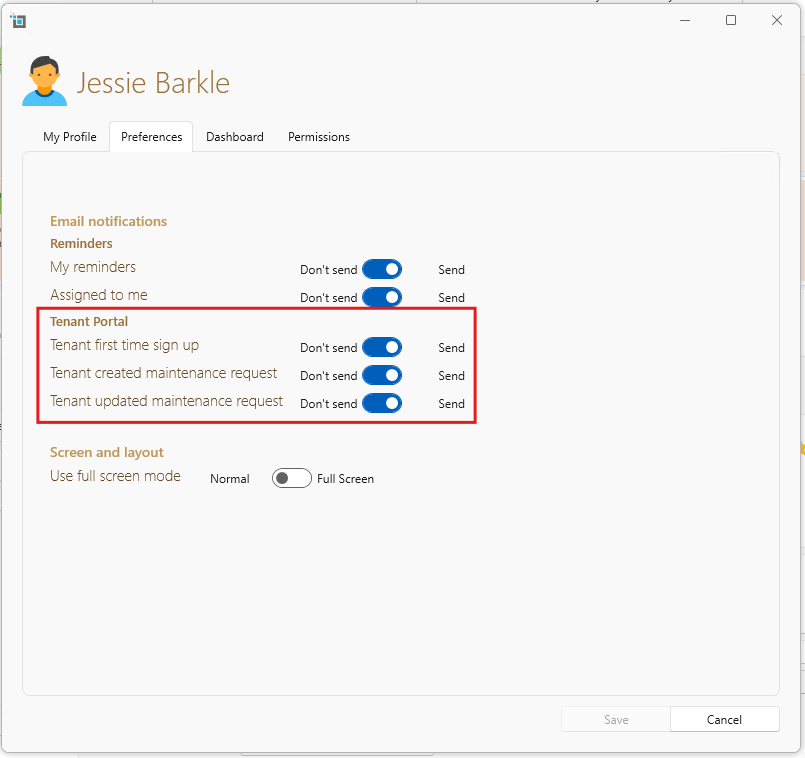
As a a manager you can adjust your preferences for the tenant portal to suit your needs. Specifically, you can choose whether to receive email notifications for tenant sign-ups, creation of maintenance requests and updates to maintenance requests.
Each SleekTech user can customise these notification settings individually according to their preferences.
- Click on the user icon in the top right corner of SleekTech.
- Select Edit Profile.
- Navigate to the Preferences tab.
- Choose your tenant profile preferences for notifications.
Managing Manager Details Visibility
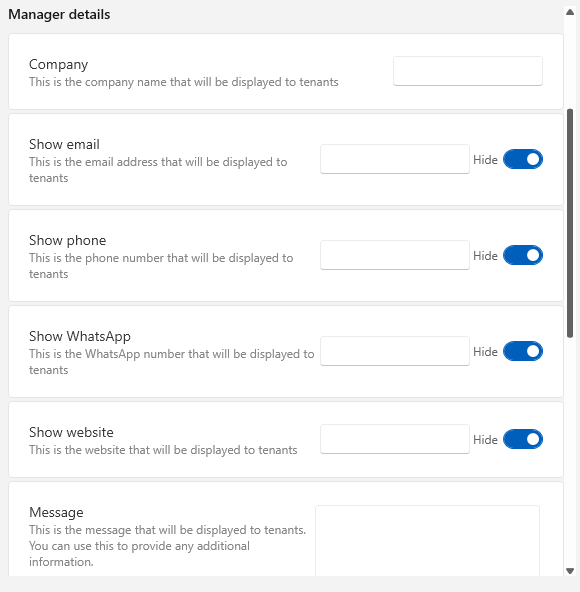
To customise which manager details are visible to tenants, including email, phone number, WhatsApp line and website. From the main ribbon, navigate to Control Panel > Settings > Tenant Portal Settings.
Controlling Rent Charges and Payment History Visibility
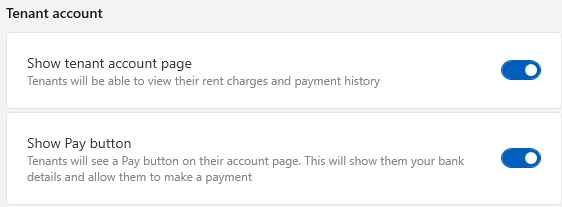
- Choose whether tenants can view their rent charges and payment history through the portal.
- Decide whether tenants can make payments directly on the portal.
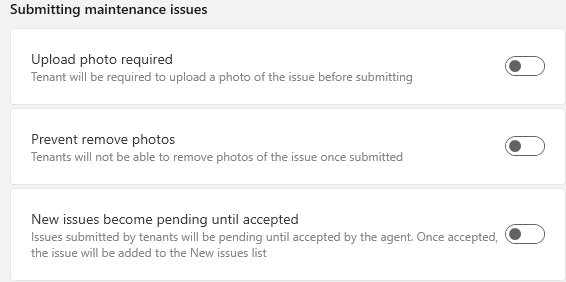
Handling New Issue Submissions
- Configure whether photo uploads are mandatory when tenants submit issues.
- Choose whether tenants can remove photos of submitted issues.
- New issues submitted by tenants can be set to remain pending until accepted by the agent.
Once reviewed, select the option to send notifications or updates.
By following these steps, you can effectively manage and customize the Tenant Portal settings to better meet your needs and enhance tenant experience.