
Automatic rent charges are crucial for managing leases efficiently in SleekTech. By default, these charges are created for every lease before the rent due date. If you need to adjust when these charges are generated, follow these steps:
From the Main Ribbon, navigate to the Control Panel.
Locate and select the Settings icon.
Find and select the Tenants section.
Look for the option to Create tenant invoices days in advance.
Specify the number of days in advance that tenant invoices must be created before the rent due date.
After entering the new number of days for invoice creation, Save to update the settings.
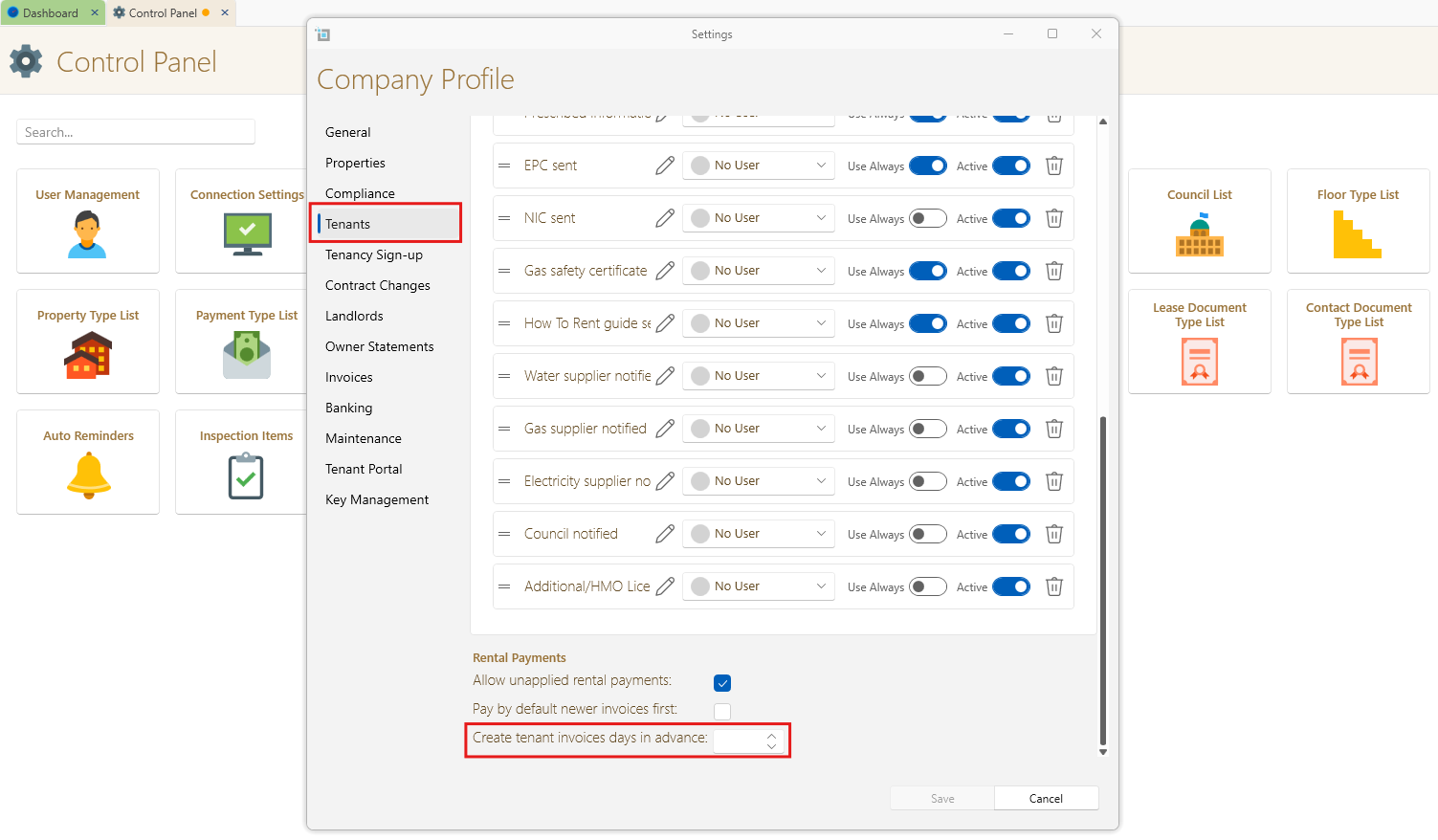
By following these steps, you can effectively adjust the dates for automatic rent charge creation in SleekTech to better suit your operational needs.
You have the ability to automate invoice delivery to both standard and commercial tenants.
Additionally, you can send invoices in bulk automatically and review all sent automatic emails. For more information, refer to the following article:
How to automatically send rent invoices to commercial tenants.
Customize settings for individual tenancies
- Select Find Lease to find the lease for the tenant you want to customize settings for.
- Navigate to the More window within the lease.
- Inside the window, you should find options related to invoicing and other lease-related actions. The options being highlighted in this article are:
- Auto Send Invoices - automatically sends rent invoice letters to the tenant.
- Send Arrears Letters - automatically sends a letter when account goes into arrears.
- Create Invoices Days in Advance - allows SleekTech to send this rent invoice a few days in advance according to your agreement with this tenant.
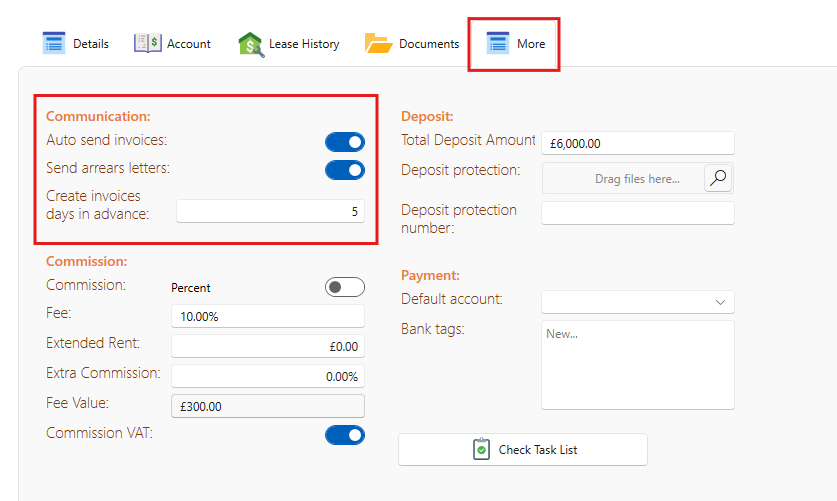
You can explore other customization options available in the More window. After making the necessary adjustments, Save. You may need to Refresh the page to ensure all changes are updated and applied. Alternatively, you might Save and Close the window.
Need more help?
If you encounter any issues or need further assistance, please contact SleekTech support.