
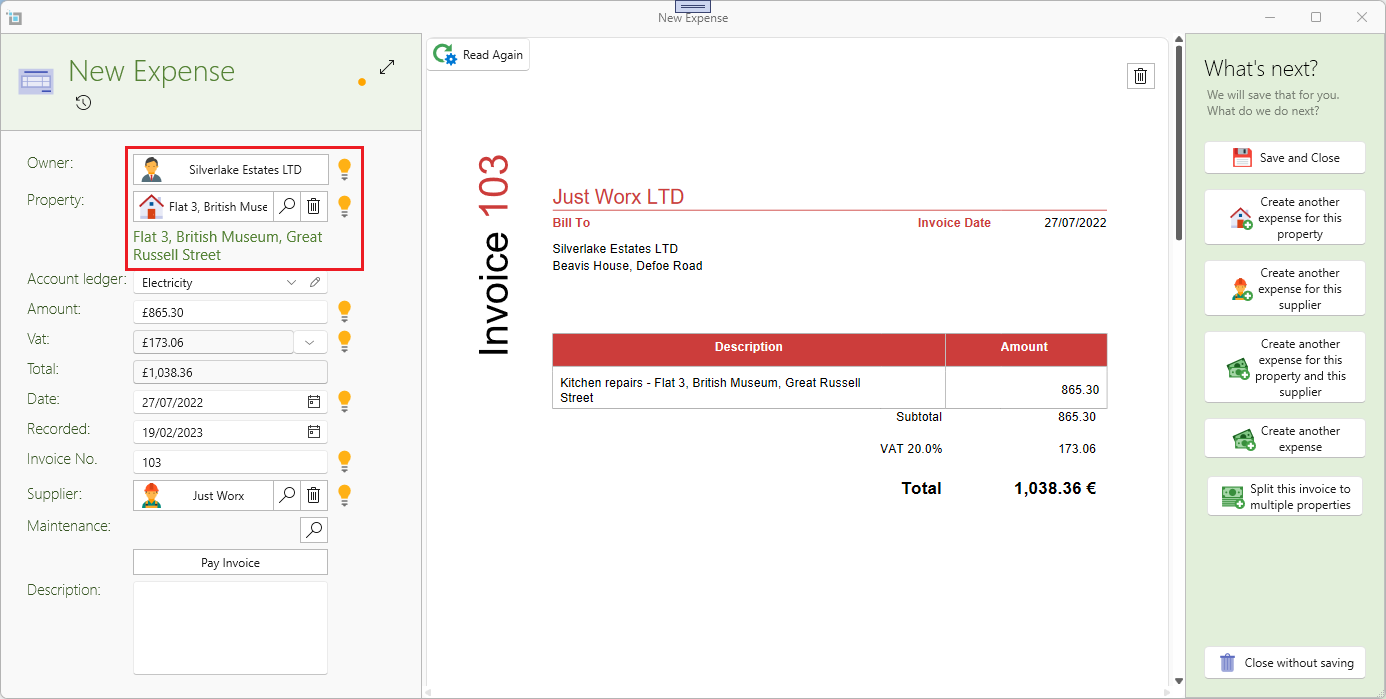
Invoices reading will detect the property
When dragging new invoices to SleekTech, it will start reading you invoice and detect most of your invoice details.
From this update we will also detect the property and owner the invoice was billed to.
This is a new feature so please use with caution and make sure it reads correctly.
Supplier Default Ledger
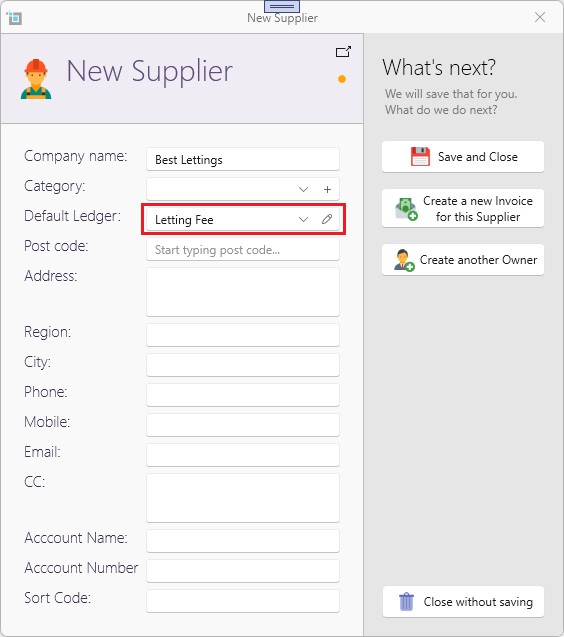
Most of the times, suppliers will send you invoices for the same ledger, e.g. a Letting company will mostly send you invoices for Letting fee. You can now set a default ledger to any supplier so when inserting new invoices, SleekTech will prefill the ledger based on the supplier default.
This is how to insert the default ledger when entering a new supplier:
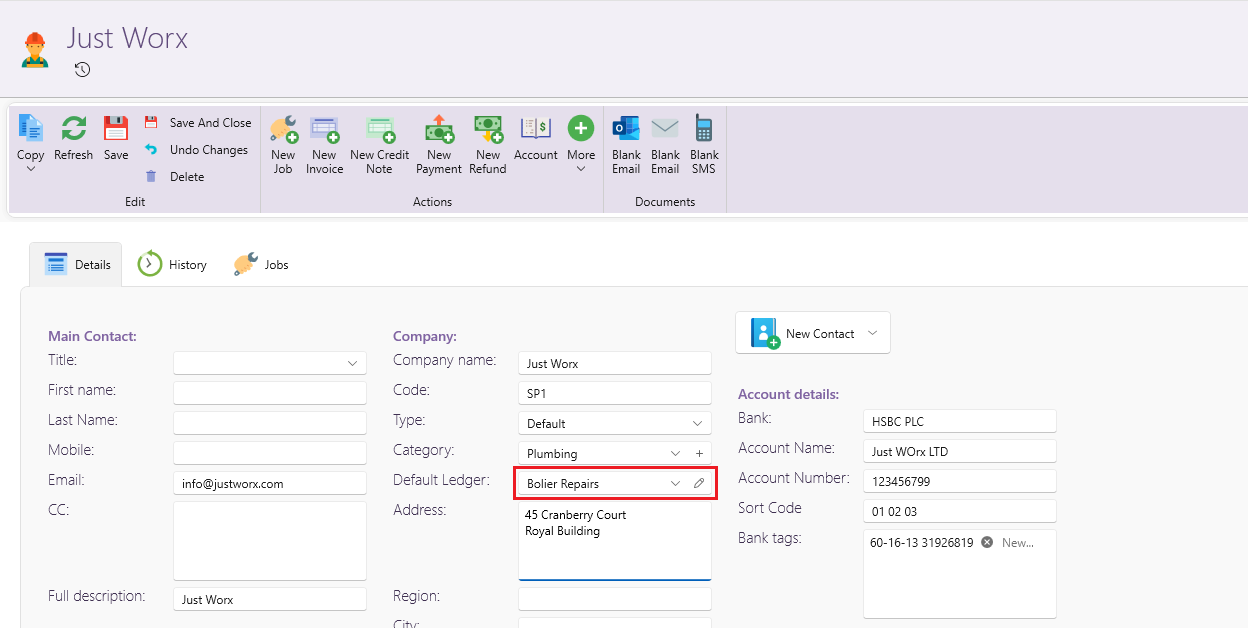
You can also change the default ledger for an existing supplier:
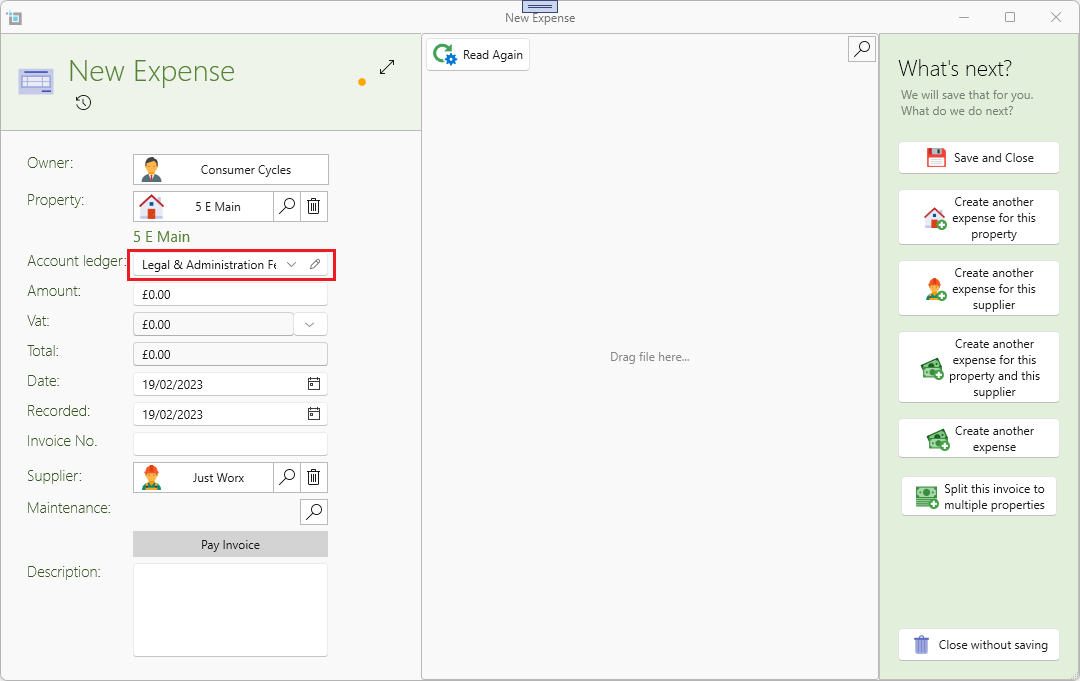
Now when creating an expense for the supplier the default ledger will automatically be selected:
Duplicate invoices rules
Whenever you enter a new invoice SleekTech will check if you have an existing similar invoice and warn you that this might be a duplicate.
We've now updated the rules how this is checked to give you more accurate results.
- If there is an invoice number and a supplier, we will check if there is any other invoice in the system with the same invoice number from this supplier. This will most probably be a duplicate because no supplier will provide 2 invoices with the same invoice number.
- If there is no invoice number, or no supplier, we will check if the invoice date, amount, supplier and property are the same. If we find an existing invoices where all of the above are the same its highly likely that its a duplicate.