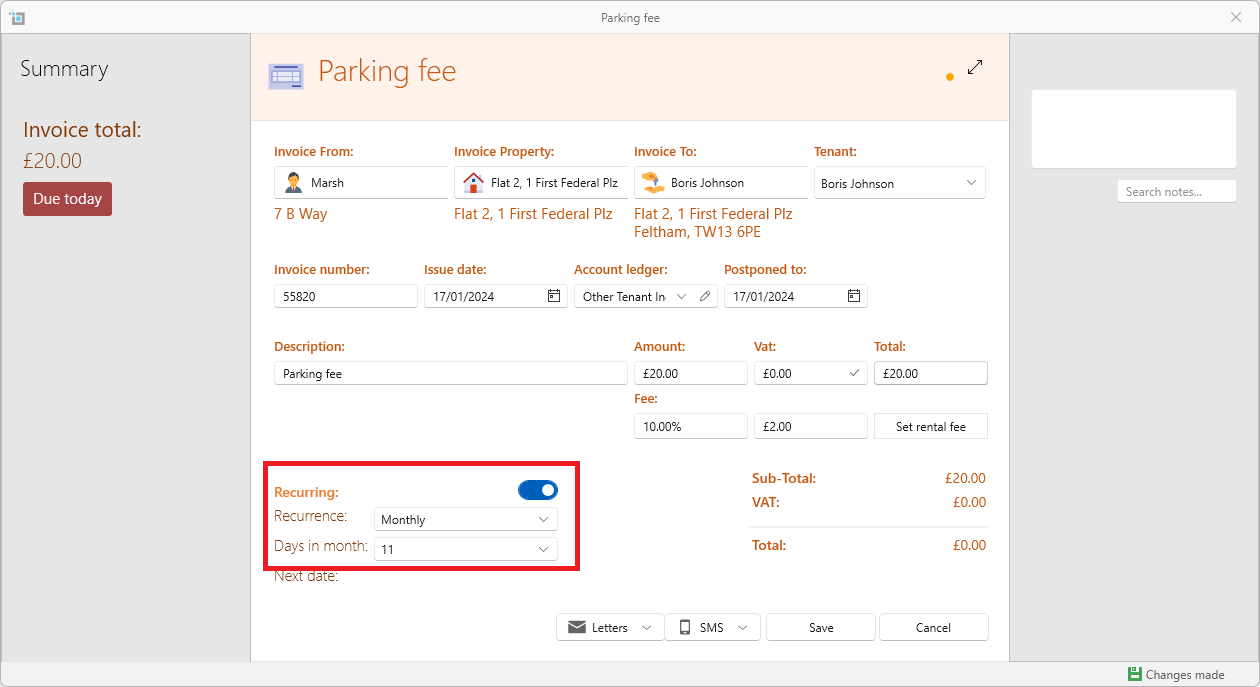
This is how to create a recurring charge for a tenant (which is not for rent) such as a monthly parking fee:
- Open the lease page.
- From the page ribbon click More.
- Select Manual Invoice.
- Fill in all invoice details.
- When all details are in, switch on Recurring at the bottom right of the window.
- Select Recurrence period.
- Select the days in Month\Week etc. Make sure to press OK after you have clicked on the day in the month or the day in the week.
- You will see the next date for the charge underneath.
- Save.
- SleekTech will now create the first charge, and then copy this charge periodically based on the recurrence you selected.