
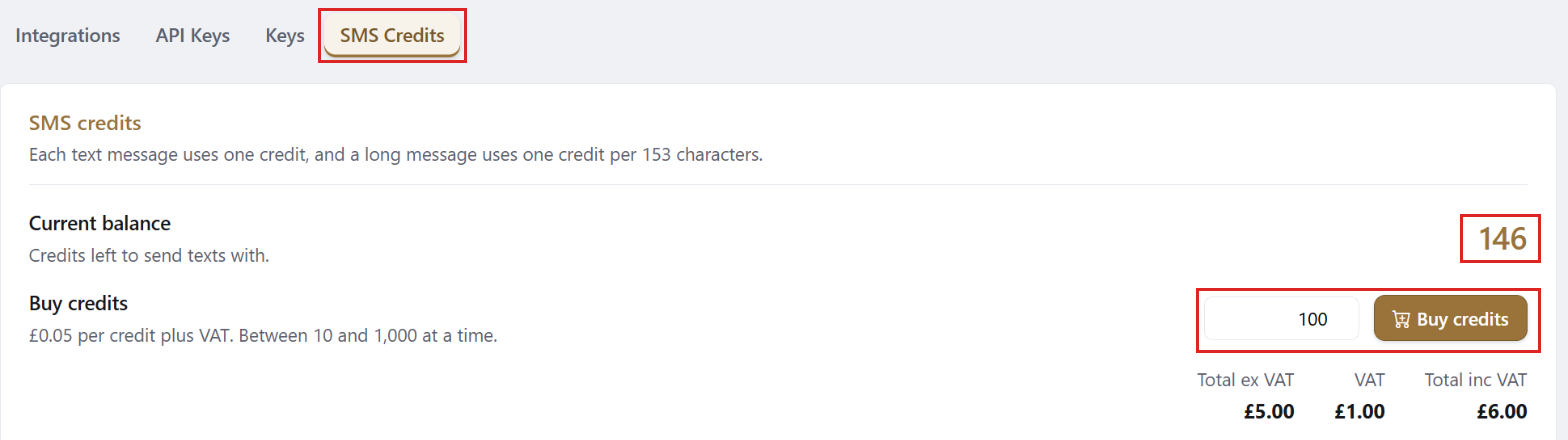
Your SMS credit balance and credit top-ups are on the SMS Credits tab in Settings.
Anyone who can open Settings can buy credits.
How To Check Your SMS Credit Balance
- Go to More in the side panel and select Settings - Web.
- Click the SMS Credits tab.
- Your balance shows under Current Balance.
How To Buy More SMS Credits
- On the SMS Credits tab, enter how many credits you want in the box next to Buy Credits.
You can buy between 10 and 1,000 at a time. - The total, with and without VAT, shows underneath.
- Click Buy Credits, check the amount, then click Buy.
- The credits are added to your balance straight away.
How You Are Charged
If you pay SleekTech by direct debit, the credits are charged to it automatically and you receive an invoice.
Otherwise we send you an invoice for them.